org for creators reveal config
graph process into linear articles
sabeiro
Created: 2026-10-12 Mon 14:18
:INSTRUCTION: You are a language model to assist different IT projects helping with coding, project planning and documentation. Read the instructions in ~/lav/src/spiega/article/agent_context.org, avoid to write in the chat and let’s communicate via this org files in the folder ~/lav/src/spiega/knowledge/ :ID: reaveal_config
org for creators
Learning org-mode is at best described in this clip, all your thoughts start making sense and you realize how things are connected. Org is such a more natural way to write. You can interrupt any time and capture notes, journal, diary, agenda, tasks, snippets, and random thoughts. It is an explosion of new capabilities that allows your brain to start connecting things they were pretty isolated and realizing how more efficiently you can run your work. Org links all your words and support in building a coherent linear story as an article or a speech.
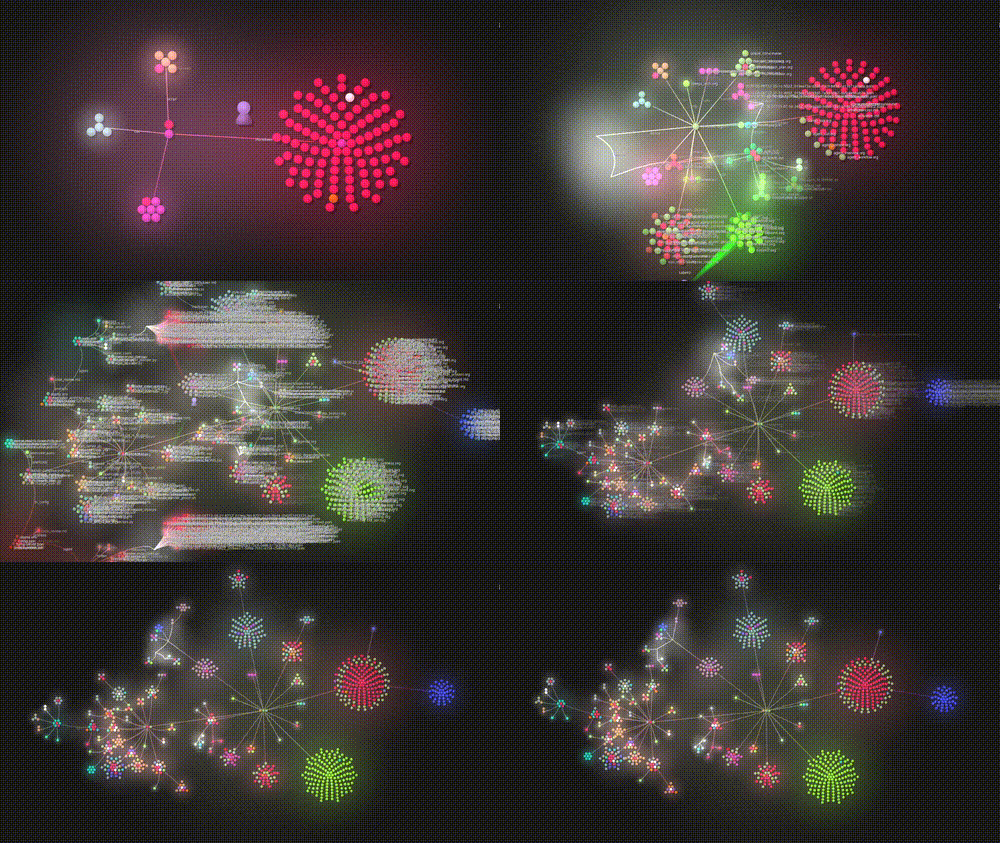
Figure 1: what happens to your brain once you discover org-mode
items
You focus on writing down the ideas you find relevant to you topic and, as you write, things start getting connected together. You then rewire and reshape the links until you find a solid path connecting all the points.
- topic
- the main theme
- nodes
- single entities
- items
- can be facts, characters, places
- ideas
- your unique interpretation of the matter
- links
- the relationship between nodes
There are different methods to manage a knowledge base like: zettelkasten, personal knowledge management, second brain.
done articles
Articles are linear sequences of sentences where the author needs to think how to order the arguments and what to stress. This approach is kind of unnatural since one starts thinking about a particular topic in a much more flexible way working in parallel at many different aspects.
More natural is to start writing in graphs:
- 🆕 topic
- draft an idea on the topic you want to cover
- 🗞️ knowledge
- gather the relevant information and collect references
- 🔵 concepts
- how the knowledge is connected to the topic
- ✏️ tag
- tag each fact or idea with a clear connection with the topic
- 🔛 links
- draw strong links between ideas

Figure 2: looking for topics
done items present
There are different types of items you should collect:
- 🫅 characters
- what are the main characters to mention
- 🏔️ places
- what places are involved and when
- 🏹 inventions
- what is the particular innovative aspect
- 🐕🦺 myth
- what is the open/intriguing point
- 🧬 facts
- what can we cite as scientific result
- 🛕 cults
- what places particularly resonate with that story
- 🔭 findings
- objects/opinions that suggest interesting variants
- 📖 stories
- the narrative around the topic
- 🏜️ environment
- the particular setting of the event
- 🔛 relationship
- how items are related together
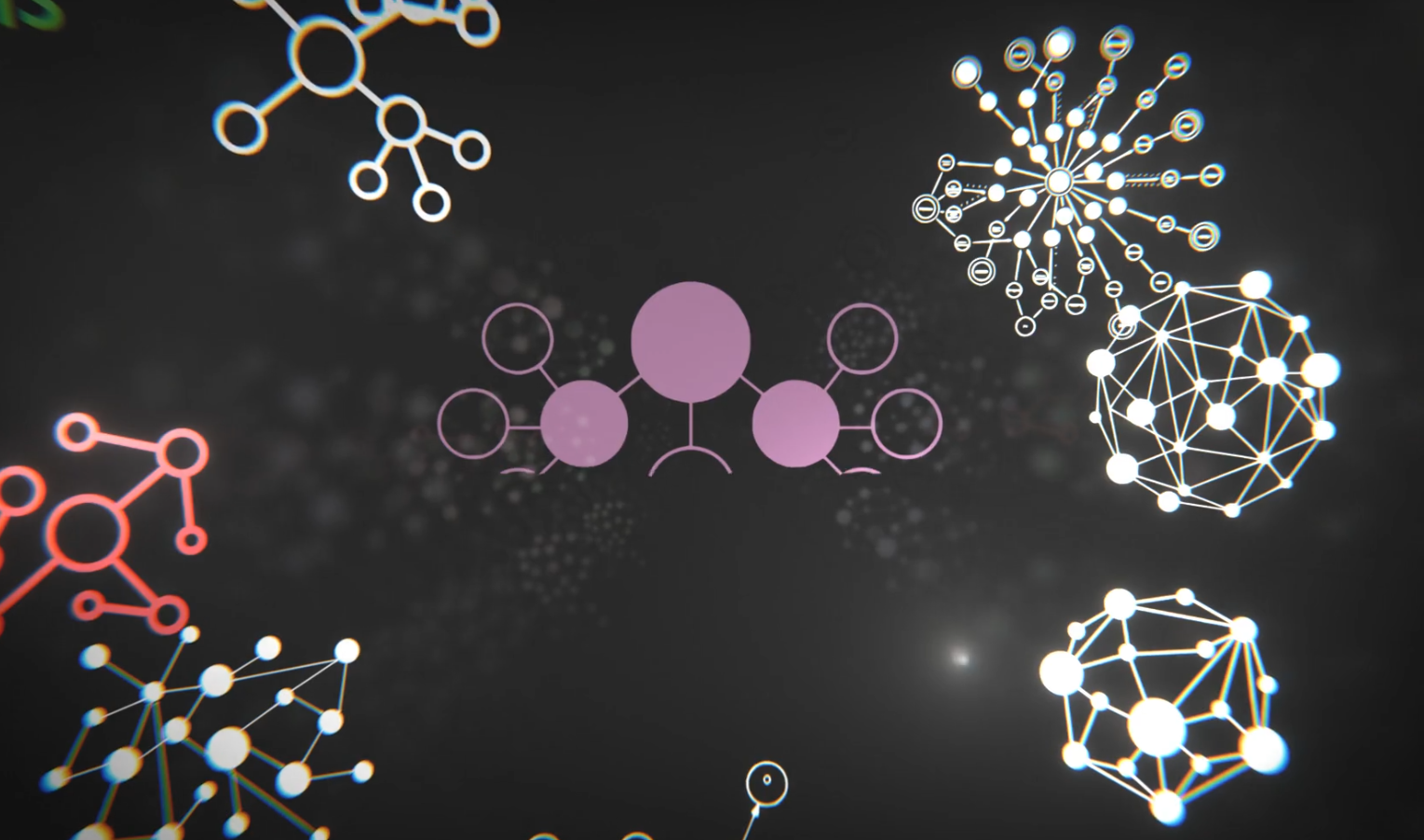
Figure 3: graphs and items
done labelling executive knowledge
As we write we need to think how relevant each argument is in our topic. Initially is only a draft but when we start building and re-wiring connections we might re-think the labels and start assigning more precise labels.
- ❕ must
- some nodes need investigation, like fact checking, but mentioning them can bring off-topic
- ‼️ important
- the item is essential to be mentioned, it’s crucial for the narrative
- ⁉️ interesting
- some interesting topics which might not be relevant
- ❓ off-topic
- this item might not fit in the final story-line
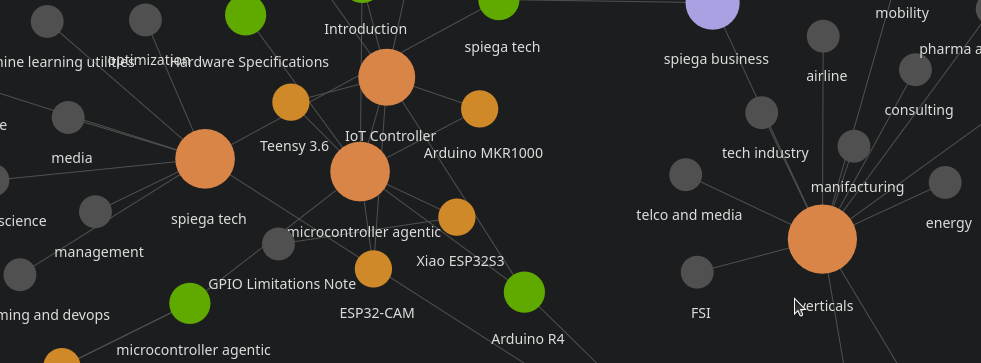
Figure 4: roam ui interface
done creator role
As a creator to keep being productive and focused org-mode can help a lot to run many background activities and help validating your thoughts as you write. During the creative process many sentences require validation and search breaking our thought-flow and creating many branches which can create alternative story lines.
- visualize
- complete overview of the knowledge
- separate
- references and main story
- organize
- all the background information without losing the focus on the main message
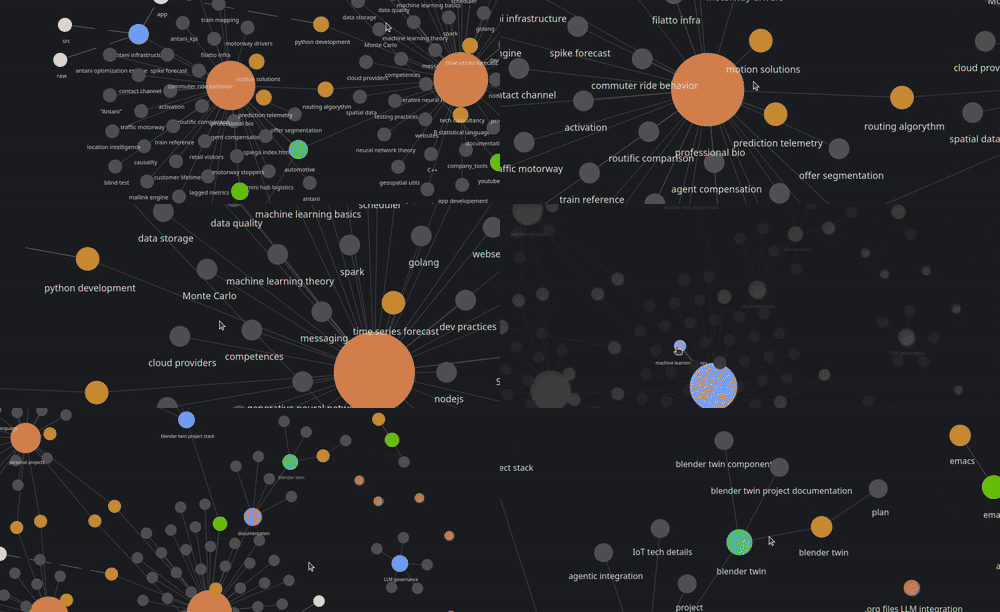
Figure 5: org mode
done knowledge base
This process divides the story line from the linked knowledge. We will first of all define the topic and the scope of the project. Let’s say we want to develop a topic like “why bronze age is relevant nowadays”. We need first to create a knowledge base relative to the topic and to collect information and media around to the subject and try to keep focused without getting lost into details. We need strong support from facts which we need to collect and organize first. We need first to collect background information
- overall
- information and details about the subject
- actors
- who where the most relevant actors in that space
- highlights
- what are the most interesting facts to mention
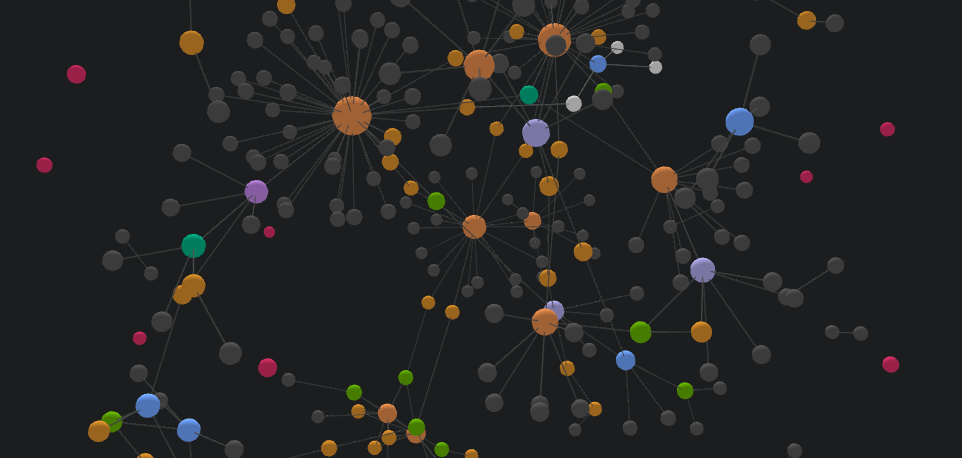
Figure 6: org_roam knowdge base
done topic
A big challenge in creating content is to keep the focus despite adding details. It is important to collect the background information which doesn’t mean it needs to be mentioned (eventually added as footnote). Having too many information can lead to unclear messages weakening the main topic in adding too many details but on the other side we need to make sure that our assertions are well grounded. We will treat the topic part then as a result of understanding our graph.
done key ideas
Within the topic we can find some key ideas we want to convey. It is important we answer some key questions:
- unique
- what makes this topic so unique
- audience
- who can be interested in thinking about
- fascination
- what is the inspiring part of the topic
- aesthetic
- what is the aesthetic aspect
- learning
- why it is important to learn from it
- narrative
- what is the style we want to use
- irony
- do we want a more or less serious style
- pop
- do we want to include popular culture (memes)
- example
- what examples we can cite
- moral
- is there any interesting moral/ethical topic
- inspiring
- how do we inspire the audience
- touch
- how do we want to include the creator touch to the topic
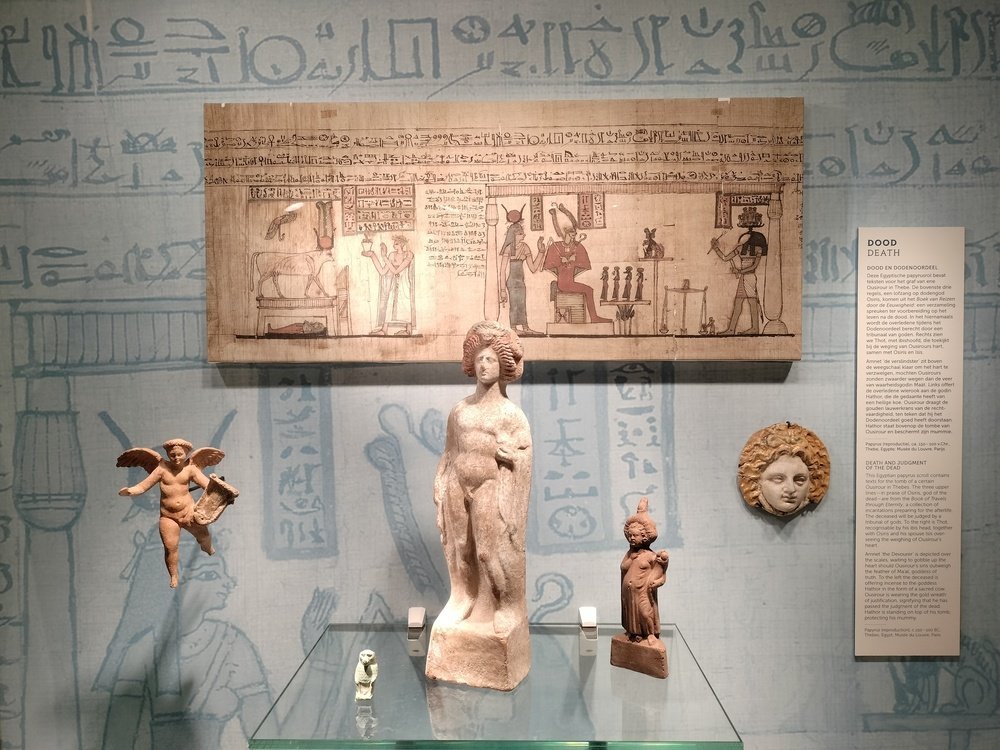
Figure 8: inspiration for a topic
tools
After multiple experimentation the tool I decided to use is org-mode. The reason is that in a single file I put everything I need:
- metadata
- author, date, title, subtitle
- tags
- relevance of each section
- log
- the time I spend on each section
- instruction
- how to interpret the files, both for human and agents
- commands
- look-ups, translations…
- graph
- I can put the relevant nodes and its tags together with links
- style
- I can change the style and elements with simple characters
- media
- I can include any media and control the export
Figure 9: text editor is full of distraction
done emacs
Emacs has a clean interface, nothing to distract the eyes. You only see the text which is relevant to you. You focus in provide the content and the rest will be linked and generated together with all the exports. After editing an org-file you get:
- presentation
- the file is translated into blog post and slide
- database
- the database gets updated with all the sections and tags
- graph
- all the nodes and links get parsed by org-roam
- visualize
- you can visualize how the topic grow and how it is connected
- publish
- table of content, footnote, bibliography
- agenda
- you see the status of the work, how much you worked at it and what is left over
- agents
- agents work directly in the file
- commands
- placeholders and script will be executed during export
- SEO
- the output is rich in metadata and perfect for any type of indexing
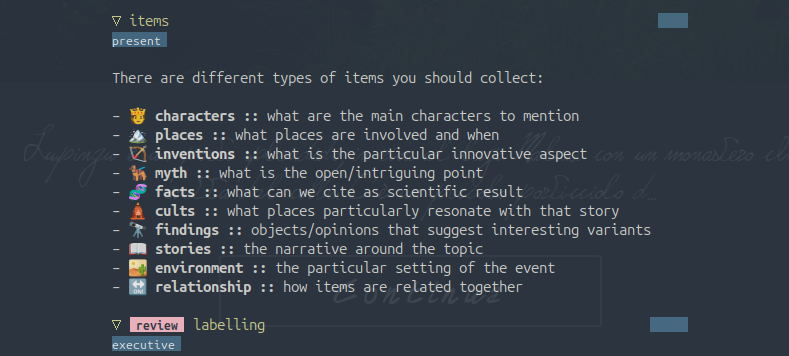
Figure 10: emacs clean interface
done org-mode
We use org-mode because is a fully featured file format which allow to integrate with a rich set of tools and metadata:
- agenda
- schedule, diary
- task
- todo, current status, alerts
- notes
- capture, journal, post-it, capture, archive
- spreadsheet
- tables and computation
- links
- attachments, internal/external
- publish
- web page, blog, slides
- graph
- ui, search, viz
- code
- snippets, integrated with the code
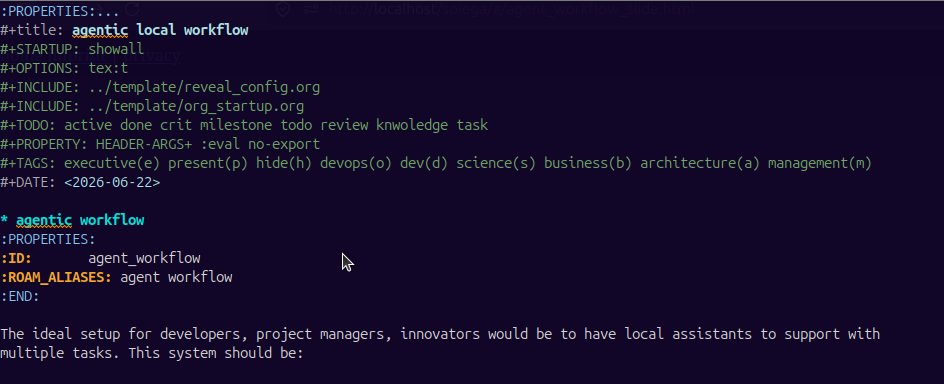
Figure 11: org files
done configurable
CLOSED:
Emacs tends not to have menus which requires more writing. It definitely takes time to find a proper configuration which adapts to your working style, it takes a lot of trials and sometimes you overdo.
- theme
- (load-theme ’misterioso) (load-theme ’tango-dark) (load-theme ’wheatgrass) (load-theme ’whiteboard) (load-theme ’light-blue) (load-theme ’deeper-blue) (load-theme ’modus-vivendi) (load-theme ’leuven-dark)
- center
- (olivetti-mode t) (olivetti-mode nil) (olivetti-set-width 120) (olivetti-set-width 80)
- modern
- (org-modern-mode t)
- opacity
- (set-frame-parameter (selected-frame) ’alpha 100) (set-frame-parameter (selected-frame) ’alpha 80)
- slide
- (org-tree-slide-mode) (org-tree-slide-presentation-profile) (org-tree-slide-content) (org-tree-slide-skip-outline-level)
- font
- (set-face-attribute ’default nil :family “DejaVu Sans Mono” :height 100)
(set-face-attribute ’fixed-pitch nil :family “DejaVu Sans Mono” :height 100) (set-face-attribute ’variable-pitch nil :family “Spectral” :height 130)
- variable
- (add-hook ’text-mode-hook ’variable-pitch-mode)
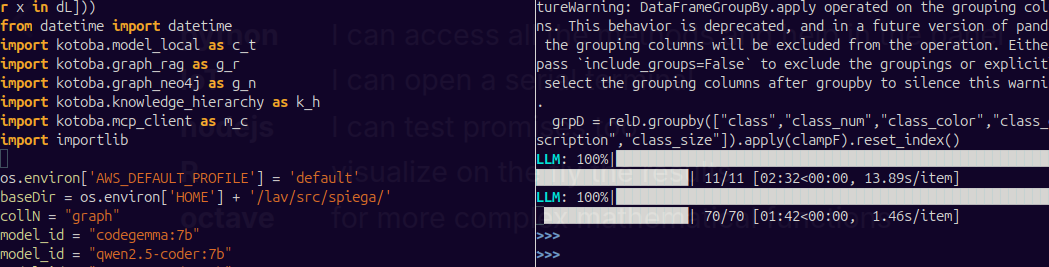
Figure 12: emacs themes
done agents
CLOSED:
:EFFORT: 0:15 :RATING: +
Agents can help in different ways:
- research
- lookup important information and update the knowledge base
- update
- scan the files and check the consistency of information
- display
- scan the files and create mind maps of the most relevant concepts
- re-write
- improve some text
- translate
- especially if you don’t write in your native language
- generate
- image and sound
- proof reading
- a second opinion on paragraphs
- exchange
- challenge your positions
- inspire
- find other point of view
- summaries
- summarize your ideas
- index
- parse picture and text and create indices
- fact checking
- risky but worth trying
- sense checking
- you get your ideas challenged
- rephrase
- if the model doesn’t understand your sentences
- verification
- a second opinion on your ideas before saying inaccurate things
- metadata
- generate metadata for search like description and keywords
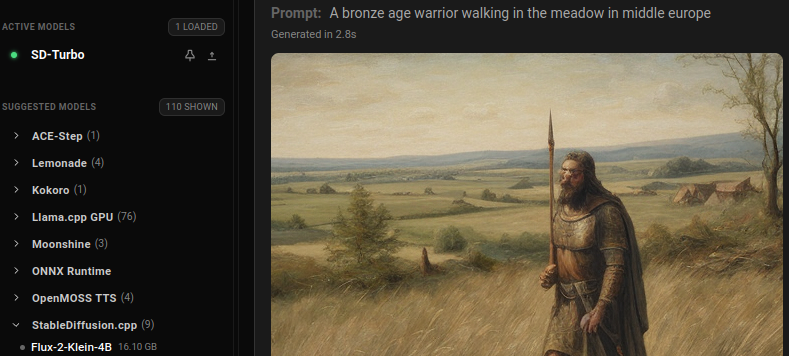
Figure 13: image generation
done local agents
I opted to have everything local. I want to control the cost of the project and avoid sharing ideas. I have a basic gamer laptop and I finally found lemonade which serves locally models on CPU, GPU and NPU. Local models are less powerful but that’s intended. I don’t want to follow in temptation of letting the model do the work, I need to keep some authenticity.

Figure 14: subscription often don’t cover the costs you expect
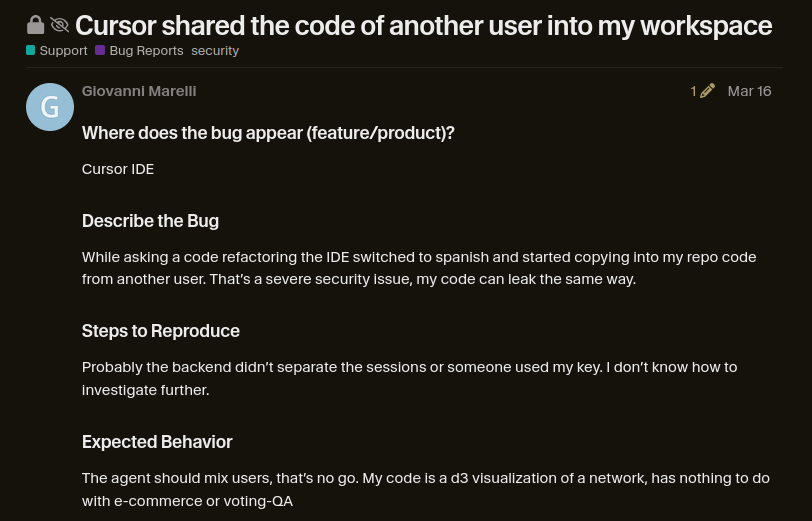
Figure 15: Cursor sharing the code of another user into my session
done caveats
Local agents hallucinate a lot, references are mostly completely made up.
I find even ironical how they state it
- References: Need credible academic sources (BibTeX style).
done summaries
Chatbots are really useful to create summaries
| Innovation | Modern Equivalent | Core Importance |
|---|---|---|
| Metallurgy | Materials Science | The shift from “using” nature to “engineering” it. |
| City-States | Urban Planning | The birth of organized, collective living. |
| Trade Networks | Globalization | The realization that trade creates shared prosperity. |
| Cuneiform/Hieroglyphs | Data & Software | The ability to store and transmit information. |
| Bureaucracy | Government/Law | The organization of large groups of people. |
| The Collapse | Systemic Risk | A warning about the fragility of complex systems. |
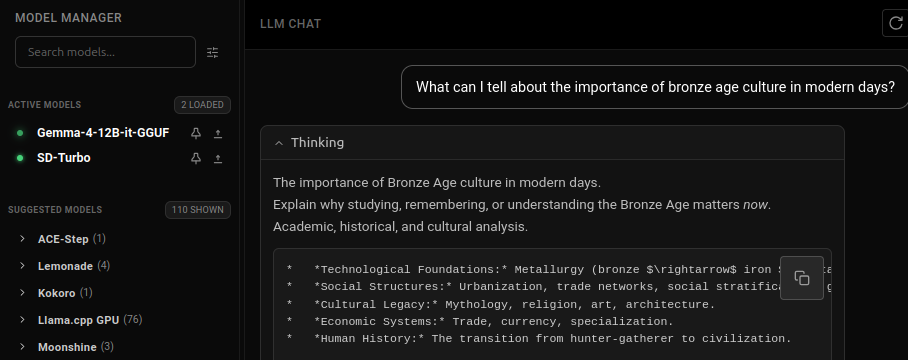
Figure 16: collect a second opinion from a bot
To understand the importance of Bronze Age culture in modern days, you have to view it as the “Operating System” of modern civilization. While we live in a digital, silicon-based world, the fundamental structures of how we live, trade, govern, and create were first prototyped during the Bronze Age (roughly 3300 BCE to 1200 BCE)....
done write code
> list the folder in a directory in python
The user wants to know how to list folders in a directory using Python. This is a common programming task. I should provide a clear, concise answer with code examples.
The most common ways to do this in Python are:
- Using `os.listdir()`
- Using `pathlib.Path.rglob()` or `Path.glob()` (modern approach)
- Using `os.scandir()` (more efficient)
I’ll provide the most common and modern approaches with brief examples.
- 1. Using
os.listdir()
import os
folder_path = '/path/to/directory'
items = os.listdir(folder_path)

for item in items:
    full_path = os.path.join(folder_path, item)
    if os.path.isdir(full_path):
        print(f"Directory: {item}")
- 2. Using
pathlib(Modern, Recommended)
from pathlib import Path
folder_path = Path('/path/to/directory')
folders = [f.name for f in folder_path.iterdir() if f.is_dir()]
for folder in folders:
    print(f"Directory: {folder}")
- 3. Using
os.scandir()(Efficient)
import os
folder_path = '/path/to/directory'
with os.scandir(folder_path) as entries:
    for entry in entries:
        if entry.is_dir():
            print(f"Directory: {entry.name}")
Tip: Use pathlib for modern, readable code.
done interactive coding
CLOSED:
:EFFORT: 0:10 :RATING: ++
Within the same file I can run commands in case I need to run calcuations for resizing an image: return 1920/1080
I can run scripts from this file to resize pictures for web publishing:
cd ~/lav/siti/f/f_storia/
for i in *jpg *JPG *png *PNG
do convert $i -density 150x150 -resize 1000x thumb_$i done
Create gif from video
cd ~/VideoProd/clip/
for i in *mp4; do
    ffmpeg -i $i -y -vf "fps=10,scale=500:-1:flags=lanczos" ${i/.mp4/.gif}
done
grouce_explosion.gif
Remove silence from video
cd ~/VideoProd/clip/
bash ~/lav/src/malastro/media/video_cut_silence.sh obs_try.mp4 obs_voice.mp4
Deshake video
ffmpeg -y -i unstable_$fName -vf vidstabdetect -f null -
ffmpeg -y -i unstable_$fName -vf vidstabtransform,unsharp=5:5:0.8:3:3:0.4 $fName
done project management
In org we can keep track of each task:
- time spent
- (org-clock-in) to start (org-clock-out) to end the subactivity
- notes
- notes regarding that task at a specific point [C-c C-z]
- schedule
- when the task is scheduled [C-c C-s]
- deadline
- when is the deadline [C-c C-d]
- effort
- specify the estimated effort
- status
- change the status of the task [S-] [S-]
| ITEM | EFFORT | TODO | Tags |
|---|---|---|---|
| org for creators | 0:17 | ||
| items | |||
| [BROKEN LINK: No match for fuzzy expression: *articles] | 0:20 | done | |
| items | 0:15 | done | :present: |
| [BROKEN LINK: No match for fuzzy expression: *labelling] | 0:15 | done | :executive:knowledge: |
| [BROKEN LINK: No match for fuzzy expression: *creator role] | 0:15 | done | |
| [BROKEN LINK: No match for fuzzy expression: *knowledge base] | 0:15 | done | |
| [BROKEN LINK: No match for fuzzy expression: *topic] | 0:30 | done | |
| [BROKEN LINK: No match for fuzzy expression: *key ideas] | 0:15 | done | |
| tools | 0:20 | ||
| [BROKEN LINK: No match for fuzzy expression: *emacs] | 0:15 | done | |
| [BROKEN LINK: No match for fuzzy expression: *org-mode] | |||
| [BROKEN LINK: No match for fuzzy expression: *configurable] | 0:20 | done | |
| [BROKEN LINK: No match for fuzzy expression: *agents] | 0:15 | done | |
| [BROKEN LINK: No match for fuzzy expression: *local agents] | 0:20 | done | |
| [BROKEN LINK: No match for fuzzy expression: *caveats] | 1:00 | done | |
| [BROKEN LINK: No match for fuzzy expression: *summaries] | 0:15 | done | |
| [BROKEN LINK: No match for fuzzy expression: *write code] | 0:15 | done | |
| [BROKEN LINK: No match for fuzzy expression: *interactive coding] | 0:10 | done | |
| [BROKEN LINK: No match for fuzzy expression: *project management] | 0:10 | done | |
| [BROKEN LINK: No match for fuzzy expression: *gantt] | |||
| [BROKEN LINK: No match for fuzzy expression: *clock table] | |||
| [BROKEN LINK: No match for fuzzy expression: *example] | 0:15 | done | |
| [BROKEN LINK: No match for fuzzy expression: *motivation] | 0:10 | done | |
| [BROKEN LINK: No match for fuzzy expression: *personal] | 0:20 | done | |
| [BROKEN LINK: No match for fuzzy expression: *key ideas] | 0:30 | done | |
| items | 0:15 | done | |
| [BROKEN LINK: No match for fuzzy expression: *archive] | 0:15 | done | |
| elaborate data | |||
| [BROKEN LINK: No match for fuzzy expression: *indices] | 0:15 | done | |
| [BROKEN LINK: No match for fuzzy expression: *references] | 0:10 | done | |
| [BROKEN LINK: No match for fuzzy expression: *inspirations] | 0:10 | done | |
| Dan Davis | |||
| Fall of civilizations | |||
| History time | |||
| Kings and generals | |||
| History explained | |||
| ReligionForBreakfast | |||
| How to make everything | |||
| Nova lectio | |||
| [BROKEN LINK: No match for fuzzy expression: *narrow down] | 0:10 | done | |
| organize your thoughts | 0:45 | ||
| [BROKEN LINK: No match for fuzzy expression: *column-view] | 0:45 | done | :knowledge: |
| [BROKEN LINK: No match for fuzzy expression: *greece] | in_prog | :reference: | |
| [BROKEN LINK: No match for fuzzy expression: *western europe] | 0:15 | active | :knowledge: |
| [BROKEN LINK: No match for fuzzy expression: *egypt] | 1:30 | done | :fact: |
| [BROKEN LINK: No match for fuzzy expression: *middle east] | 0:30 | todo | :doc: |
| [BROKEN LINK: No match for fuzzy expression: *india] | active | :viz: | |
| todos | |||
| graph | 0:13 | ||
| [BROKEN LINK: No match for fuzzy expression: *org-roam] | 0:20 | done | |
| [BROKEN LINK: No match for fuzzy expression: *nodes] | 0:15 | done | |
| [BROKEN LINK: No match for fuzzy expression: *links] | 0:10 | done | |
| [BROKEN LINK: No match for fuzzy expression: *sqlite] | 0:10 | done | |
| rag | |||
| export | 0:15 | ||
| blog | 0:15 |
done gantt
CLOSED:
We can use the same information to create Gantt charts
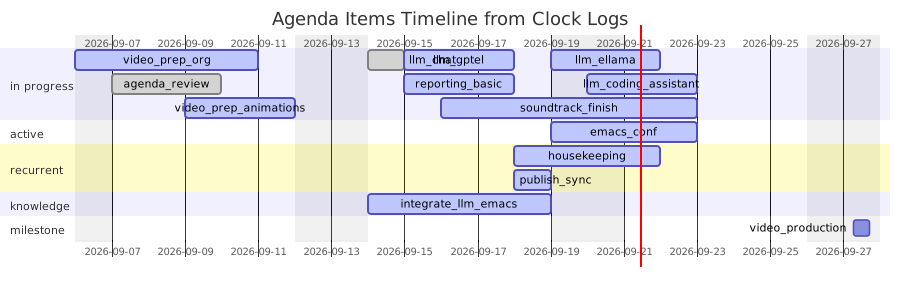
Figure 17: Agenda items Gantt from clock logs
kanban
Kanban view of the current status

Figure 18: Kanban view
---
config:
  kanban:
    ticketBaseUrl: 'https://mermaidchart.atlassian.net/browse/#TICKET#'
---
kanban
  todo
    model[compare model serve]
    docs[voice over]
  [in progress]
    id6[image in the knowledge base ]
  id9[review]
    id8[location knowledge]@{ assigned: 'bot1' }
  id10[media]
    id4[record]@{ ticket: MC-2038 }
    id66[volume normalization]@{ priority: 'Very Low', assigned: 'knsv' }
  id11[done]
    id5[text written]
    id2[screen capture]@{ ticket: MC-2036, priority: 'Very High'}
    id3[soundtrack]@{ ticket: MC-2037, assigned: bot1, priority: 'High' }
done clock table
We can view and print the status of the activities and can be used to prepare invoices.
| Headline | Time | |
|---|---|---|
| Total time | 1d 5:00 | |
| tools | 13:00 | |
| configurable | 2:00 | |
| agents | 2:00 | |
| interactive coding | 2:00 | |
| project management | 3:00 | |
| gantt | 2:00 | |
| clock table | 2:00 | |
| example | 8:00 | |
| motivation | 2:00 | |
| personal | 2:00 | |
| key ideas | 2:00 | |
| archive | 2:00 | |
| organize your thoughts | 2:00 | |
| column-view | 2:00 | |
| graph | 6:00 | |
| org-roam | 2:00 | |
| links | 2:00 | |
| rag | 2:00 |
done example
Let’s say I want to finally finalize the topic open for the last 6y around
What can we learn from the bronze age in nowadays life?
We end with an article we don’t start with it so we don’t need to define a start or and end yet. But just a motivation.
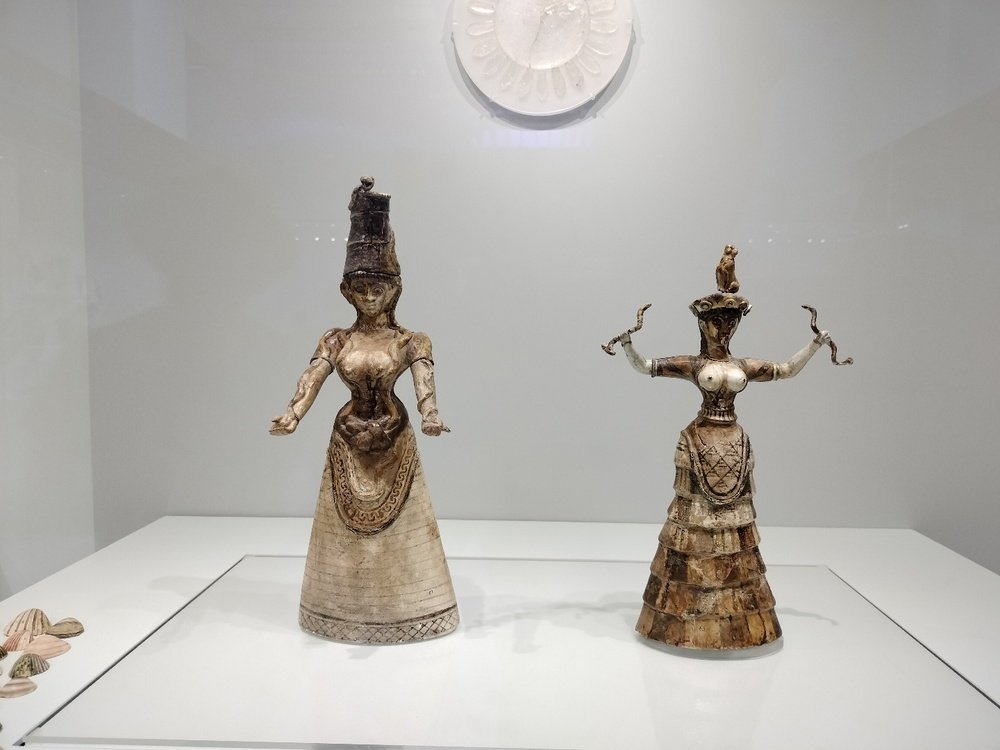
Figure 19: Neues musem
done motivation
We need to understand first of all why we want to talk about this topic and what is our involvement. We have different approaches:
- teaching
- we don’t include our personal experience, we only want to educate
- personal
- the topic has a personal motivation
- experience
- the need of sharing how our own experience is relevant to the audience
- need
- how can we use this information
- innovation
- what can we build about this topic
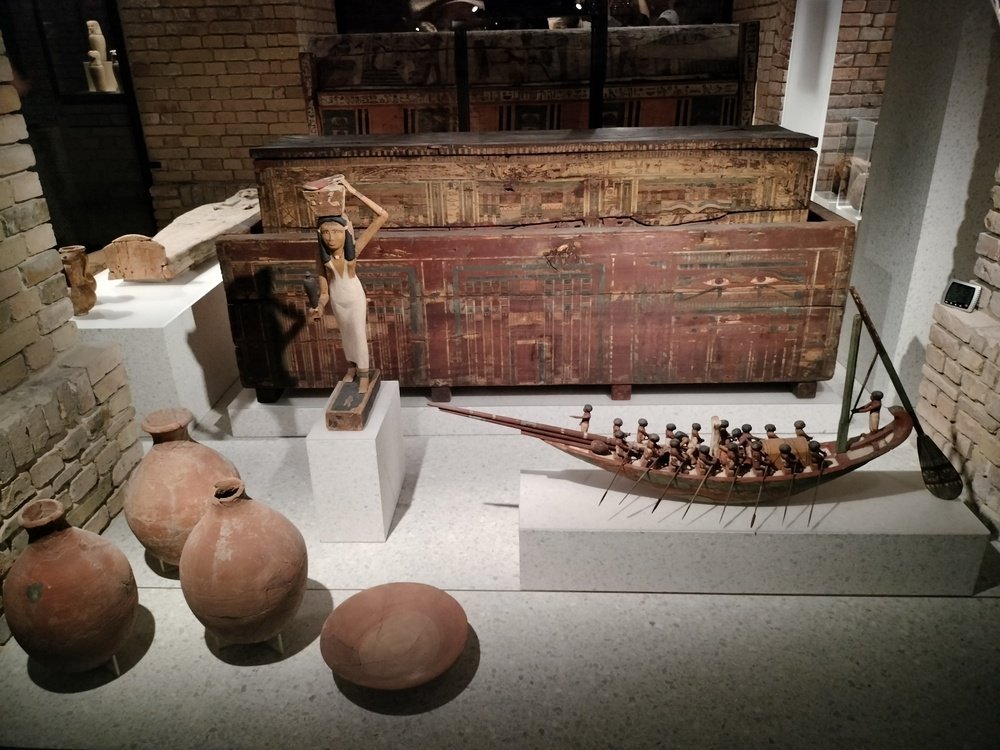
Figure 20: Neues musem
done personal
Let’s say my answers in this case would be:
- teaching
- I’m not in the position to teach, I’m not an expert
- personal
- society
- I find multiple stories inspiring and I wish our society could profit from some features of this civilization
- experience
- building
- I tried to replicate some tools
- museums
- I visited plenty of museums on that topic
- need
- become more sensitive towards societies based less on rules and more about moral commitment
- innovation
- building
- I want to build an archeo-park to replicate the atmosphere and the challenges of that time
- writing
- I want to write some fictional stories about some myths
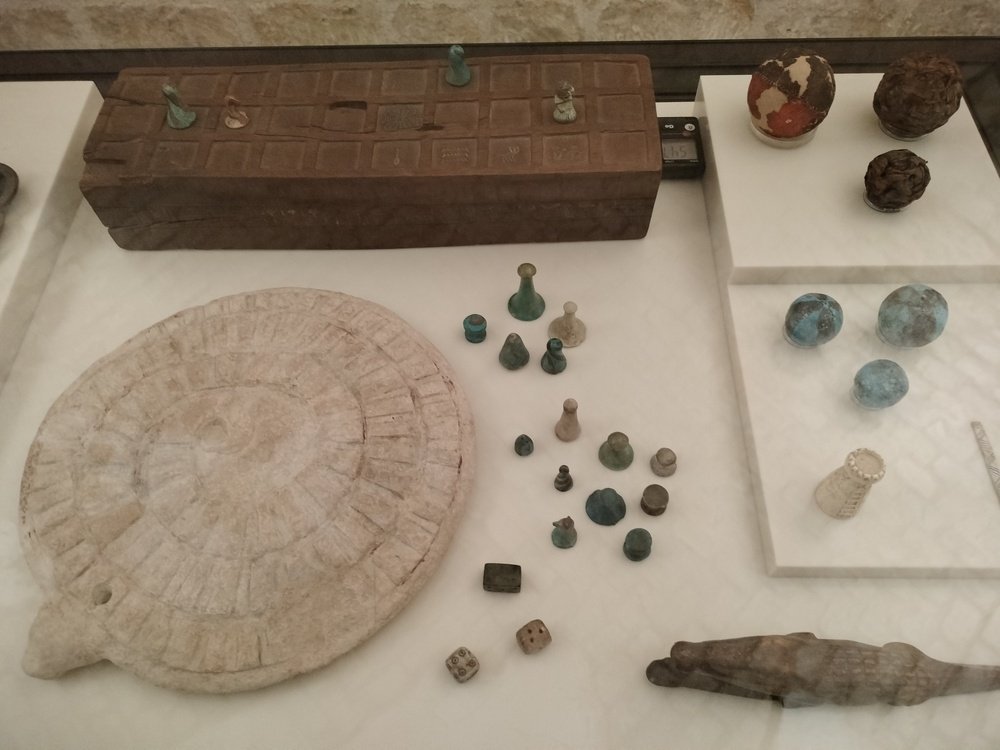
Figure 21: Neues musem
done key ideas
What are the key ideas for this podcast?
- borderless
- folk was defined by cultures not states
- mobility
- people were moving a lot
- sharing
- sharing knowledge was really appreciated
- safety
- crossing some regions wasn’t as dangerous and expected
- infrastructure
- how could people move that much without money, streets, maps, common languages…
- goods
- how big was the interest for additional goods
- moral
- the big moral questions of the time
- society
- the first rules where applied, still a lot of moral questions
- religion
- the role of gods in the life of people
- ancestors
- the role of ancestors in judging
- afterlife
- how ancestors stay after death
- adult
becoming an adult is a crucial step
- korios
- rite of passage in the manhood, survival in nature
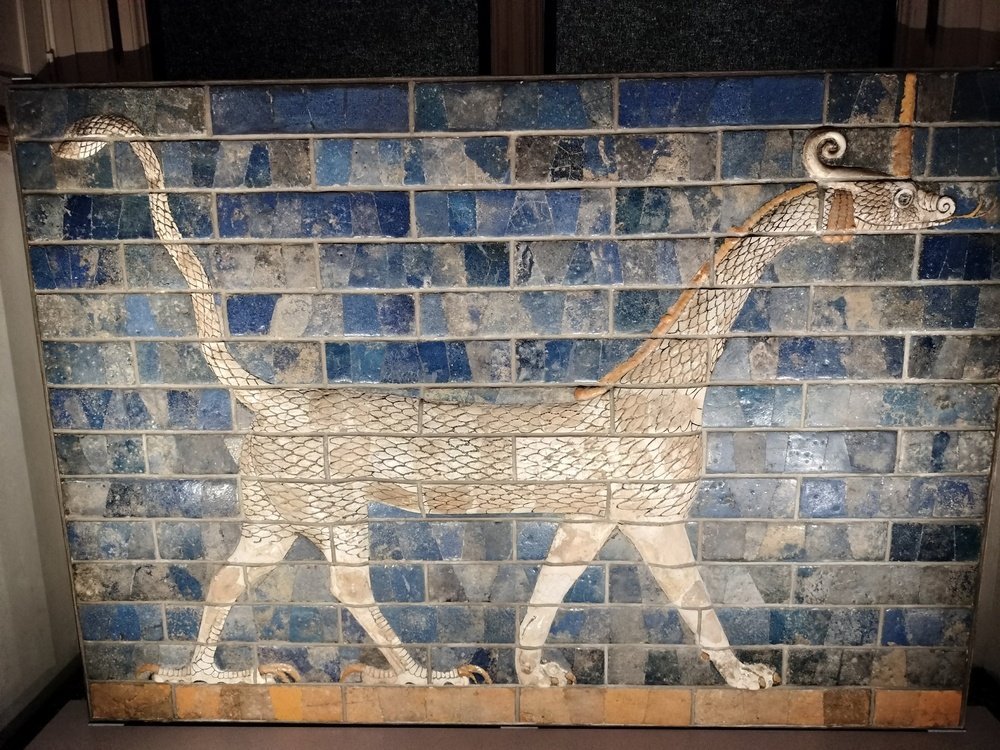
done items
There is a huge number of facts, places, myths I can mention. Let’s start defining some macro categories. Here we start putting some filters, let’s say we focus on Indoeuropean culture (Yamnaya heritage).
- places
- Greece, continental Europe, middle east, Egypt, India
We already have defined an important set of knowledge we want to expand on and we want to represent each category +/- equally.

done archive
I visited many archaeological museums and collected around 700 pictures I want to use for this research. I watched hundreds of videos regarding interesting stories of that time. I subscribed to multiple channels to get updates on current discoveries.
import os, re
from collections import Counter
dL = os.listdir(os.environ['HOME'] + '/lav/siti/f/f_storia/')
fL = [x.split("_")[0] for x in dL]
fL = [x for x in fL if not re.search("png",x)]
cL = Counter(fL)
cL
| berlin | 76 |
| sardegna | 56 |
| amsterdam | 43 |
| halle | 46 |
| madrid | 61 |
| scritti | 107 |
| mexico | 55 |
| gavardo | 19 |
| krete | 43 |
| hermitage | 47 |
| verona | 17 |
| ankara | 38 |
| milano | 28 |
| rijks | 12 |
| altamira | 17 |
| peru | 12 |
| salo | 4 |
| banner.jpg | 1 |
| banner1.jpg | 1 |
| brescia | 4 |
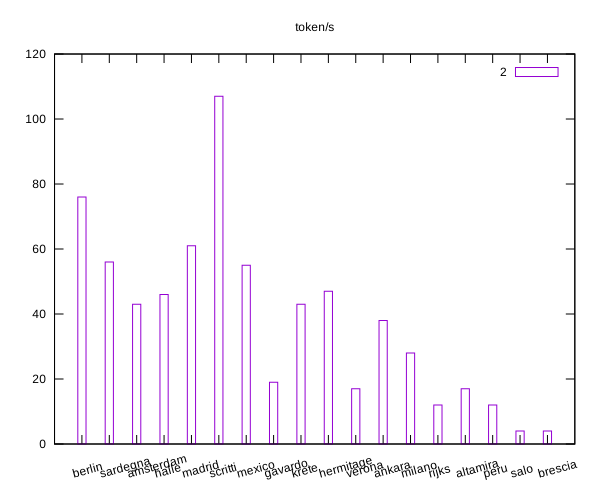
Figure 23: gnuplot graph of model benchmark
elaborate data
I can use the same table in a pandas data-frame.
import pandas as pd
musD = pd.DataFrame(data,columns=['museum','pictures'])
musD
| museum | pictures | |
|---|---|---|
| 0 | berlin | 76 |
| 1 | sardegna | 56 |
| 2 | amsterdam | 43 |
| 3 | halle | 46 |
| 4 | madrid | 61 |
| 5 | scritti | 107 |
| 6 | mexico | 55 |
| 7 | gavardo | 19 |
| 8 | krete | 43 |
| 9 | hermitage | 47 |
| 10 | verona | 17 |
| 11 | ankara | 38 |
| 12 | milano | 28 |
| 13 | rijks | 12 |
| 14 | altamira | 17 |
| 15 | peru | 12 |
| 16 | salo | 4 |
| 17 | banner.jpg | 1 |
| 18 | banner1.jpg | 1 |
| 19 | brescia | 4 |
I can eventually collect some pictures from other travels.
import os, re
from collections import Counter
import numpy as np
dL = os.listdir(os.environ['HOME'] + '/Pictures/viaggi/')
#dL = [d for d in dL if os.path.isdir(d)]
fL = []
for d in dL:
    try:
        dL1 = os.listdir(os.environ['HOME'] + '/Pictures/viaggi/' + d)
        for d1 in dL1:
            fL.append(d)
    except:
        pass
cL = dict(Counter(fL))
np.array(cL).T
| {’bolivia’: 350, ’oaxaca’: 238, ’lemans’: 20, ’prag’: 67, ’varsavia’: 18, ’vienna’: 17, ’cibo’: 11, ’budapest’: 102, ’Istanbul’: 18, ’madrid’: 35, ’pirenei’: 268, ’escondido’: 79, ’eolie’: 116, ’kreta’: 149, ’arch’: 3, ’israel’: 205, ’jalisco’: 208, ’rus’: 183, ’idee’: 13, ’zhong’: 60, ’mex’: 91, ’turchia’: 35, ’japan’: 269, ’peru’: 268, ’tangeri’: 78, ’saudi’: 44, ’tanzania’: 289, ’yucatan’: 85, ’svizzera’: 24, ’chiapas’: 249, ’barcelona’: 44, ’volo’: 110, ’lyon’: 13, ’hellas’: 101, ’egypt’: 91, ’lisboa’: 18, ’puglia’: 121, ’amsterdam’: 61, ’ande’: 62, ’paris’: 70} |
done indices
We use create_knowledge_base.py to ask a language mode to describe all the pictures we have and create and index we can search.
We can then display the information in a table.
import os, re
import pandas as pd
picD = pd.read_csv(os.environ['HOME'] + '/lav/src/spiega/data/graph/arch_desc_qwen359b.csv')
picD1 = picD[['file','description']].head()
picD1['description'] = picD1['description'].apply(lambda x: x[:50] + "...")
picD1
| file | description | |
|---|---|---|
| 0 | berlin_148.jpg | While the specific civilization of this artifact m… |
| 1 | sardegna_47.jpg | Based on the artifacts displayed in the image—spec… |
| 2 | amsterdam_27.jpg | Based on the visual evidence in the museum display… |
| 3 | berlin_121.jpg | Based on the image provided, there is a very impor… |
| 4 | halle_78.jpg | Based on the visual evidence in this museum displa… |
done references
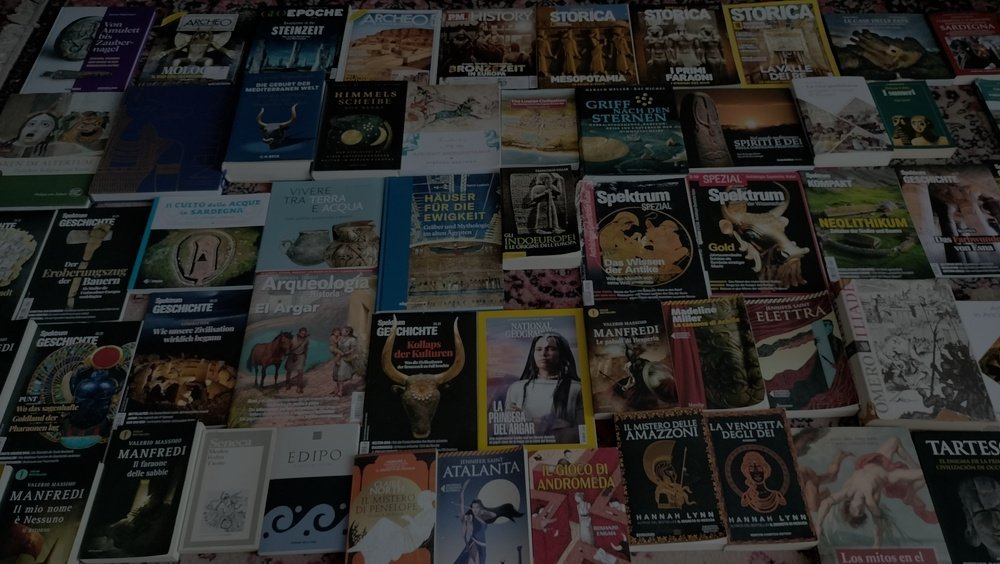
I list here all the books that inspired me. This can be a tedious task so I seek for agentic help. Once I create a bibliography file I can add a citation to the books in the picture.
this picture contains different archeological books and magazines regarding bronze age. Divide one by one extracting all the text you read from each book and try to guess the title and what this book is about. Output using .bib format@book{archeology_bronze_age,title = "important discoveries in bronze age",note = "from the cover the author seem to be Valerio Manfredi who is a novelist and archeologist writing fictionaly books about bronze age. The publisher is Mondadori. The cover shows an image of an ancient warrior."}
The result is far from perfect but a good start.
@book{arche_magazine,title = "ARCHE",note = "An archaeology magazine. Multiple copies are visible in the top row, featuring various archaeological sites and historical artifacts."}@book{historie_bronzezeit,title = "Die Historie des Bronzezeit",note = "A German publication regarding the history of the Bronze Age. It appears to be a historical survey of the period's developments."}@book{storica_magazine,title = "STORICA",note = "An Italian magazine dedicated to history and archaeology. Multiple copies are visible in the top right section, showcasing various historical figures and archaeological finds."}
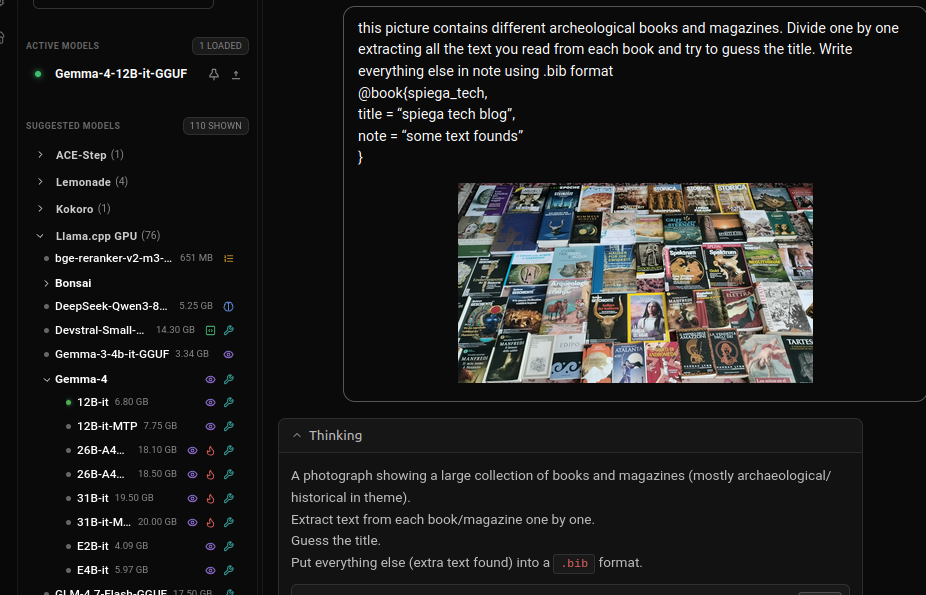
Figure 24: create bibliography
done inspirations
The greatest inspirations I got for this topic come from some famous authors. It is important here to get inspired but not plague those authors and still try to find some interesting topics to say.
Dan Davis
Fall of civilizations
History time
Kings and generals
History explained
ReligionForBreakfast
How to make everything
Nova lectio
done narrow down
After mentioning the masters you get a bit depressed but it’s important to think you still have something to say that wasn’t covered that deeply or you find a particular narrative which still brings value. We need as well to organize the big knowledge we collected without losing the focus or the relevance of what we say.
organize your thoughts
Let’s say we have created multiple sections about the different topics and now we need to decide what we want to show. We start using tags, rating, effort in column-view to have an overview of what we have so far. Let’s go back to the locations:
done column-view knowledge
SCHEDULED:
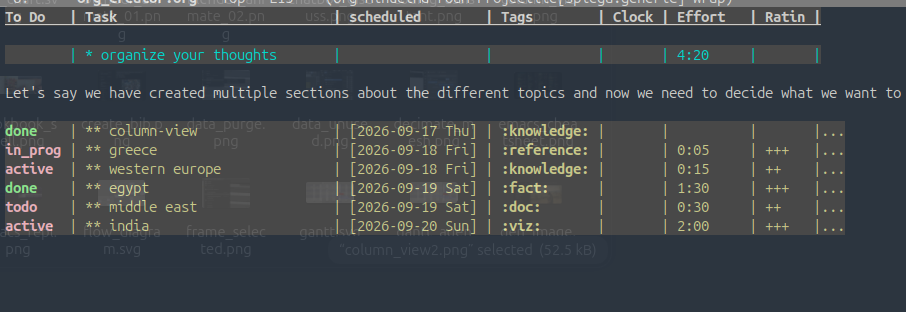
Figure 25: column_view
in_prog greece reference
:EFFORT: 0:05
:RATING: +
SCHEDULED:
Minoan & Mycenaean, Linear A/B, Palaces (Knossos), Sea Peoples (later), Trade.
active western europe knowledge
SCHEDULED:
Bell Beaker, Bronze Age collapse impact, Early Iron, Tumuli, Megaliths.
done egypt fact
SCHEDULED: CLOSED:
Old Kingdom, Middle Kingdom, Pyramids, Administration, Trade with Nubia/Canaan.
todo middle east doc
SCHEDULED:
Sumer, Akkad, Babylon, Hittites, Writing (Cuneiform), Urbanization.
active india viz
:EFFORT: 2:00
:RATING: +
SCHEDULED:
Indus Valley Civilization, Mohenjo-Daro, Harappa, Script, Urban Planning, Bronze usage
todos
Lists are really useful to keep track of what we need to do:
- references
- review material
[1/3][X]videos- note down what you want to mention
[ ]books- write down quotations
[ ]pictures- what pictures we want to show
- research
- what region we need to cover
[1/6][ ]Greece- Minoan, Mycenaean
[X](no term)- Spain ::El Aggar
[ ]West Eu- Bell Beaker
[ ]East Eu[ ]Central Eu[ ]Middle East
graph
Now it’s the time to create a graph
done org-roam
CLOSED:
:EFFORT: 0:20
:RATING: +
We load org-roam and define first some variables
(use-package org-roam ;;nodes and links in notes
  :ensure t
  :custom (org-roam-directory "~/lav/src/spiega/")
  :bind (("C-c n l" . org-roam-buffer-toggle)
         ("C-c n f" . org-roam-node-find)
         ("C-c n c" . org-roam-capture)
         ("C-c n i" . org-roam-node-insert))
  :init (setq org-roam-v2-ack t)
  :config
  (setq org-roam-file-extensions '("org" "md"))
  (md-roam-mode 1)                ; must be on before any db sync (md files)
  (org-roam-setup)                ; registers org-roam hooks + protocol
  (org-roam-db-autosync-mode 1) ; this builds the DB (once, now)
  (dolist (cmd '(org-roam-node-find org-roam-node-insert
                                    org-roam-buffer-toggle org-roam-capture
                                    org-roam-db-sync org-roam-db-explore
                                    org-roam-db-complete-at-point))
    )
  )
done nodes
We need to create nodes and insert them across our documentation. Nodes are created by adding
:PROPERTIES::ID: node_insert-org_creator:ROAM_ALIASES: node_insert-org_creator:END:
- [C-c n i]
- insert
- [C-c n f]
- find
- [C-c n l]
- buffer toggle
- [C-c n I]
- insert immediate
- [C-c n p]
- find project
- [C-c n t]
- capture task
- [C-c n b]
- capture inbox
- [C-c n d]
- dailies map
- [C-c C-o]
- follow node
done links
CLOSED:
:EFFORT: 0:10 :RATING: ++
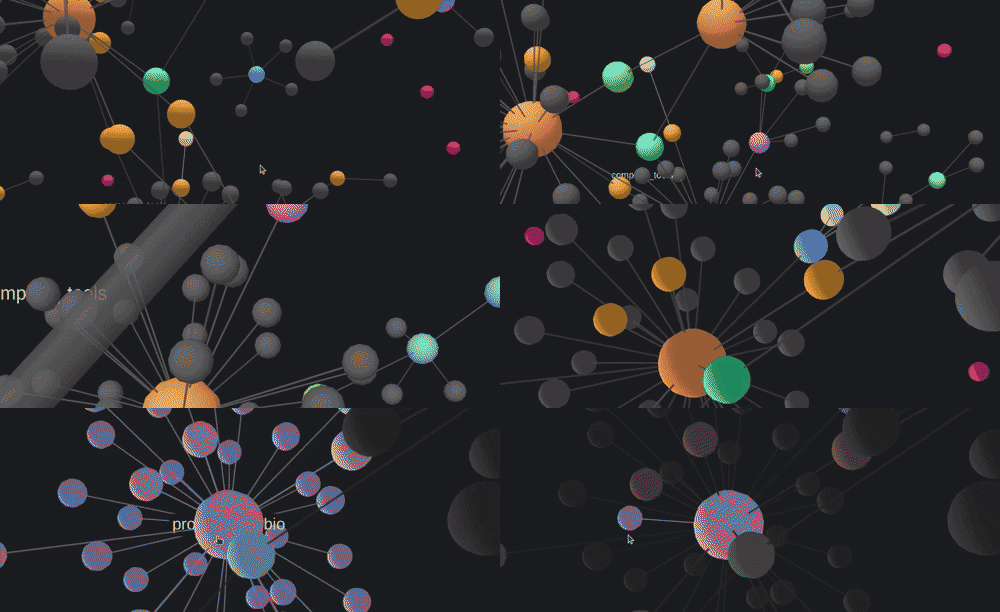
Links are automatically created by org-roam but we need to create cross references between nodes. Every time we see a reference between concepts we need to create the connection [C-c n i]. We can visualize the graph with (org-roam-ui-mode) and
done sqlite
We can access the same database with sqlite
import sqlite3, os
con = sqlite3.connect(os.environ['HOME'] + "/.emacs.d/org-roam.db")
cur = con.cursor()
res = cur.execute("SELECT name FROM sqlite_master")
tabL = res.fetchall()
print(tabL)
[('files',), ('sqlite_autoindex_files_1',), ('nodes',), ('sqlite_autoindex_nodes_1',), ('aliases',), ('citations',), ('refs',), ('tags',), ('links',), ('alias_node_id',), ('refs_node_id',), ('tags_node_id',)]
rag
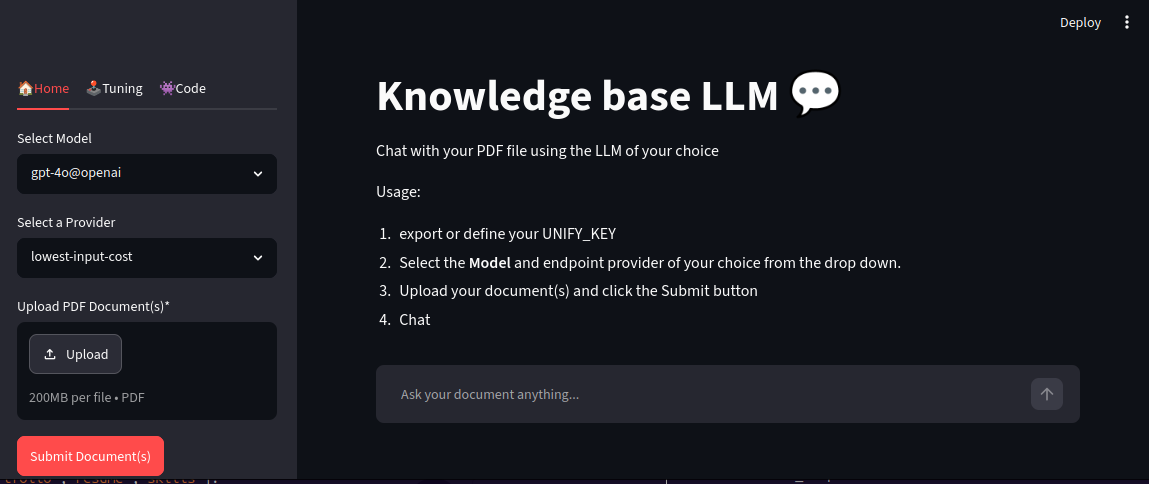
We create now a personal chatbot to ask our own knowledge base. We will create a collection in a vector-store and use langchain to search within the data.
vecS = m_r.access_vectorstore("storia",os.environ['HOME']+'/lav/src/spiega/data/graph/')
retrV = vecS.as_retriever(search_kwargs={"k": 4})
q = "Where were the vessels found?"
resp = m_r.retrieve_info(retrV,q)
export
We can export this content to blogs and videos
description
Writing is a difficult process for creators which have a lot of ideas and need to find inspiration to come with a catchy story and coherent message. Org is an incredible tool which doesn’t constrain your way of thinking but rather expand your capabilities to the next level. In this video we show how you can work at your main idea and still proceed with references, background research, notes, sparse ideas, task tracking and graph navigation. The detailed article of the project is https://intertino.it/spiega/a/org_creator.html More on org files: https://intertino.it/spiega/a/org_files.html emacs: https://intertino.it/spiega/a/emacs.html local agents: https://intertino.it/spiega/a/agent_local.html agent graphs: https://intertino.it/spiega/a/agent_interview.html
Moments: 00:00 org-mode 00:30 writing in graphs 02:30 ideation framework 03:30 productivity tools 04:30 UI 06:00 project management 07:30 local agents 09:00 create your story 11:00 connect the dots 12:30 final overview
blog
Here we use hugo, we set few folders and export the whole project ref.
(setq org-hugo-base-dir "~/lav/src/spiega/hugo")
(setq org-hugo-default-section-directory "posts")
(setq blog-dir "~/lav/src/spiega/storia"
      public-blog-dir "~/lav/src/spiega/hugo"
      hugo-process "Hugo Server"
      hugo-server-site "http://localhost:1313/")
(org-hugo-export-wim-to-md)