agentic interview
sabeiro
2026-06-23 Tue 00:00
Created: 2026-09-17 Thu 11:37
DONE agentic interview
In an agentic world agent should be able to run an interview with you. This means agents should retrieve enough information about your experience.
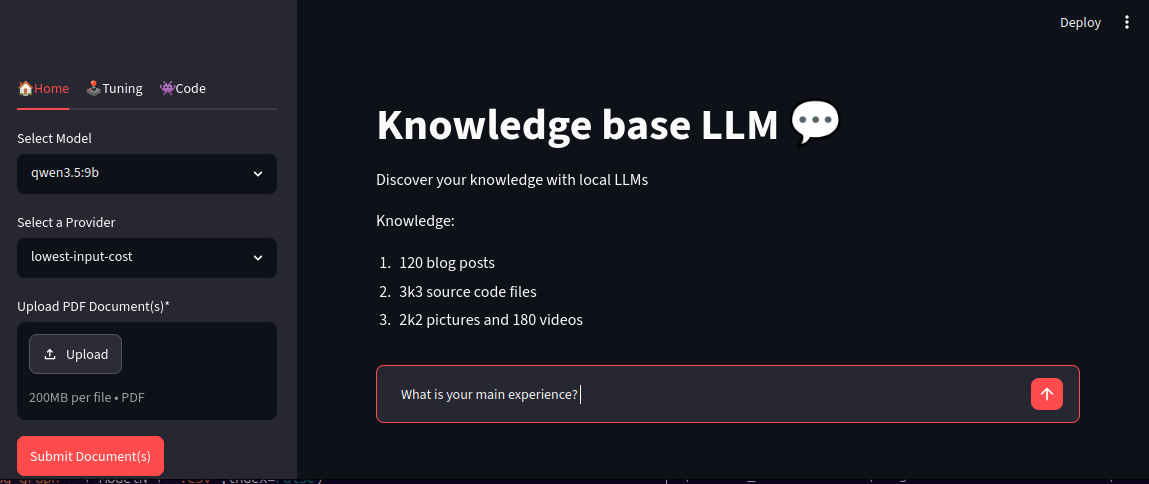
personal information
First of all I created the following yaml files describing those main areas:
- skills
- languages, programming languages, technologies
- personal profile
- profile description, soft skills
- portfolio
- project descriptions, verticals
- resume
- working experiences, education, certificates
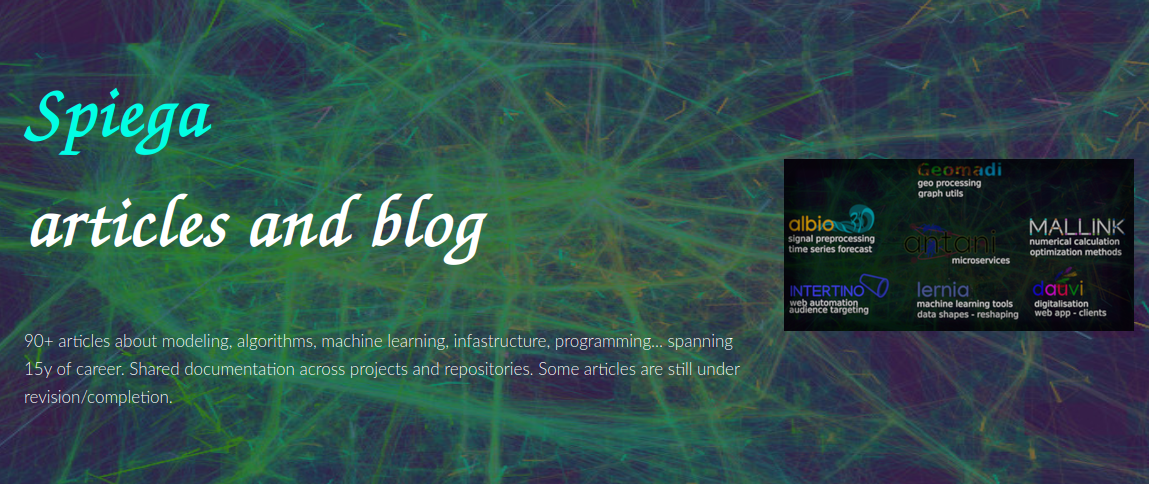
file input
The files look like:
head -n 4 ~/lav/src/spiega/markdown/skills.yml
- topic: languages
  skill: 'Native: Italian. Fluent: English, German, Spanish. Intermediate: French, Portuguese.'
- topic: programming
  skill: python, js, c++, c, R, spark, go (viz) openGL, Qt, GTK+
Those file are used to create as well the resume website using the script gen_portfolio.py.
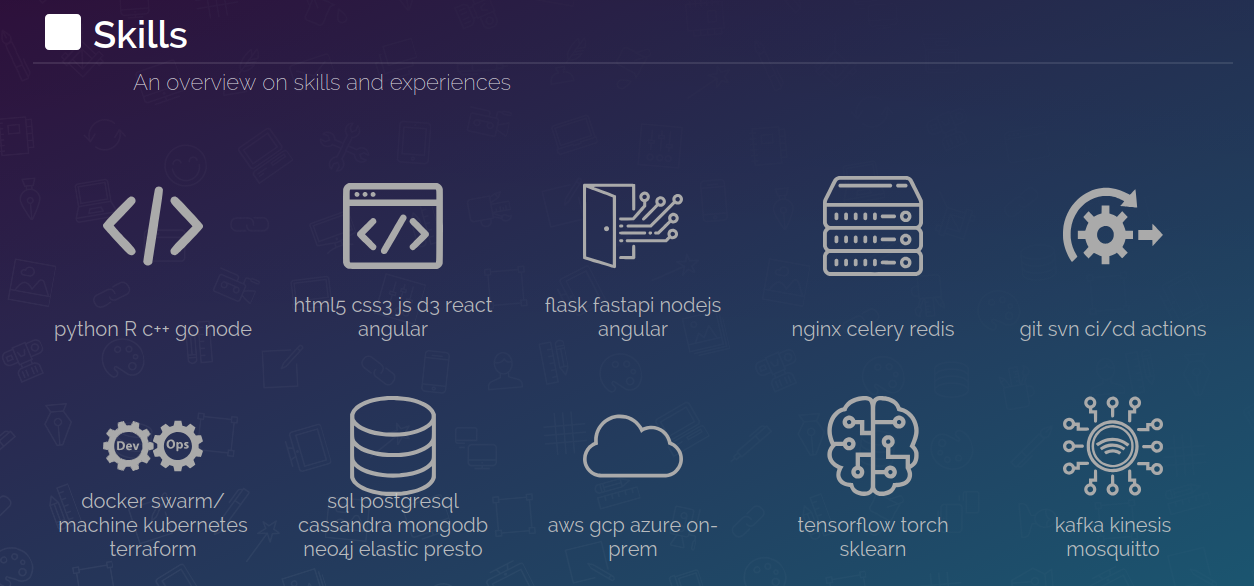
technical sources
We need now more detailed information about the actual skills and proficiency. For some source files we can’t provide access but we let a language model to summarize the skills and competences for that work. We analyze:

summaries
Now we launch local LLMs to parse the source files we selected. Given the sensitivity of information we run everything locally
- IPs
- LLMs summarize the content and don’t expose the sources
- impartial
- let LLMs judge the quality of your work
- concise
- pre-parse your knowledge base to build your digital twin
---
title: knowledge parsing
fontSize: 10
darkMode: True
theme: neo-dark
---
flowchart LR
KN["
source code
knowledge
personal
`"]
DOC@{ shape: docs, label: "Knowledge"}
LLM@{ shape: procs, label: "LLMs"}
PY@{ shape: lin-cyl, label: "python" > KN

Figure 1: diagram of the implementation
graphs
We have two main graphs:
- namual: org-roam
- all your knowledge gets linked together
- automated:
- where LLMs need to parse your knowledge base
The technical description of the project is written here knowledge_graph.
graph creation approaches
manual vs automated
- naming
- LLMs find well descriptive names
- relevance
- users have better context to judge
- depth
- LLMs are great help to summarize any type of document
| conf | workload | control | relevance | usefulness | integration | depth | versatility |
|---|---|---|---|---|---|---|---|
| manual | 5.0 | 5.0 | 4,7 | 5.0 | 4.7 | 3.0 | 3.8 |
| automated | 2.0 | 3.0 | 3.4 | 3.7 | 3.8 | 5.0 | 3.6 |
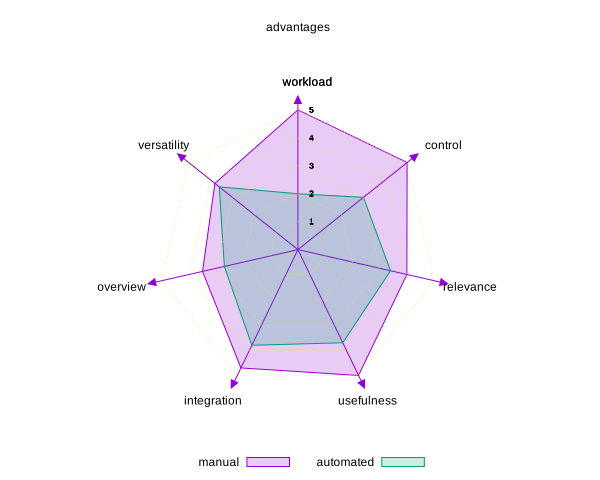
Figure 2: Manual vs automated knowledge creation
graph creation
- first approach
- we create directly the graph
- issues
- inconsistencies between links and nodes
from ollama import chat
messages = [{"role":"user","content":identify_relationship},{"role":"user","content":d["description"]}]
response = chat(messages=messages,model=model_id,format=GraphD3.model_json_schema(),)
The results of the summaries is processed by this script
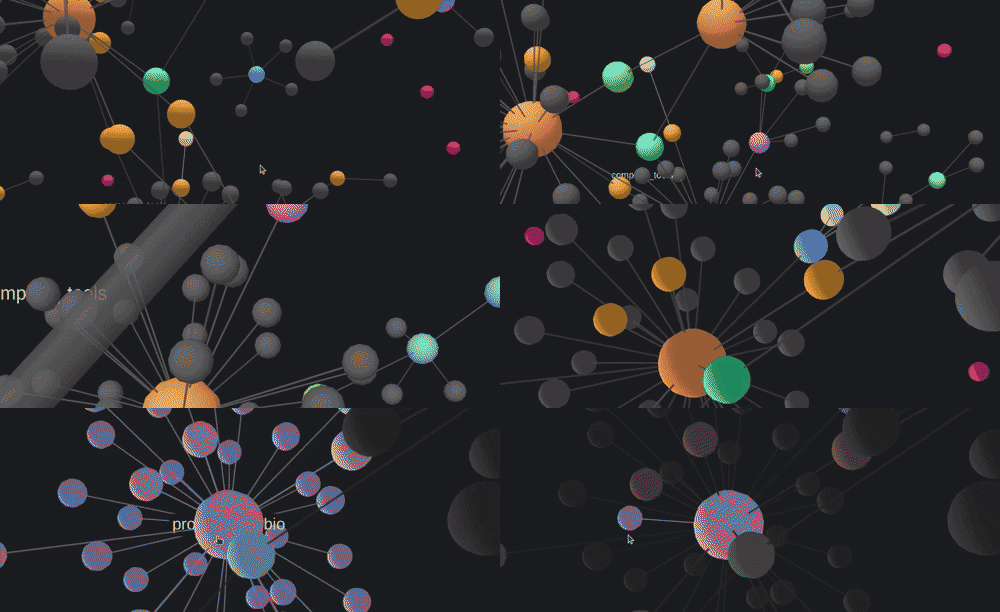
links creation
Then:
- links
- created first with description of the nodes
- node
- definition enrichment asking a second model
- graph
- the combination of the two
messages = [{"role":"user","content":identify_links},{"role":"user","content":d["description"]}]
response = chat(messages=messages,model=model_id,format=GraphD3L.model_json_schema(),)
enD, relD = g_r.relation2graph(blogD)
enD = g_r.categorize_node(enD,model_id)

links structure
The sketch of the process is as following
---
title: graph entity
height: 300
width: 300
---
erDiagram
    DOCS ||--o{ LINKS : "parsed into"
    LINKS ||--o{ NODES : "generates"
    GRAPH ||--|{ NODES : "contains"
    GRAPH ||--|{ LINKS : "contains"
    DOCS {
        string file_name
        string summary
        string tags
        string description
    }
    LINKS {
        string source
        string target
        string relationship_type
        string relationship_desc
    }
    NODES {
        string id PK
        string name
        string description
    }
    GRAPH {
        list NODES
        list LINKS
    }

Figure 3: diagram of the implementation
building communities
We come with many different sources and we need to identify the subgraphs and build communities. To create communities within the graph we use another clustering technique using graspologic, gensim and hierarchical Leiden. We load the nodes and relationships created before and load them into a networkx graph.
import pandas as pd
baseDir = os.environ['HOME'] + '/lav/src/spiega/'
model_id = "qwen2.5-coder:3b"
modelN = re.sub(r'[^\w\s]', '', model_id)
enD = pd.read_csv(baseDir + "graph/blog_node_" + modelN + ".csv")
relD = pd.read_csv(baseDir + "graph/blog_edge_" + modelN + ".csv")
import kotoba.graph_partition as g_p
import kotoba.model_local as c_t
import pandas as pd
model_id = "qwen2.5-coder:3b"
llm = c_t.get_llm_mcp(model_id=model_id)
G = g_p.create_nx_graph(enD,relD)
commDf = g_p.build_communities(G,llm)
commDf.to_csv(baseDir + '/community_description.csv',index=False)
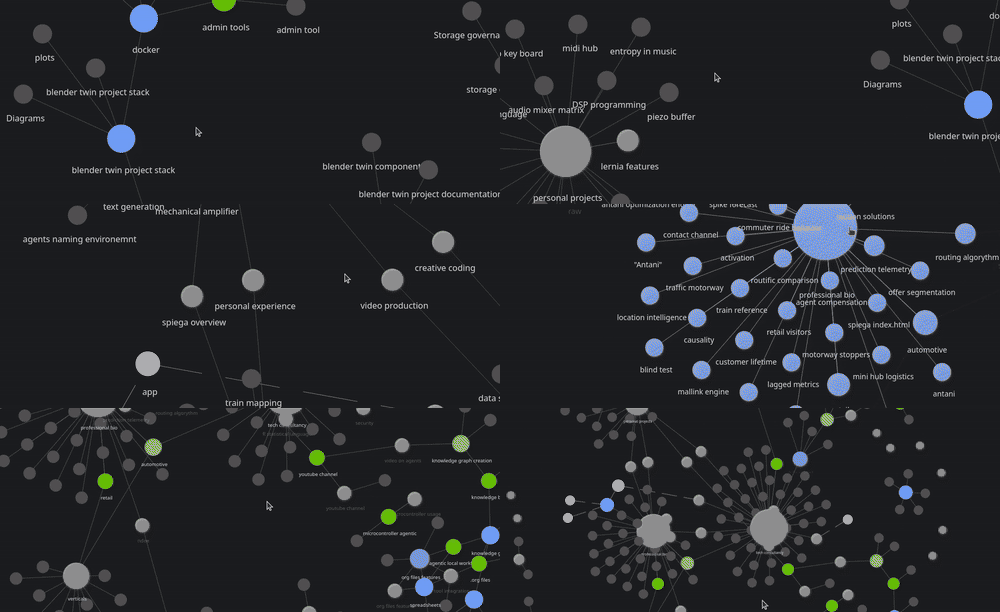
graph database
We then import the graph into neo4j dashboard and type the query to select all nodes and links with a cypher neo4j query:
MATCH (n)-[r]->(m)
RETURN *;
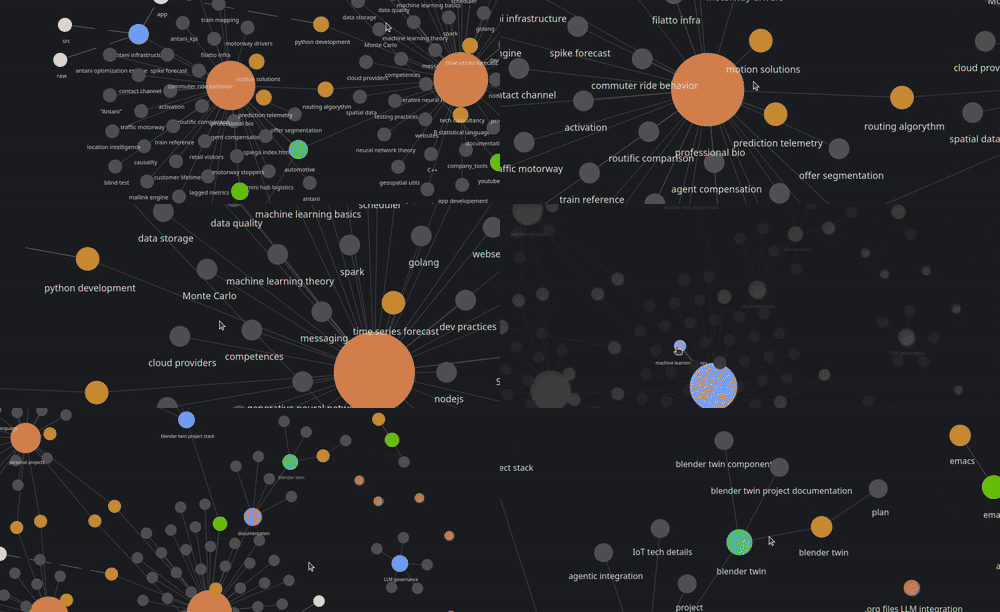
graph viz
For a more advanced visualization we use yFiles by running a jupyter and opening a notebook.
jupyter notebook --notebook-dir $HOME/lav/src/kotoba/ &

parent graph
Information is too atomistic and we need to create a parent graph. The difficult part is to create a parent graph where the high level information is smartly parsed. We need to highlight the meaning of each experience and create meaningful executive summaries pointing out hard and soft skills.
- embed
- the text
- cluster
- the nodes around the embedding
- summarize
- the text for all the clustered nodes
- link
- all the entities together
- nodes
- categorized from the links
- connections
- preserved between clusters and nodes
llm = c_t.get_llm_mcp(model_id=model_id)
relD, grpD = k_h.level_up_link(enD,llm,embed_model,clusterN=clusterN)
grpD = g_r.gen_relationship_grp(llm,grpD,model_id=model_id)
enD1, relD1 = g_r.relation2graph(grpD,dtype="group")
enD1 = g_r.categorize_node(enD1,model_id)
org-roam
- org-roam
- is a extraordinary tool fed by ordinary typing.
- org files
- more than text files the look like operating systems
Org-roam is a package which creates nodes out of files and sections and populates a database with all the knowledge information and create advanced representations with org-roam-ui and searchable information with elisp:org-roam-db-explore and run queries with
(org-roam-db-query [:select * :from nodes])
We can visualize and navigate the information
org files
org files are a mixture of any possible application for daily use:
- agenda
- to schedule a task or to set an alert
- tags
- to specify meta information
- logbook
- the time spent on tasks
- status
- whether an action is done or pending
- trees
- explain hierarchical structures
- nodes
- tag every element to create interconnections
- code
- define code to execute
- plots
- plot data with gnuplot
- link
- link to anything: files, websites, buffers, images…
- webpage content
- show the text of a web page
- local org files
- open new buffers from shell
- roam
- organizes the org node information into graphs
- spreadsheet
- formulas on tables
And pipe all together as you like.
done emacs present
The tool where org show their best expression is emacs (text editor).
- emacs with org files
- there is no other program you need to use.
- preview
- emacs show org files as any other text editor
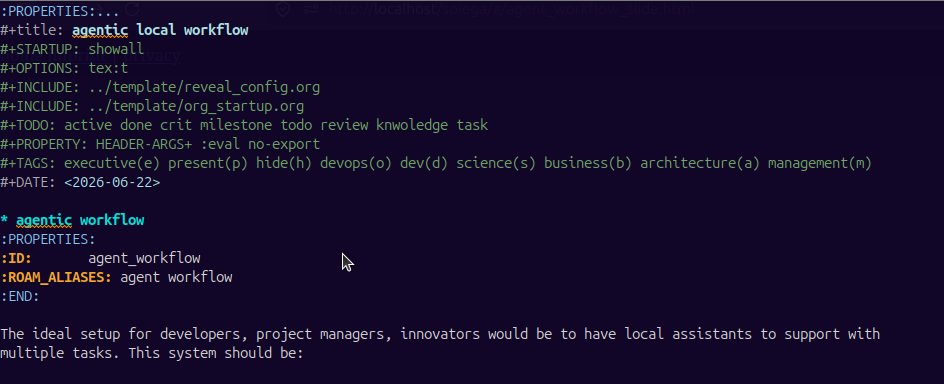
Figure 4: org files
org and LLMs
Emacs has nice integration with many agentic tools
- ellama
- quick support in any buffer
- gptel
- for the integration with mcp
- gptel base
- base package
- mcp.el
- start the hub
- custom gptel tools
- user defined tools
- gptel-mcp
- integration between the packages
- mcp
- for adding my own tools and external mcp
- aideremacs
- connect aider with emacs
- pi agent
- connect pi-agent with emacs
- opencode
- open-code support
MCP server
We set up a MCP server where we can check the status of the tools that the LLMs can use control panel.
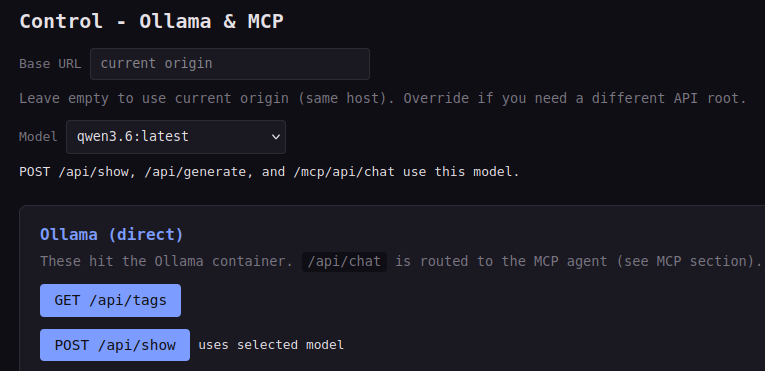
MCP hub
Emacs has its internal tool to check the status of the interactions between LLMs and MCP server.
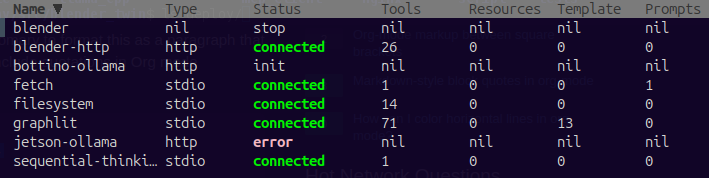
emacs flow
Here is an example of a flow with emacs and LLMs
sequenceDiagram
 emacs-->ellama: prompt
 emacs-->gptel: tools
 emacs-->pi_agent : instruction
 pi_agent-->ollama: prompt
 gptel-->mcp_server: prompt
 mcp_server-->llama.cpp: instruction(use-package ox-reveal)

 gptel-->emacs: code
 pi_agent-->emacs: code
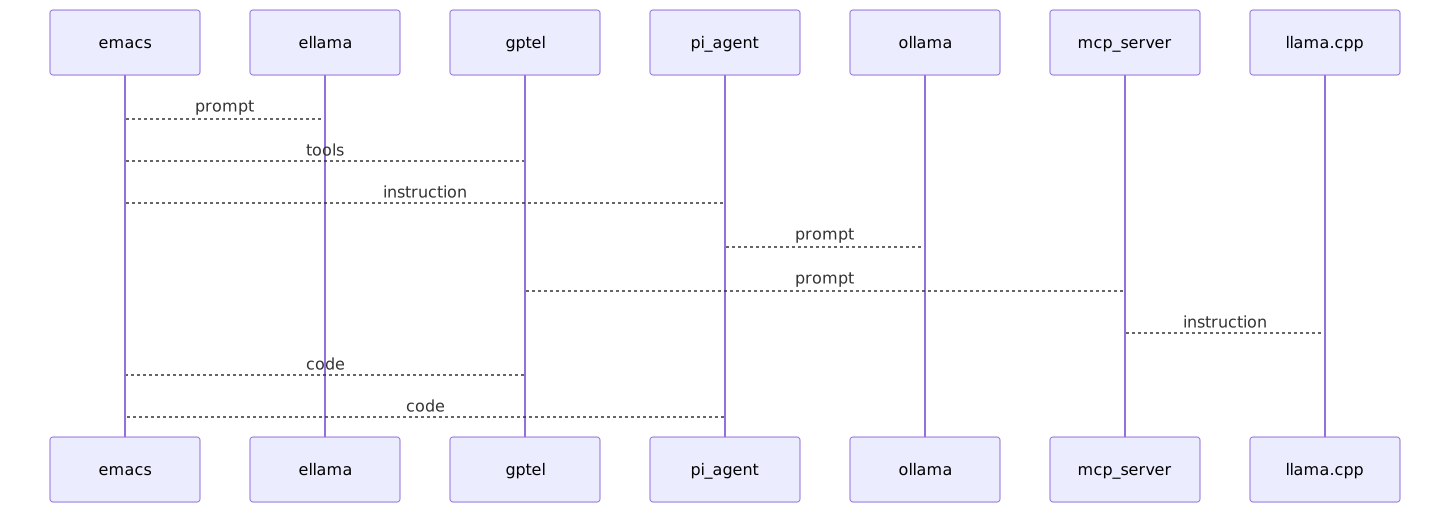
Figure 5: result of mermaid plot
org-roam
While you edit your org files org-roam runs in the background, reads all your edits and:
- database
- creates entry for all links, nodes
- search
- allow to search any node in your knowledge base
- org-roam-ui
- fully featured, nice looking and useful knowledge graph updating in real time while typing
Example of org-roam database query
(org-roam-db-query [:select * :from nodes])
customization
We can customize any function. Here we customize a tool for the MCP hub
;; (insert (duckduckgo-search-text "intertino"))
(defun my/read-buffer-content (buffer-name)
  (let ((buffer (get-buffer buffer-name)))
    (if (bufferp buffer)
	(with-current-buffer buffer
	  (concat "[BUFFER CONTENT]: "(buffer_string)))
      "[ERROR]: Buffer does not exist")))
(gptel-make-tool
 :name "get-buffer-content-as-string"
 :function 'my/read-buffer-content
 :description "returns the string contents inside the emacs buffer"
 :args '(list '(:name "buffer"
		      :type "string"
		      :description "buffer name to read"))
 :category "emacs")
extensions
We can use org functionalities to let LLMs operate on the system. Here we have the logbook of the
| Headline | Time |
|---|---|
| Total time | 0:00 |
Call internal endpoint to add a sphere in blender
curl -s -X PORT http://localhost:9876/run -H 'Content-Type: applicationon/json -d {"text":"Add a cube at origin and rotate it by 90 degrees z"}'
plot results
LLMs can use org internal functionalities to save time. Call the internal endpoint to list all available models
curl localhost:11434/api/tags | jq | grep \"model\" | awk -F " " '{print $2}'
| qwen3.6:latest | |
| dolphin-mistral:latest | |
| gemma4:latest | |
| deepseek-coder:6.7b | |
| llama3.2:latest | |
| qwen2.5-coder:3b | |
| qwen3.5:9b | |
| qwen2.5-coder:7b |
We then run a script to test the speed of each model and extract the token/s.
#echo $model_list
cd ~/lav/src/blender_twin/deploy/ollama/
#bash benchmark_models.sh
python3 benchmark_stats.py
plotting
Given the following table write a gnuplot function to be integrated in emacs org
| qwen3.6:latest | model | tokens_per_second | token_rate | time_rate |
| dolphin-mistral:latest | qwen3.5:9b | 20.711123 | 37.218987 | 18.767091 |
| gemma4:latest | qwen2.5-coder:3b | 86.646493 | 6.607947 | 0.975372 |
| deepseek-coder:6.7b | qwen3.6:latest | 9.434619 | 32.298511 | 37.218987 |
| llama3.2:latest | gemma4:latest | 31.166858 | 18.467557 | 11.391252 |
| qwen2.5-coder:3b | qwen2.5-coder:7b | 42.268118 | 9.068185 | 2.231556 |
| qwen3.5:9b | deepseek-coder:6.7b | 15.847756 | 8.54775 | 5.17094 |
| qwen2.5-coder:7b | dolphin-mistral:latest | 54.457944 | 10.850281 | 2.096758 |
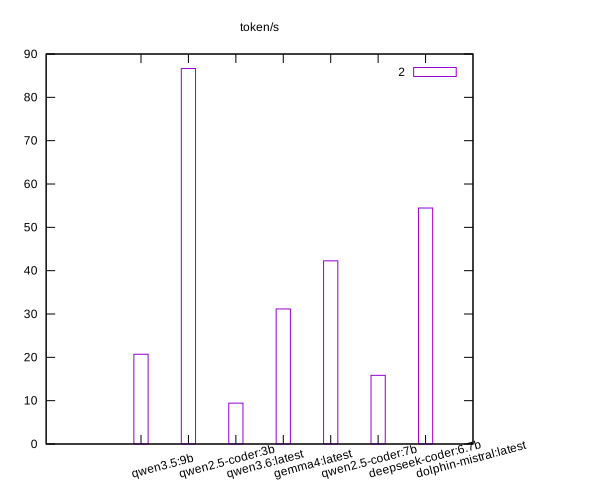
Figure 6: gnuplot graph of model benchmark
I can subset a part of that table and sort it:
publish / present
org have many options to export/convert the file for presentations:
- blog post
- customize the export and the style
- export
- export all the media for publishing
- slides
- custom or reveal.js
graphics
org has many integration with many handy visualization tools:
- mermaid
- for graphs
- graphviz/dot
- graphs more text like
- gnuplot
- many plotting options
- lilypond
- for music
\version "2.24.4"
\relative c' {
  g a b c
  d e f g
  g1
}
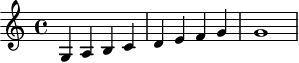
Figure 7: lilypond sheet music
animations
To create video animations we can:
- manim
- the 1Blue3Brown animation python library we use in manim_animations.py documented in manim_animations..
- blender
- where we created scripts to load the svg created by the other software and animate them
- d3.js
- library for graphs visualization
We need to first run the web server and then hit network-viz which can export to blender
cd ~/lav/src/blender_twin/physics/phys_opt/
bash run.sh &
kill $(ps | grep uvicorn | awk '{print $1}')

agentic interview
Now that we have created all the knowledge base and made it accessible we can start running the agentic interview: In create_knowledge_base.py we do as follow:
- loading
- we load all the sources, summaries and relationships
- questions
- we create a list of common questions for an interview
"You are a candidate for a job interview and you need to be precise and concise regarding the answers without many preambles. Don’t provide lists but concentrate in convey the message and summarize the single points instead of listing them. Focus on the strategy more than the background and how you managed to overcome specific issues and stick to the question. Answer the question first and then provide some background information.
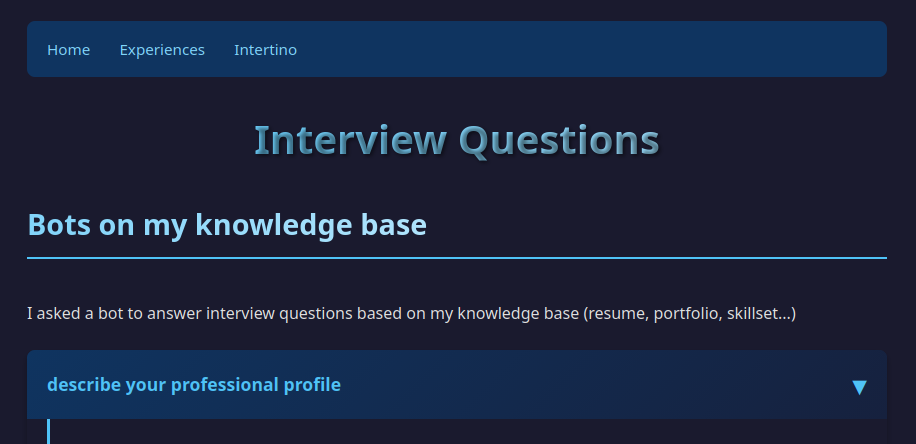
skill cloud
We scan the knowledge base and we create labels regarding the most common patterns in the documentation and create this word cloud representation create_knowledge_base.py
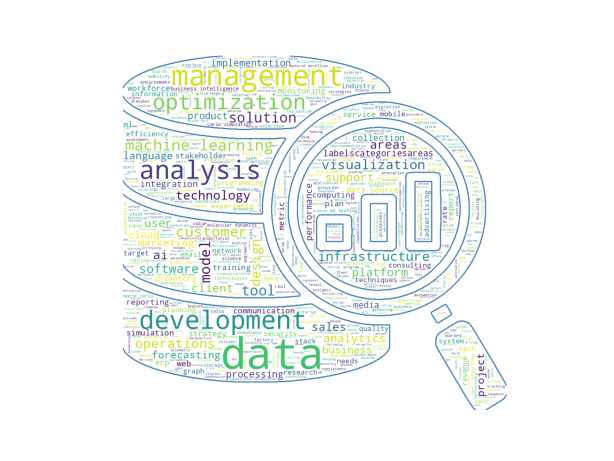
chatbot
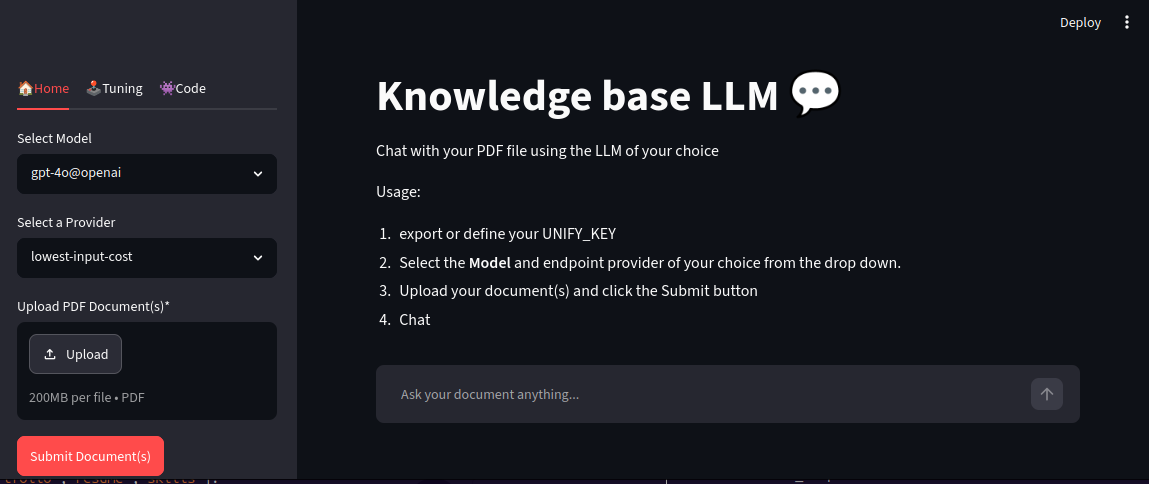
We use streamlit_interface run by run_streamlit
cd ~/lav/src/kotoba/kotoba
bash run_streamlit.sh
in app_utils we load a local LLM and the information about the communities built on graph and we can start asking questions to the agent
export the content
We use the raw information to create all the websites and documentation
- resume
- resume
- blog post
- spiega
- bot interview
- interview
- CV
- CV
- ongoing
- projects
- graphs
- yFiles neo4j
- org-roam
- org-roam-ui
(org-reveal-export-to-html)
agent_interview.html
mv $outF ~/lav/siti/spiega/a/${outF/.html/_slide.html}
(??, ????)
bot opinion
Would you think it is interesting to make a video on how to run a job interview with an LLM in 2026?
Yes, I find it intriguing to imagine how leveraging large language models (LLMs) for conducting job interviews might evolve by 2026. The potential for automating initial screening, providing personalized feedback, and even simulating real-life scenarios could revolutionize the hiring process.