Spiega documentation
- Knowledge sharing
- Portfolio
text generation
In text generation we build a model trained on sequences like:
- prompt / answers
- text / text with blanks
- language 1 / language 2
- sequence n / sequence n + 1
The model would learn how to map the input and output and learn how to answer, complete text, translate...
The model is composed by an encoder and a decoder , we start from long-short-term-memory models and we evolve into transformers.
There are different procedures to preprocess and parse the text to be able to feed the data into the model.
text preprocessing
We use this text preprocessing routine to clean and simplify the text
- lowercase
- stemming - remove suffixes
- remove puctuation, double spaces
- clean hyperlinks
- remove stopwords
After we preprocessed the text we create a corpus using the remaning lemmas and choose a vocabulary . Usually the words for the vocabulary are chosen as the most frequent until a maximum vocabulary size.
splitters
Splitter is an essential part for creating a RAG, a long document should be split into meaningful sections and those should be indiced in a vector database where a retriever can easily collect the relevant matches.
- langchain.text_splitter doc focus on text chunks
- Markdown based (best performers for tables)
- Document tree (using iterators/generators, graphs)
- SentenceSplitter, SemanticSplitterNodeParser
The splitter that at best performs is replicating the structure of the pdf while keeping a similar size of the text chunks.
RAG
Retrieval augmented generation consists in two steps, collect the relevant context for a language model and send a prompt asking to answer information from the specific text. The challanges in building a RAG are:
- create the knowledge base
- find the proper vector database
- select the metric to retrieve the context
- create an efficient prompt
- parse the prompt output to compute a metric
- evaluate the results and the retrieval
tokenization/embeddings
For each model we select a maximum number of lemmas and create a token for each word depending on the occurency in the training data set.
- set a lower occurence frequency
- vocabular size
- handle punctuation
A token can be a caracter, a word, a bag of words... To reduce the token dimension we can introduce semantic relationship between lemmas as per word2vec.
The tokens need to be reshaped as the model needs, usually adding an additional dimension for batching.
We need to save a consistent function to preprocess the text, select the words for the vocabulary, tokenize and reshape the data.
vector stores
There are different libraries to handle vector storage
- chroma
- faiss
- pinecone: separate computing and storage
- elasticsearch
- qdrant: static sharding
- redis: low latency
and there are different metrics to retrieve the content:
- cosine similarity
- nearest neighbors
Old clarinet repair - pad, junction, cracks
I found a flea market old clarinet. It needed to be repaired.
A pad needed to be replaced, some cracks to be sealed and all the junctions to be re-made.
rolandaira #clarinet #clarineteb #airap6 #restorationwork #hadwork
viudi #dawlessjam #jam #handcraft
chains and templates
An easy way to create applications is to use chains were in few lines and using templates you can pipe different requests and data pre/post processing routines. The most useful tools are
langchain
and
llamaindex
where one can interface with all most used llm providers.
multimodal
Some pdfs contain audio, video and images, the single content should be described by separated from the pdf and described by a dedicated language model and put in the retrieval.
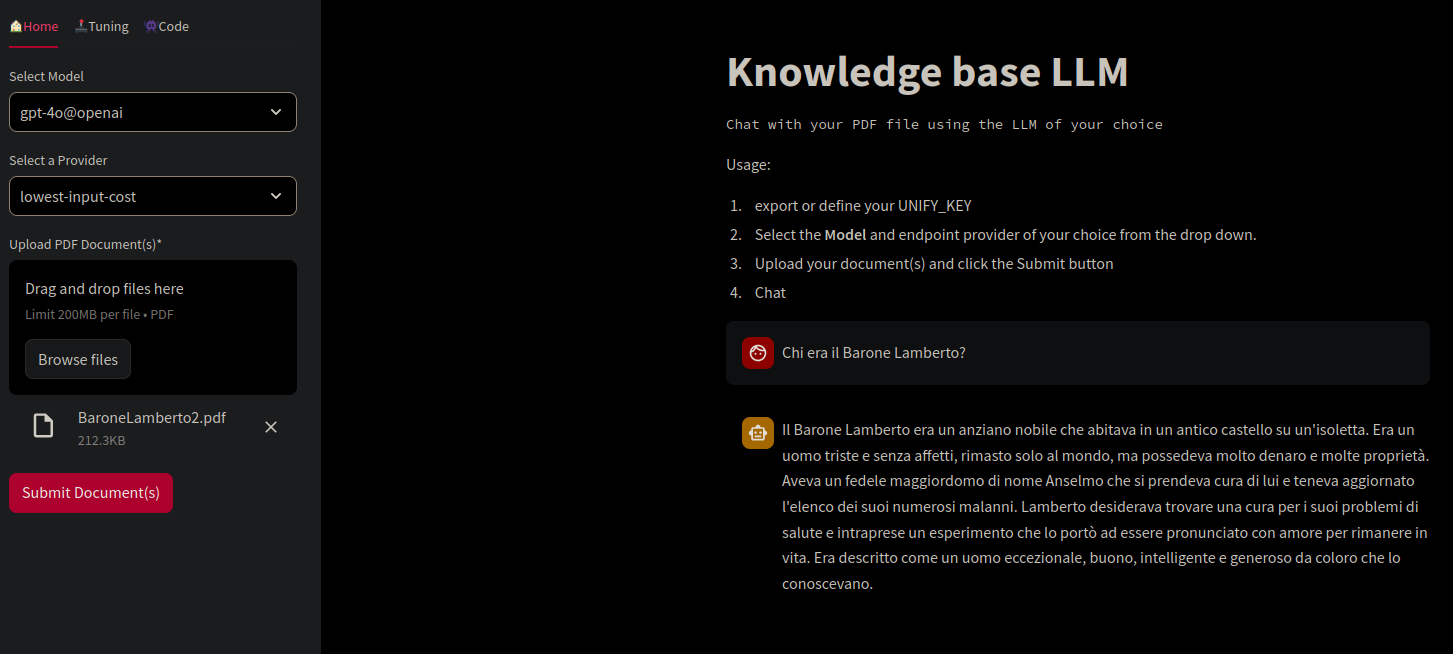
Streamlit app to talk to your documents
evaluation
A common tool to evaluate language models is mlflow
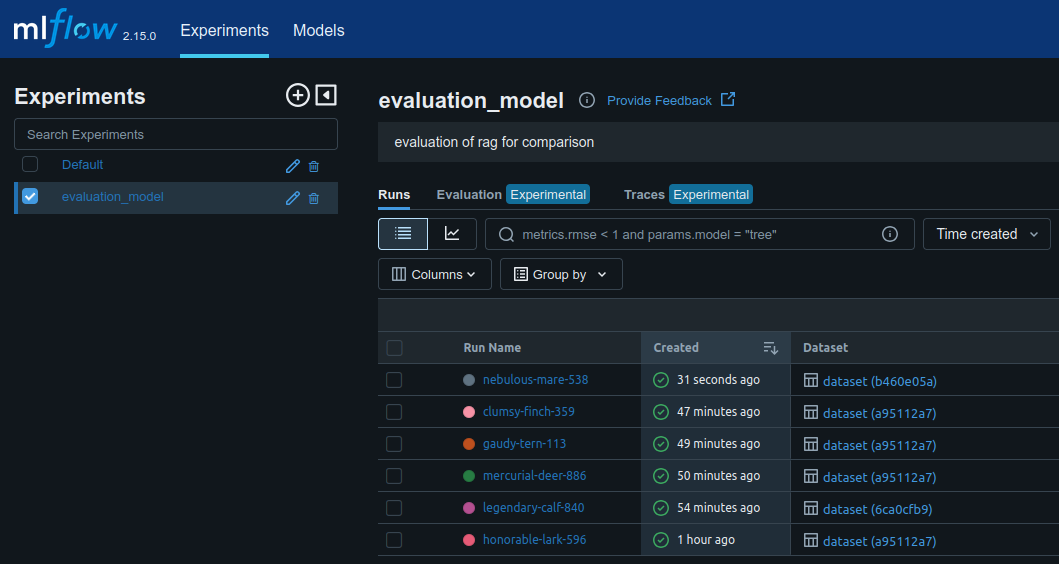
mlflow and the list of runs per experiment
Mlflow has many interesting metrics to evaluate model performances:
- professionalism
- relevancy
- toxicity
- faithfulness
- answer correctness
- context recall
- context precision
- context adherence
- completeness
- chunk attribution
- accuracy, robustness (bedrock)
- contradiction
- hallucination
models
We use and compare different models.
Different models tried to learn natural language sequences starting with long short term memory where we use two layers of LSTM of 256 characters and where the model learns the next character. Results are usually poor and lack of semantic consitency.
Transformers focus on attention maps and learn flexibly the cross correlation of words and sequences. Transformers have a built in positional embedding that helps learning grammmar features.
With BERT we show an extended example of a BERT architecture with its characteristic features .
performance tuning
- hardware: switches for connecting GPUs, increase bandwith
- batches: big difference in responsiveness of LLM, from serial to parallel
- caches: cache and retrieve similar topics
- prompting: optimize model workload
- load balancer: check idle instances and balance traffic
- tuning: optimize token traffic
- chains: simplify length and complexity of chains
- RAG: is retrieval fast/efficient enoug?
- profiling: profiling software help to compare runs (e.g. phoenix)
- monitoring: analytical software to track runs and spot inefficiencies
- cpp: try more computational efficient models
- storage: is the vector storage creating any bottleneck?
- evaluation: is evaluation draining resources?
word2vec
in word2vec we use a shallow neural network to understand similarity between lemmas and reduce text input dimensions.
We analyze different documents and create 2-3 dimensional plots to show dimension reduction and clustering of words. In practive 3d are too few for an effective embedding of text.
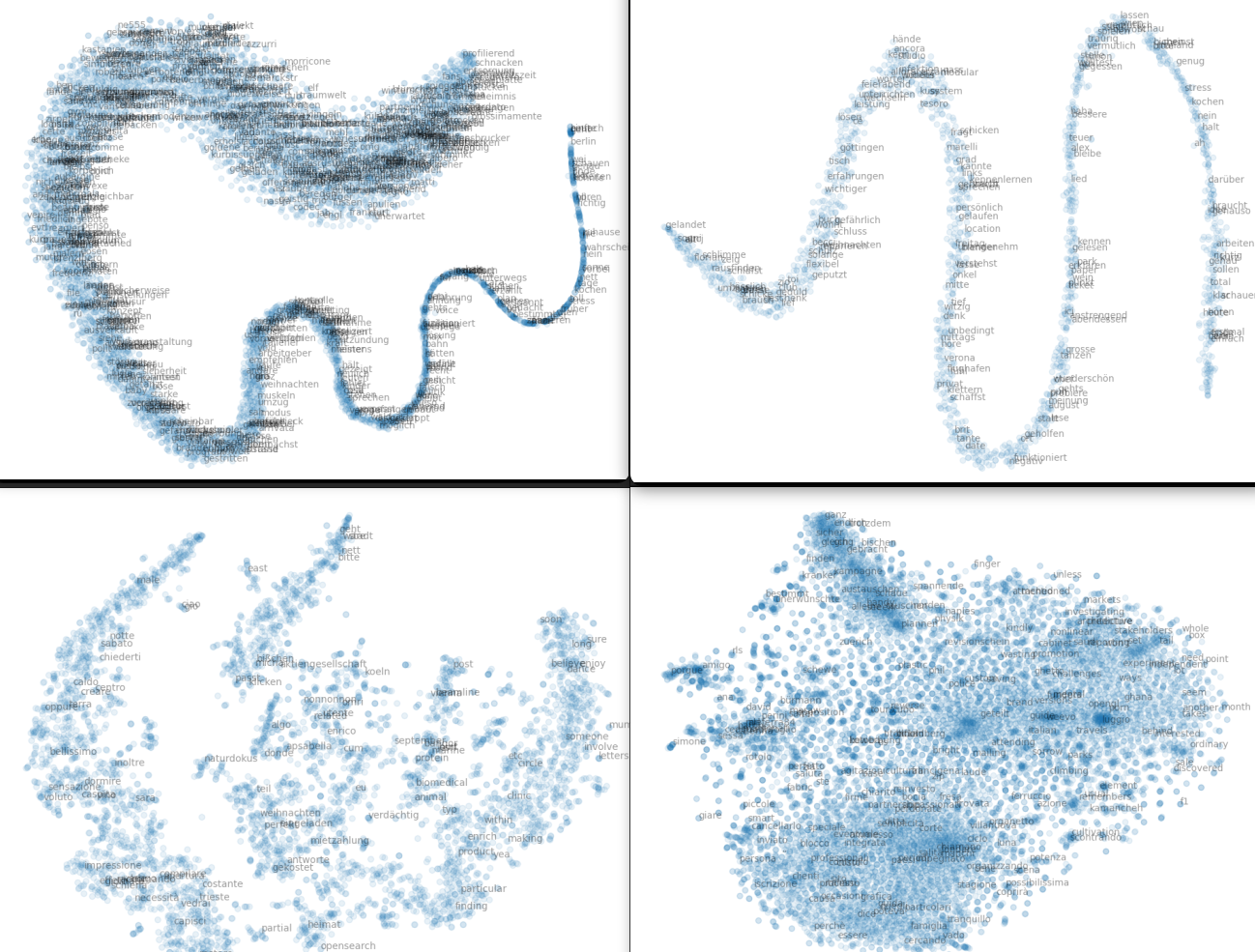
2d representation of private conversation, sometimes visualize the vector embeddings helps to understand how to store or search the information
A 3d representation shows a more complex structure
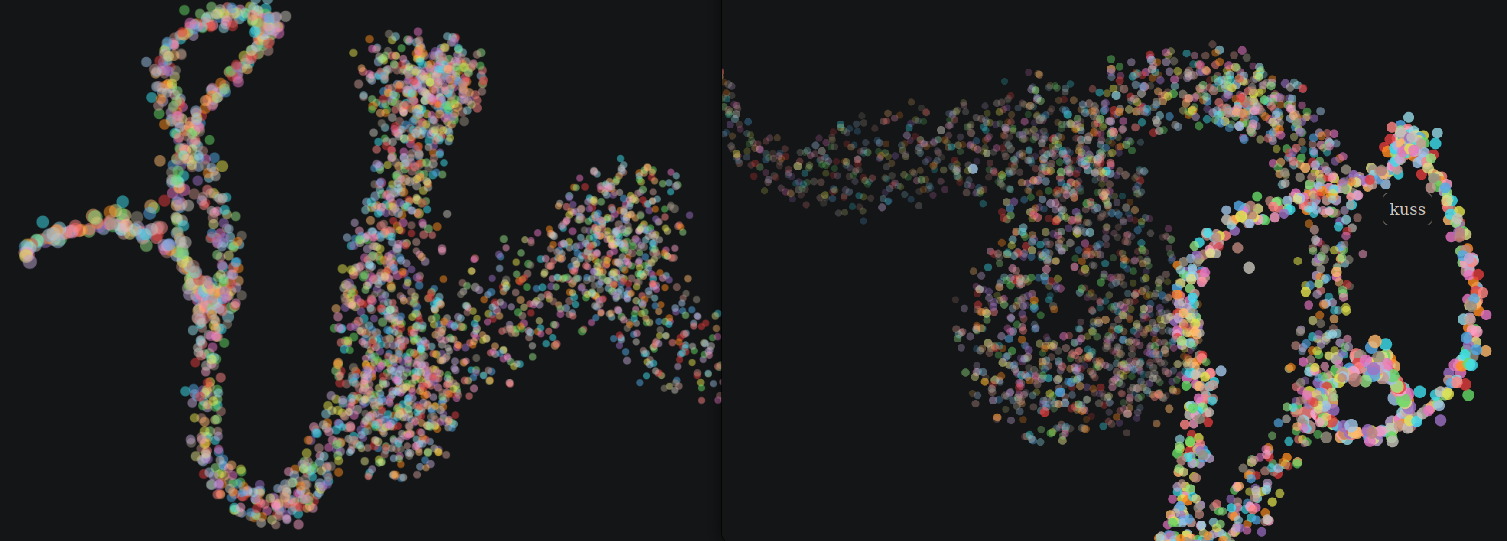
3d representation of a vector store
generative results
We use the routine to load example files and test the different models.
Pdf are really common for custom applications of language models are can be really complex having tables, images, cross references... pdf preprocessing routine
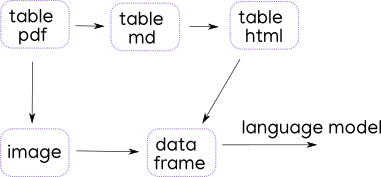
process to parse a pdf
We test different libraries with different tables:
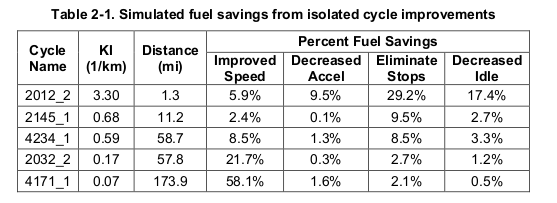
table with multispan
Some pdf mix tables with pictures
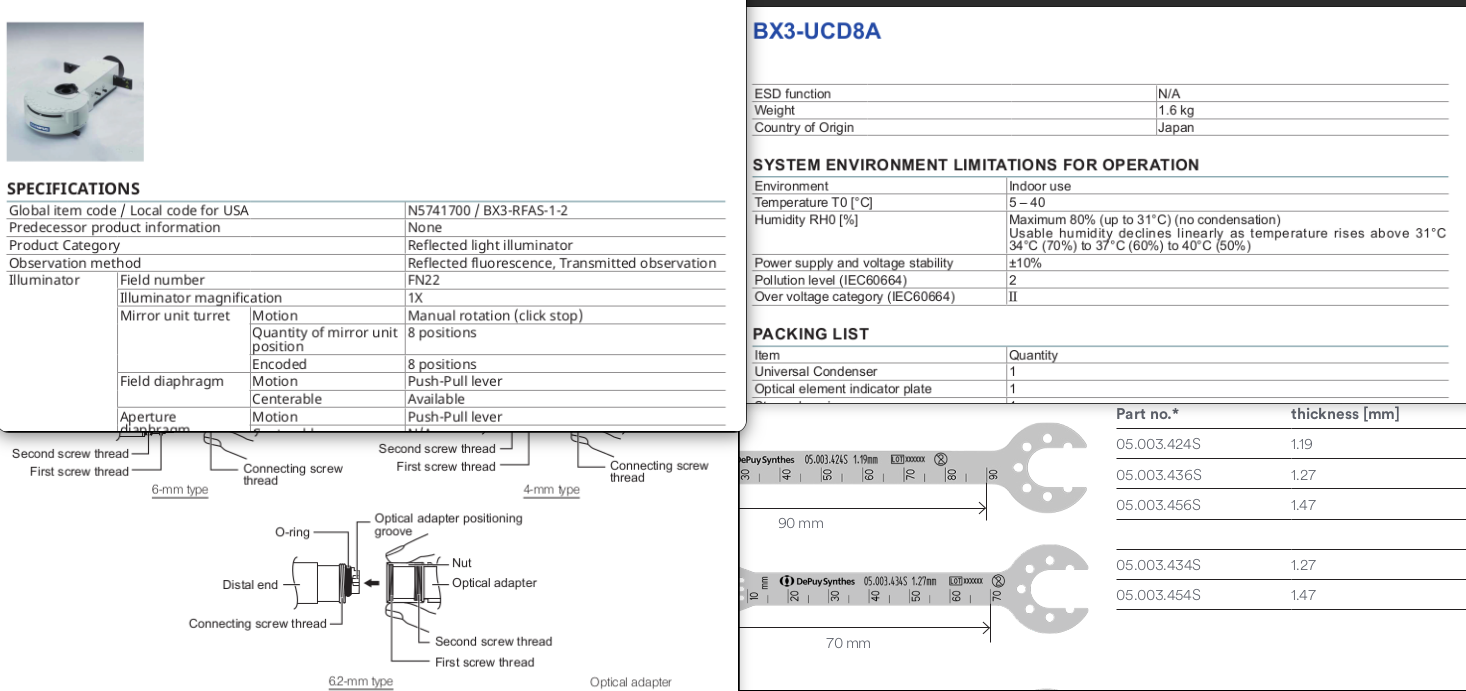
table with pictures
challanges :
- table across multiple pages
- rendered tables
- structure the document into a graph
processes :
- rendered pdf -> ocr
- pdf to markdown
- pdf to html/xml
- xml to data frame
pymupdf pymupdf4llm
PyMuPdf is a versatile library:
- text extraction page by page
- pdf to markdown (to be then converted to html)
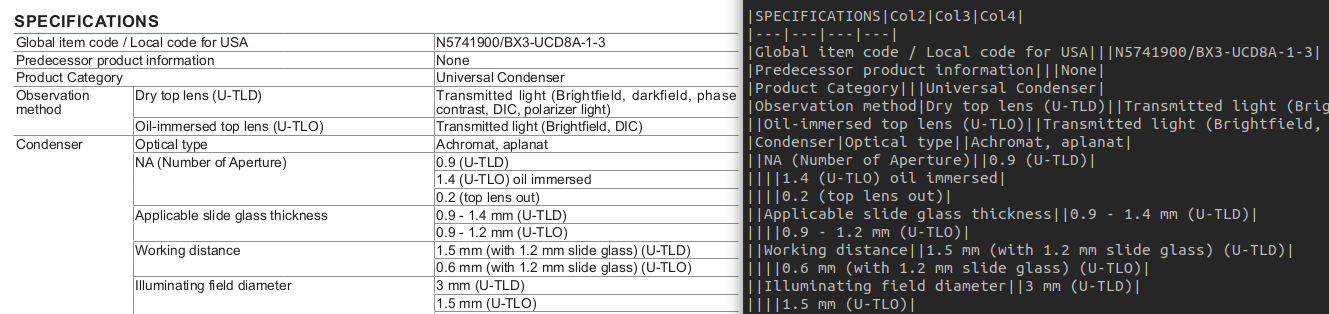
pymupdf correctly extracts tables from pdf
The markdown is easly converted into html
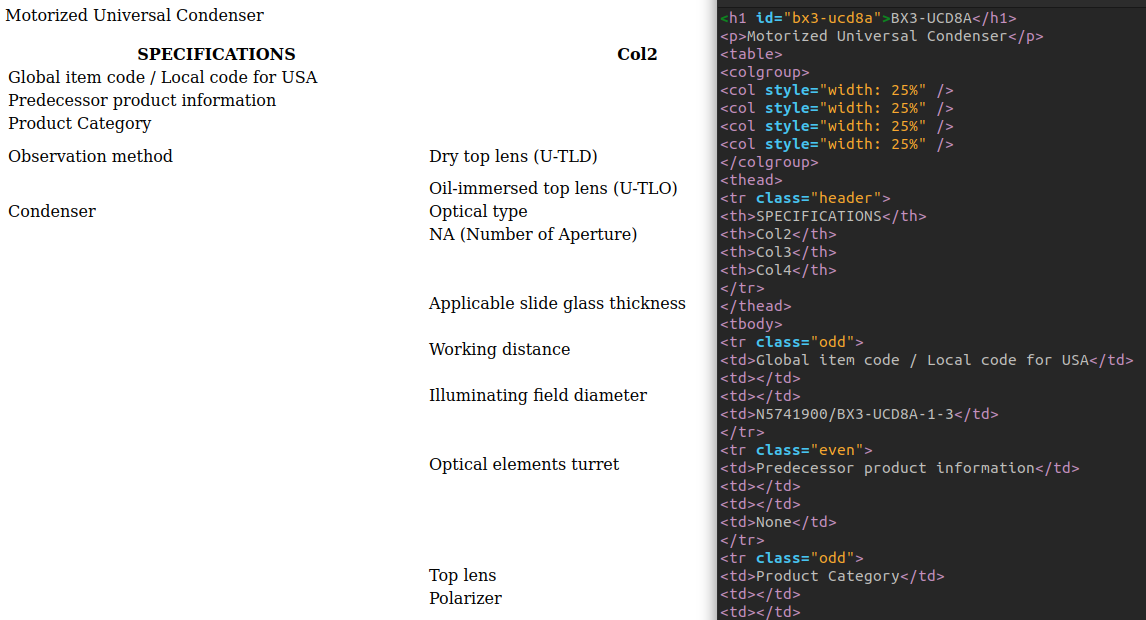
markdown is correctly converted into html
And then html is correctlty read into a data frame
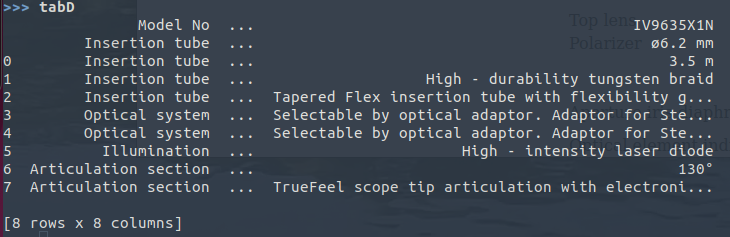
in pandas empty cells get exploded
Particular attention has to be given to headers
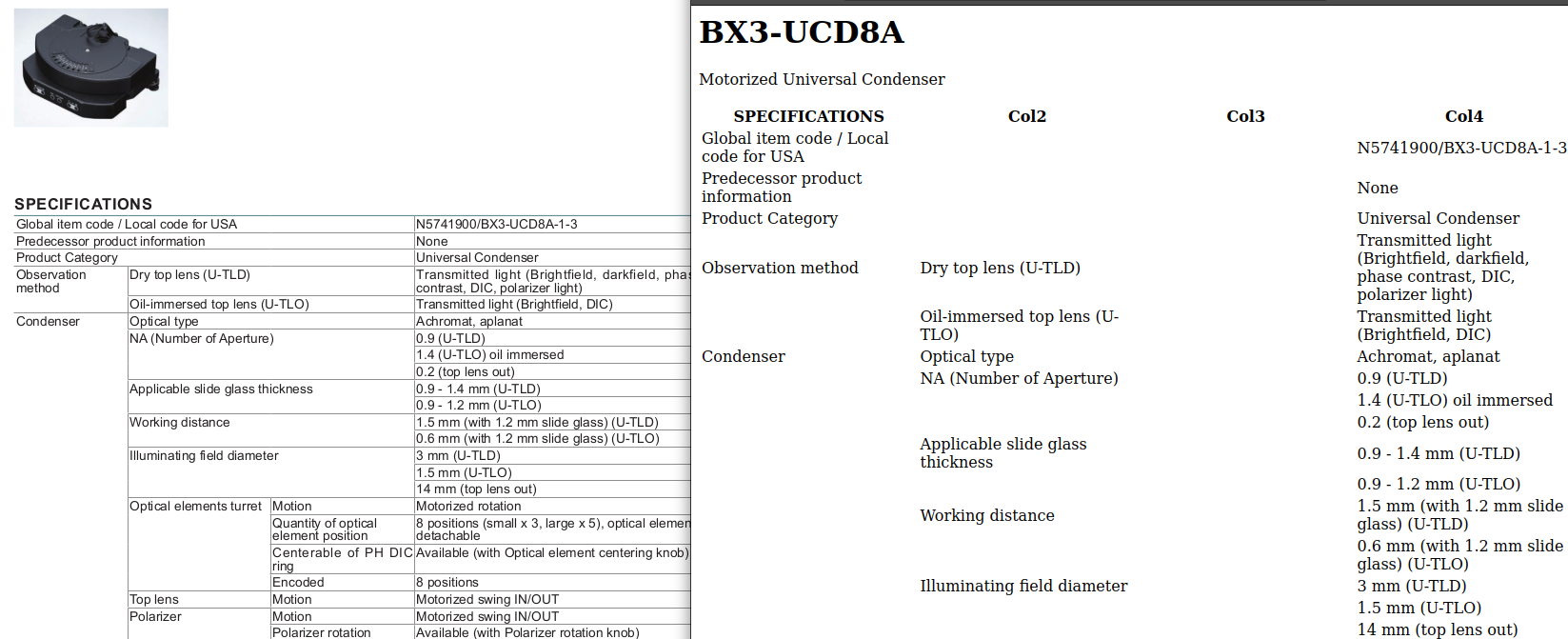
pymupdf converting to markdown then html
beautifulsoup
Beautifulsoup is a html parser that allows to navigate a page in jquery style. It is a really common used library for internet scraping and bot programming in conjunction with headless browsing like selenium
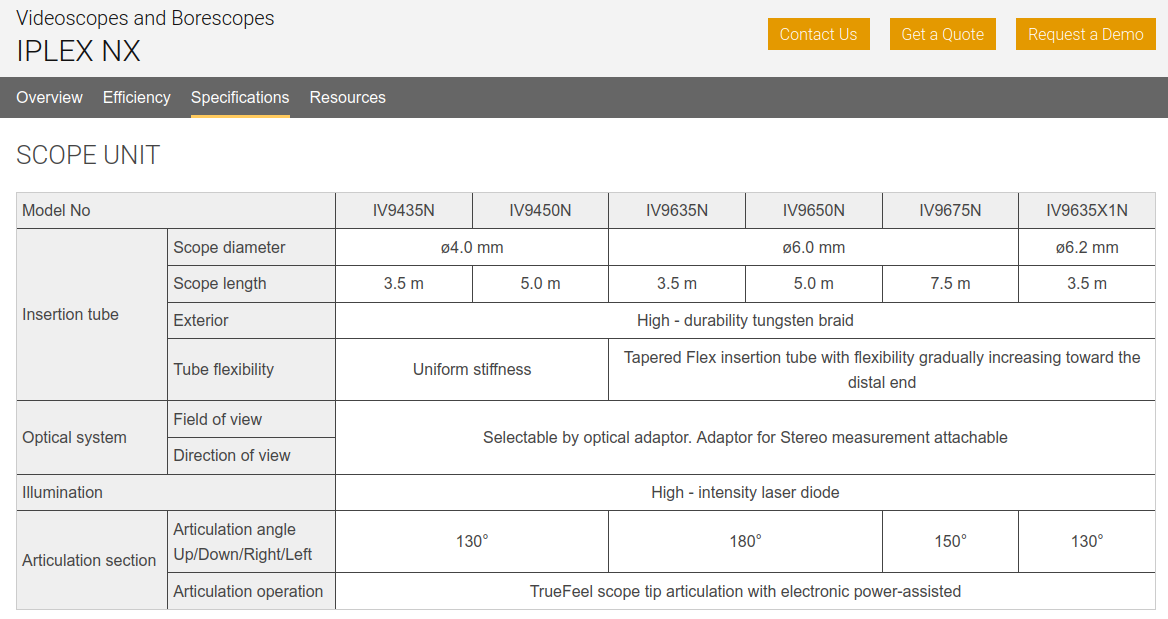
example of an html page with tables
The code is really straightforward
from bs4 import BeautifulSoup
import requests
import pandas as pd
response = requests.get(fUrl)
soup = BeautifulSoup(response.text, 'html.parser')
tableL = soup.find_all('table')
tableS = "".join([str(t) for t in tableL])
tabDf = pd.read_html(tableS)
And the result is completely accurate

data frame correctly parsed with multindices and cell spanning exploded
This library allow to structure the document into sections and create a knowledge graph from the xml structure.
unstructured
Heavy torch model, pretty probabilistic, hard to install.
agent chunking
An agent that parses the document and chunk it into paragraphs by semantic meaning
diffbot
Creates the graph connections to the paragraphs
camelot
We tested different pdfs, camelot could read only one table given as per library example. In the example the indices are not correctly read in the pandas data frame.
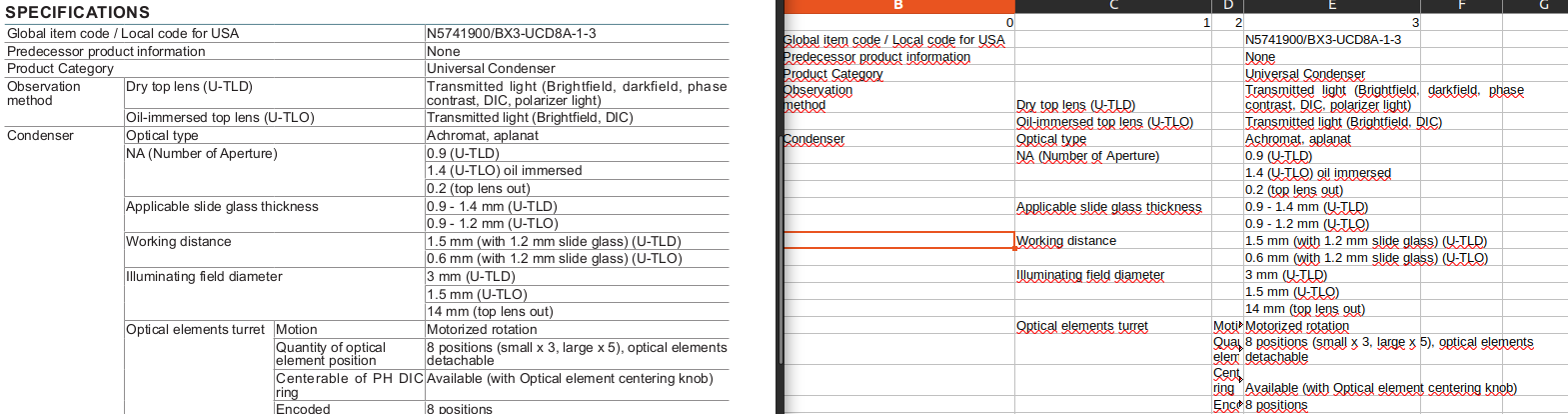
camelot with multispan
pdfplumber
Pdf plumber is not reading the tables.
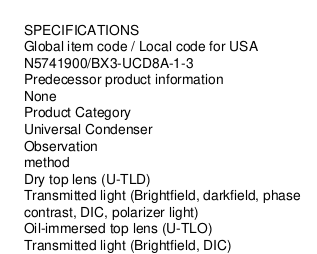
pdfplumber doesnt read tables
pdftabextract
pdftabextract
is a collection of tools for rendered images.
First it reads the characters and output a plain xml
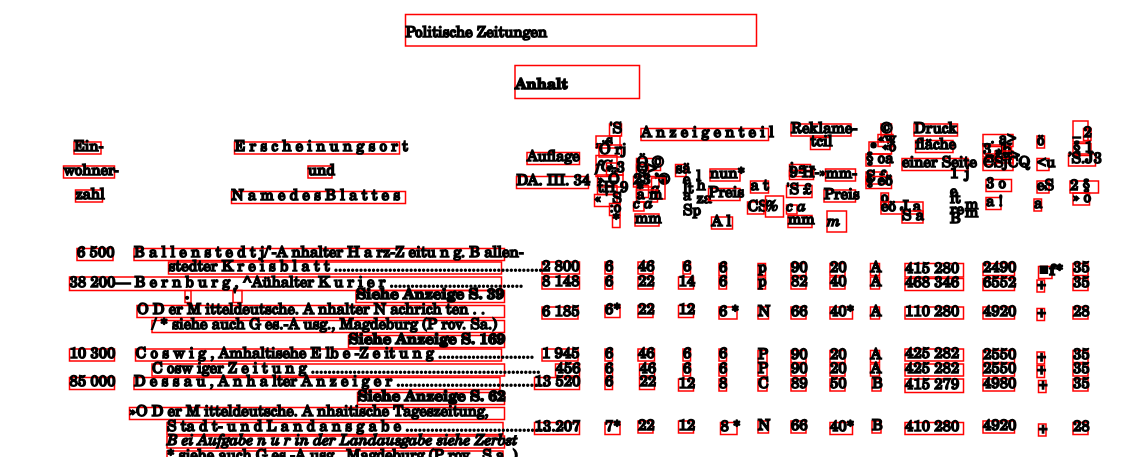
OCR function
The xml doesn't have a table structure yet
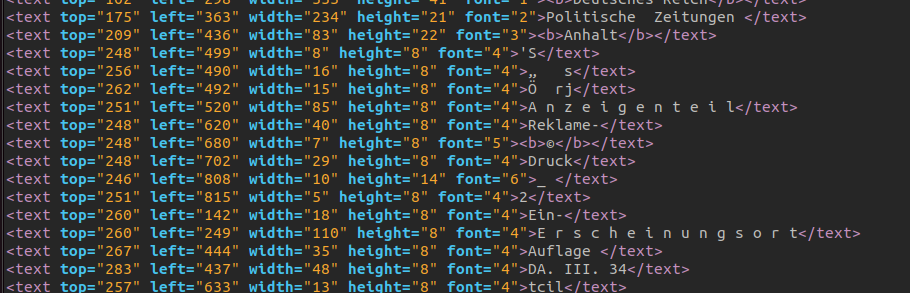
xml output doesn't contain table structure
On the table a grid is created, the grid is rotated if the scanned page is skwed
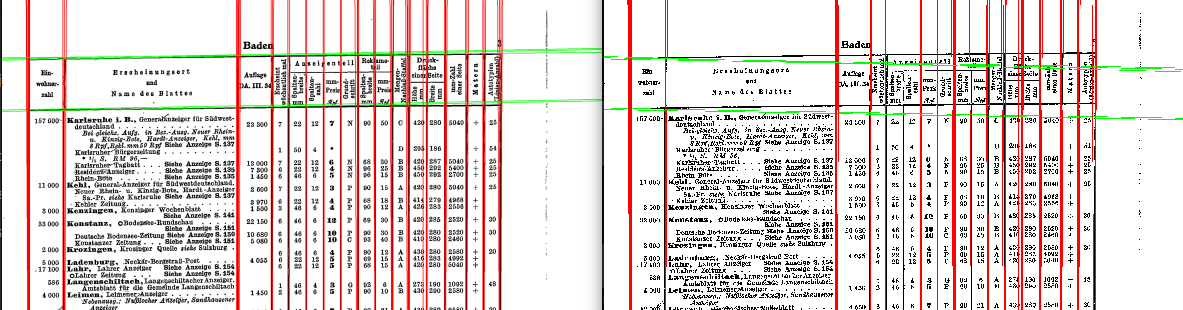
creating grid and rotate
A clustering function put the cells in the grid
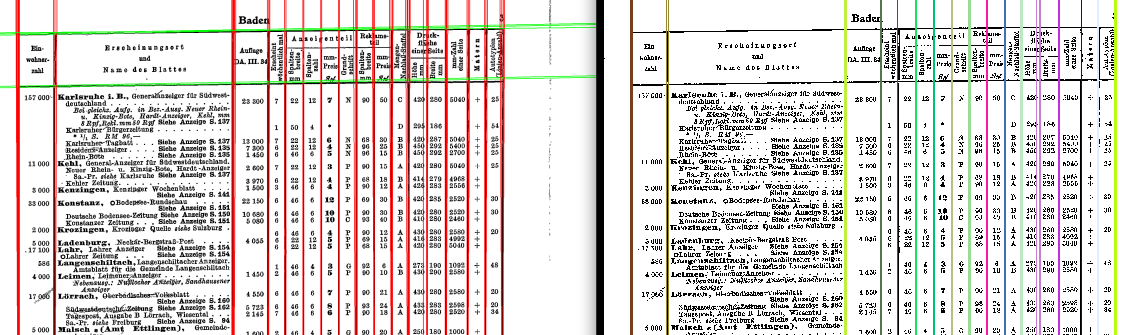
clustering table
Content is placed in the respective cell
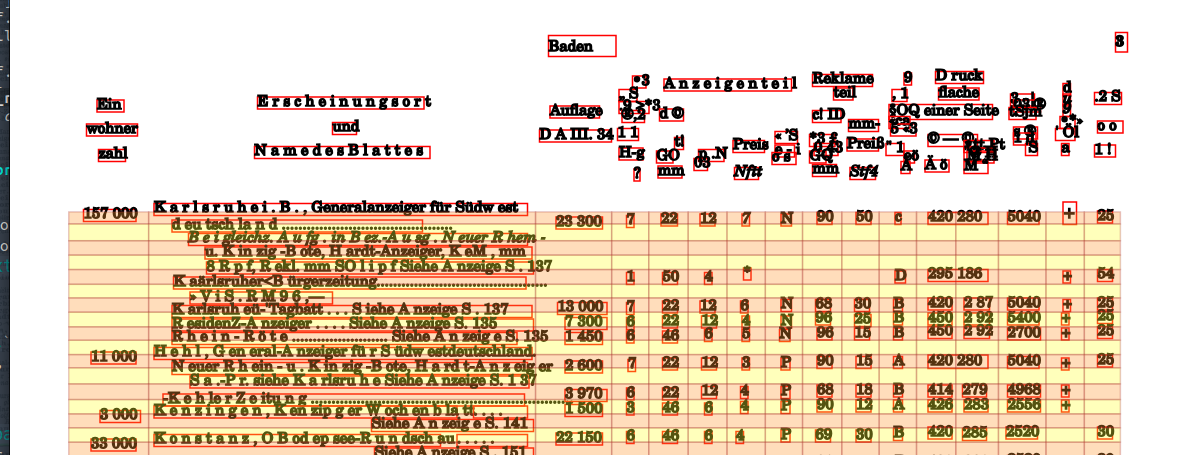
Creating cells
A dataframe is created and exported as a spreadsheet
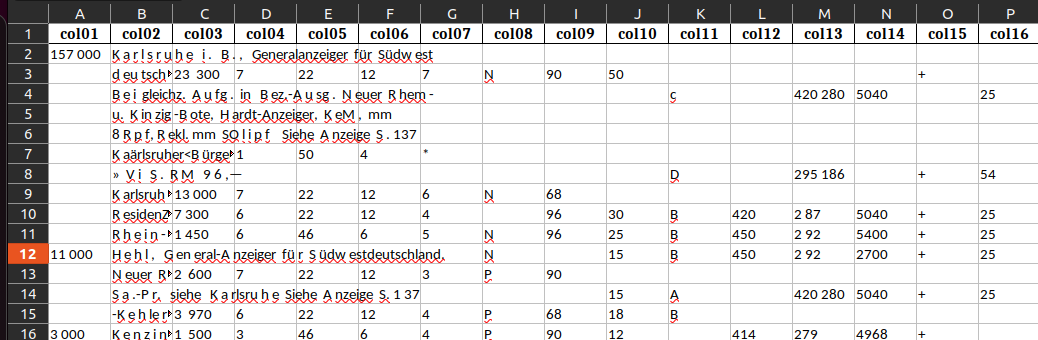
exporting dataframe
other libraries
-
pypdf: only text -
pdfrw: only text -
pdftabextract: entries but no table structure -
mathpix: needs subscription -
upstage: needs subscription -
pdftables: needs subscription -
pypdffium2: only text -
textractor: could not install, runs on aws -
pdfminer: only text, table read wrong -
pandoc -f markdown+pipe_tables AM5386.html >> AM5386.html -
tika: doesn't reconginze tables in html -
pdf2xmlgood text recognition, table rendered as grid only -
llmsherpa.readers.LayoutPDFReader(section by section, sometime too narrow), divides and arrange by levels, good for tree structures. Returns a list of Documents -
pymupdf4llm.to_markdownmainly working indetifying correct headers -
marker_pdftorch based, mainly not working -
PyPDF2good to divide page by page