Spiega documentation
- Knowledge sharing
- Portfolio
javascript
d3
Some d3.js examples are published on anticolo

d3 overview
Example of network
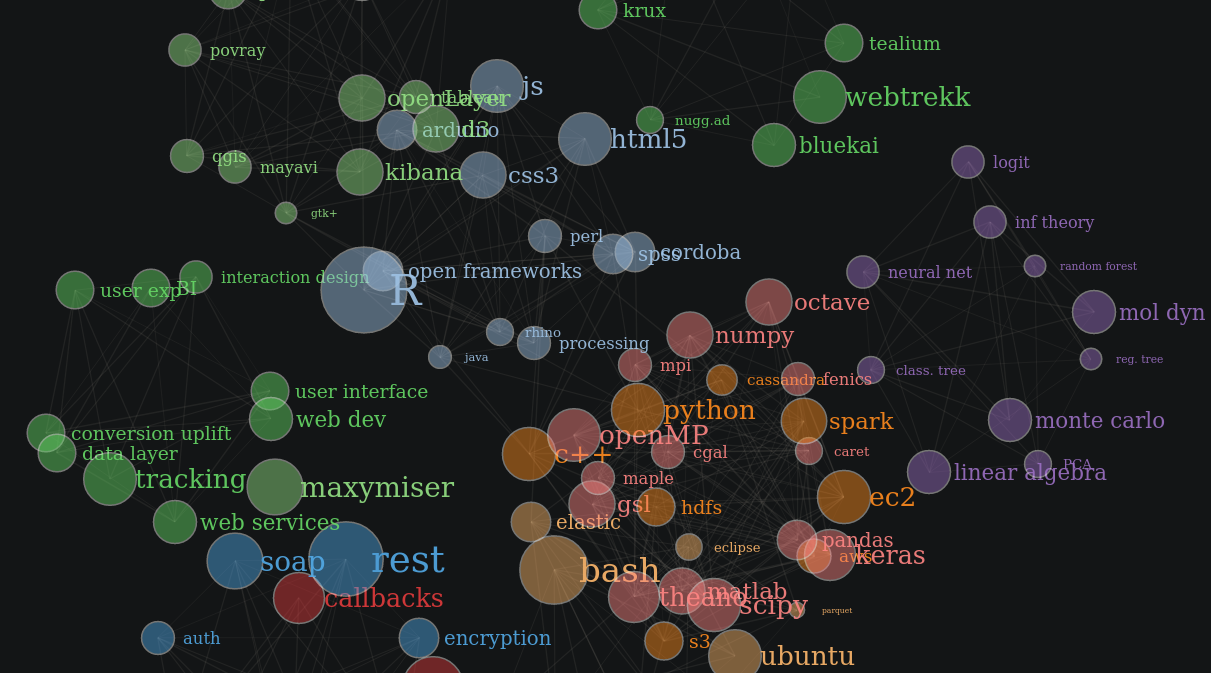
network
Example of heatmap
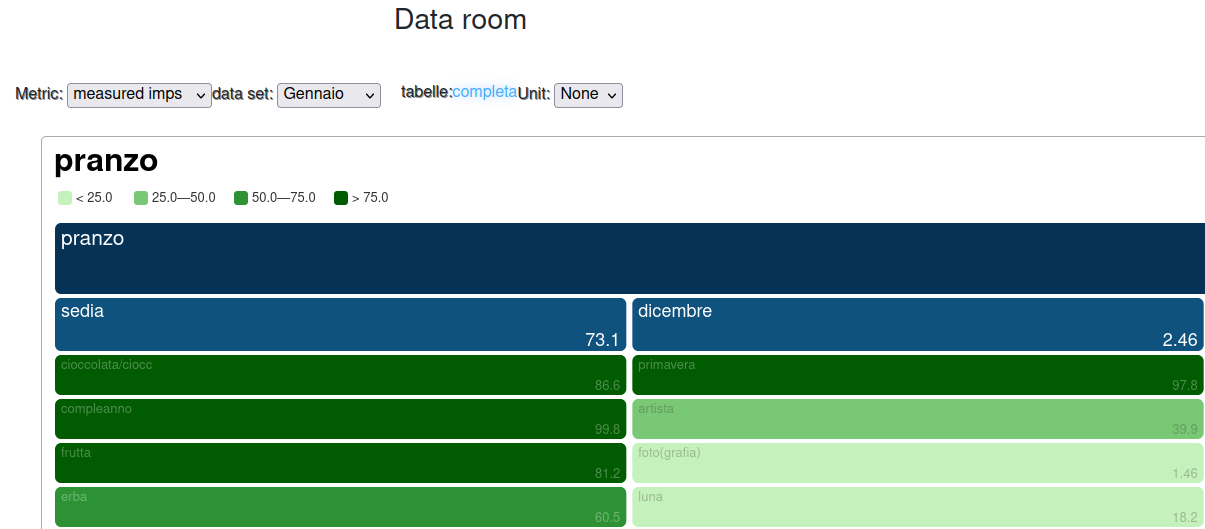
heatmap
Example of sunburst
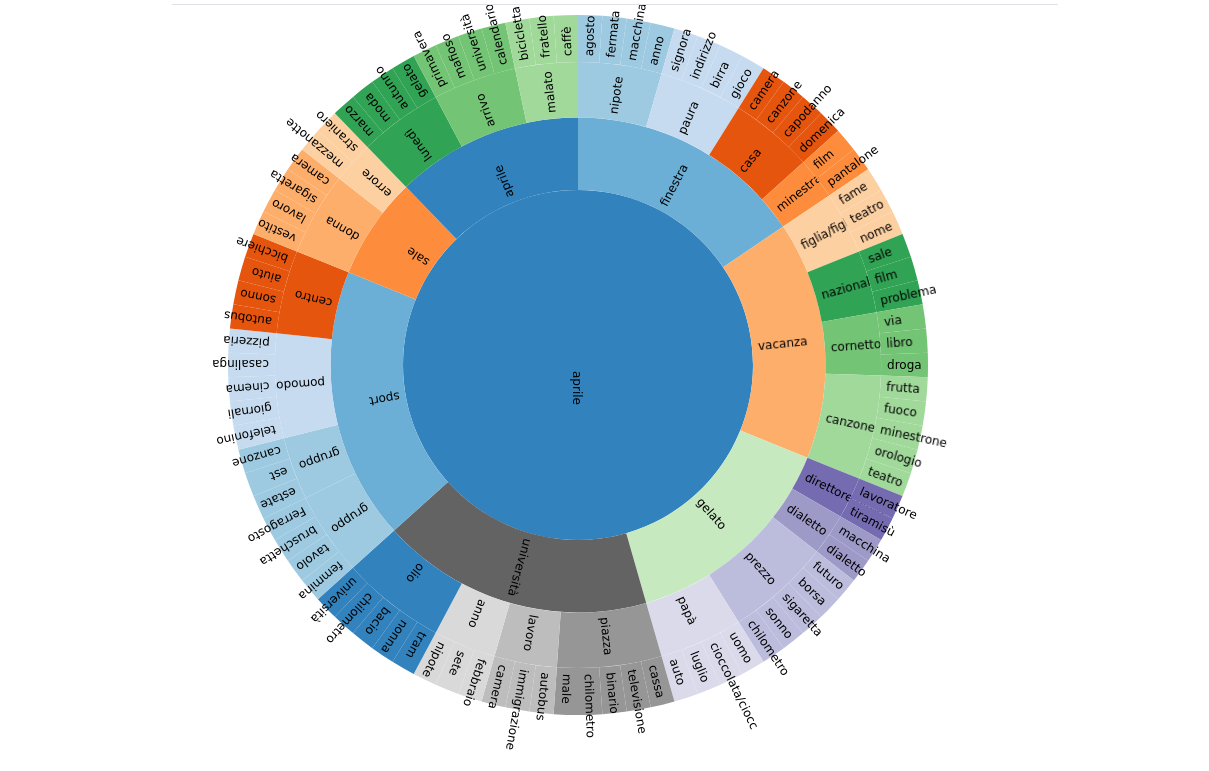
sunburst
Example of circle packt
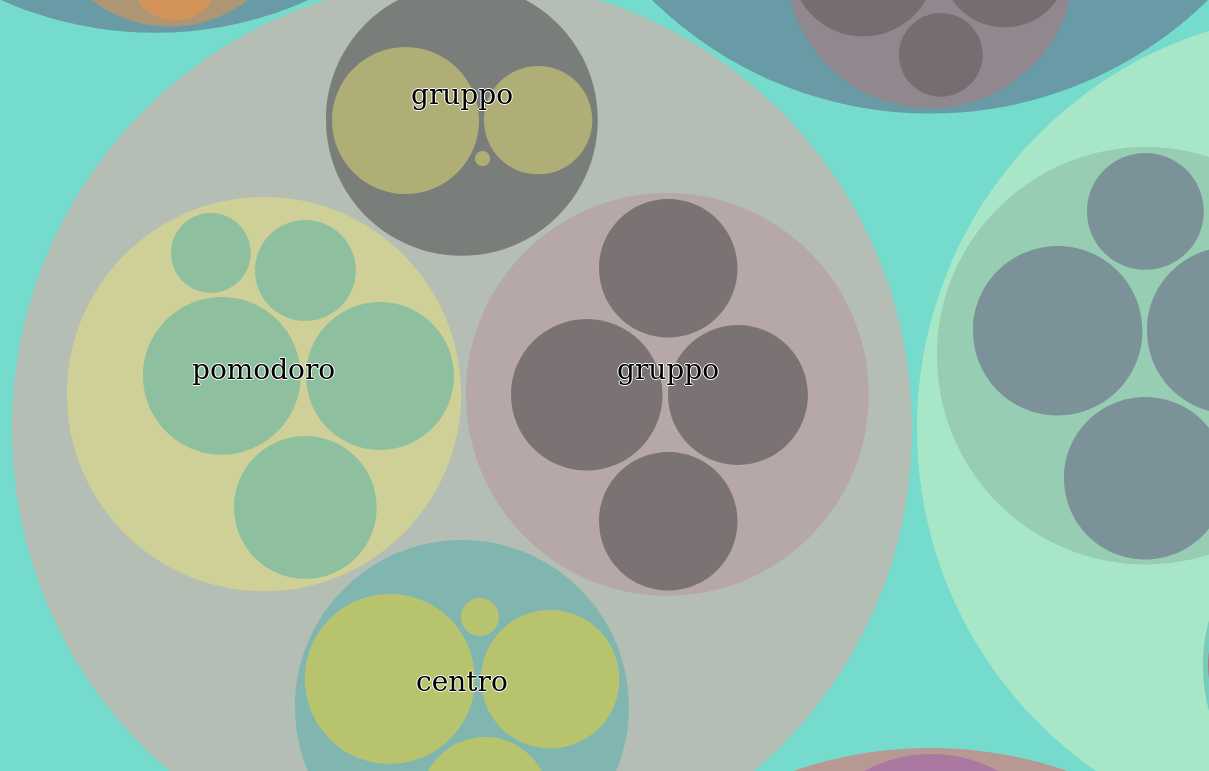
circlePack
Example of treebox
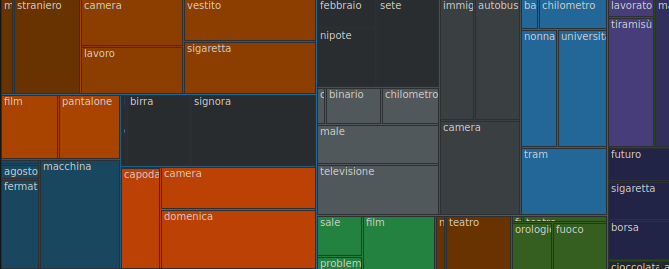
treebox

taxonomy
R

socio demo

time series

geo

affinity

customer feedback
openlayer
Openlayers is a really handy map library that supports many the display of different geometrical layers on top of raster or vector maps.

openlayers
Maps:
//------------------------------initialize-map--------------------------------
// var raster = new ol.layer.Tile({title:"tile",source: new ol.source.Stamen({layer: 'watercolor'})});
var raster = new ol.layer.Tile({title:"tile",source: new ol.source.StadiaMaps({layer: 'stamen_watercolor'})});
raster.setOpacity(0.2);
// var map_label = new ol.layer.Tile({title:"street",visible:false,source: new ol.source.Stamen({layer: 'terrain-labels'})});
var map_label = new ol.layer.Tile({title:"street",visible:false,source: new ol.source.StadiaMaps({layer: 'stamen_terrain_labels'})});
var osmLayer = new ol.layer.Tile({source: new ol.source.OSM()});
var map = new ol.Map({
  layers: [new ol.layer.Group({title:"raster",visible:true,layers:[raster,map_label]})],
  overlays: [overlay],
  target: 'map',
  view: new ol.View({center: ol.proj.fromLonLat([13.435755,52.507976]),zoom: 12})
});
layers:
function initLayers(spotL){
  var currZoom = map.getView().getZoom();
  line_feature = plotLines(spotL,currZoom);
  line_source = new ol.source.Vector({features:line_feature});
  line_layer = new ol.layer.Vector({title:"lines",source:line_source});
  map.addLayer(line_layer);

  point_feature = plotPoint(spotL,currZoom);
  point_source = new ol.source.Vector({features: point_feature,minResolution:2500});
  point_layer = new ol.layer.Vector({title:"stops",source:point_source});
  map.addLayer(point_layer);

  poly_feature = plotPoly(spotL,currZoom);
  poly_source = new ol.source.Vector({features: poly_feature});
  poly_layer = new ol.layer.Vector({title:"poly",source:poly_source});
  map.addLayer(poly_layer)
}
styles:
//-----------------------projection------------------------------

var current_projection = new ol.proj.Projection({code: "EPSG:4326"});
// var new_projection = raster.getSource().getProjection();
var new_projection = new ol.proj.Projection({code: "EPSG:3857"});
function transform_geometry(element) {
  element.getGeometry().transform(current_projection, new_projection);
}

//---------------------graph-objects------------------------------

function plotLines(spotL,currZoom){
  var n_agent = Object.keys(pathL).length;
  for(var loc in spotL){n_agent = Math.max(n_agent,spotL[loc]['agent']);}
  var line_feature = [];
  var posV = {};
  for(var a=0;a<=n_agent;a++){
    posV[a] = {};
    posV[a]['color'] = colorL[a];
    posV[a]['path'] = [];
  }
  for(var loc in spotL){
    var agent = spotL[loc]['agent']
    if(agent <= 0){continue;}
    var coordinates = [spotL[loc]['x'],spotL[loc]['y']];
    posV[agent]['path'].push(coordinates);
  }
  for(var p in posV){
    var pointL = posV[p]['path'];
    var color = posV[p]['color'];
    var line = new ol.Feature({geometry: new ol.geom.LineString(pointL)});
    var fill = new ol.style.Fill({color:color});
    var stroke = new ol.style.Stroke({color:color,width:2});
    var style = new ol.style.Style({fill: fill,stroke: stroke});
    line.setStyle(style)
    line_feature.push(line)
  }
  line_feature.forEach(transform_geometry);
  return line_feature;
};

function plotPoint(spotL,currZoom){
  var features = new Array();
  for (var key in spotL){
    var agent = spotL[key]['agent'];
    agent = parseInt(agent);
    spotL[key]['agent'] = agent;
    spotL[key]['color'] = colorL[agent];
    var textS = spotL[key]['agent'].toString();
    var coordinates = [spotL[key]['x'],spotL[key]['y']];
    var feat = new ol.Feature(new ol.geom.Point(coordinates));
    var fill = new ol.style.Fill({color: spotL[key]['color']});
    var stroke = new ol.style.Stroke({color: spotL[key]['color'],width:1});
    var style = new ol.style.Style({
      image: new ol.style.Circle({fill: fill,sstroke: stroke, radius:10})
      ,fill: fill,stroke: stroke
      ,text: new ol.style.Text({
        text: textS,fill: new ol.style.Fill({color: '#fff'})
      })
    });
    if (currZoom > 12){
      style = new ol.style.Style({
        image: new ol.style.Circle({fill: fill,sstroke: stroke, radius:5})
        ,fill: fill,stroke: stroke
      });
    }
    feat['color'] = spotL[key]['color'];
    feat['id'] = key;
    feat['agent'] = spotL[key]['agent'];
    feat.setStyle(style);
    features.push(feat);
  }
  features.forEach(transform_geometry);
  return features;
}

function plotPoly(spotL,currZoom){
  var poly = new ol.geom.Polygon( [[[13.4357548 , 52.50797622],[13.43204609, 52.50202178],[13.43254786, 52.50549124],[13.43059576, 52.51060367],[13.43361524, 52.50990525]]])
  var poly_feature = new ol.Feature({name:"poly",geometry:poly})
  return [poly_feature];
};
Bot review on my work
It seems like you've been working on various JavaScript projects across different platforms such as React Native, Node.js, React, Angular, and more. Each of these projects has its unique requirements and challenges.
Here are some key takeaways from your experiences:
React Native Projects
-
Async Functionality : You've used
asyncfunctions extensively in your React Native apps to handle asynchronous tasks efficiently. This is crucial for handling user input, fetching data from APIs, and managing state in a React-Native app. -
Redux Form : You're familiar with the Redux-Form library, which simplifies form management in React applications. It provides powerful validation, error handling, and form submission features.
-
Performance Optimization : Managing performance is key in React Native apps, especially when dealing with large amounts of data or complex UIs. You've used techniques like memoization, lazy loading components, and avoiding unnecessary re-renders to improve app performance.
-
State Management : You've used various state management libraries like Redux, Context API, or useReducer for managing application state in React Native apps effectively.
-
Testing : Writing unit tests and end-to-end tests using Jest and other testing frameworks is essential for maintaining the quality of your React Native applications. Understanding how to write testable code and ensuring that your app works as expected across different devices is crucial.
Node.js Projects
-
Express Framework : You've used Express.js extensively in your Node.js projects to create RESTful APIs. It provides a robust set of tools for building web servers and handling HTTP requests efficiently.
-
Database Integration : Working with databases like MongoDB or MySQL has been part of your projects, using libraries like Mongoose (for MongoDB) and Sequelize (for MySQL).
-
Error Handling : Implementing effective error handling is crucial in Node.js applications to ensure that errors are logged and handled gracefully without crashing the application.
-
Asynchronous Programming : You've used promises and async/await to handle asynchronous operations efficiently, which is particularly useful when dealing with multiple API calls or database queries.
-
Security : Implementing security measures like authentication, data encryption, and input validation is essential in Node.js applications to protect against common vulnerabilities.
React Projects
-
Form Handling : Using libraries like Formik for managing forms has allowed you to streamline form validation and submission processes in React apps effectively.
-
State Management : You've used Redux and Context API for state management in React projects, ensuring that your application's state is centralized and managed efficiently.
-
Testing : Writing unit tests using Jest and React Testing Library has become a standard practice in your React projects to ensure that your components are working as expected.
-
Responsive Design : Ensuring that your React apps are responsive and work well on different devices and screen sizes has been a focus.
-
Deployment : Deploying your React applications to platforms like AWS or Vercel, along with setting up CI/CD pipelines, has become an important part of your development process.
Angular Projects
-
End-to-End Testing : Using Protractor for end-to-end testing allows you to test the entire application flow from user input to backend interactions effectively.
-
Component Testing : Writing unit tests for components using Jasmine and Karma helps ensure that individual UI components are working as expected independently of other parts of the app.
-
Security : Implementing security measures like authentication, input validation, and protecting against common Angular vulnerabilities is important in Angular projects.
-
Performance Optimization : Optimizing Angular applications to improve performance, especially with large datasets or complex templates, has been a focus.
-
Deployment : Deploying your Angular apps using tools like Angular CLI for building and deploying, along with setting up continuous integration/continuous deployment pipelines, is crucial for maintaining a smooth release process.
Overall Recommendations
-
Documentation Learning : Always invest time in learning the official documentation of libraries and frameworks you're using, as they often provide best practices and solutions to common problems.
-
Code Reviews : Regularly review your code with peers or mentors to gain insights and improve coding standards.
-
Continuous Learning : The tech landscape is constantly evolving, so stay updated with new tools, technologies, and patterns. Attend workshops, meetups, and online courses to keep up with the latest trends in JavaScript development.
By leveraging these best practices and continuously learning, you can enhance your skills and create more robust applications across different platforms.