Spiega documentation
- Knowledge sharing
- Portfolio
C++
math libraries
The main math class is Matematica.h which includes
- 2d matrix filtering
- algebric operations
- numeric integration/derivation
- approximated basic functions (Gamma, Bessel, Neumann)
- spectral analysis
- correlation, normalization
- statistical properties, momenta
- interpolation, regression, filtering
- Bezier, splines
sputtering [2006-2008]
Sputtering of ions on silicon lattice to calculate impurity diffusion
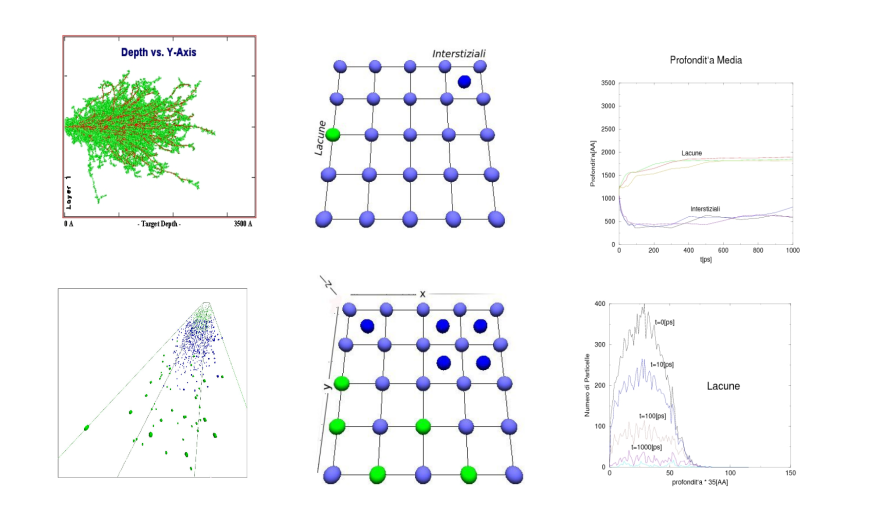
sputtering on ions
monte carlo [2006-2013]
Monte Carlo simulations to simulate grand canonical equilibrium of lipid chains around a nanoparticle
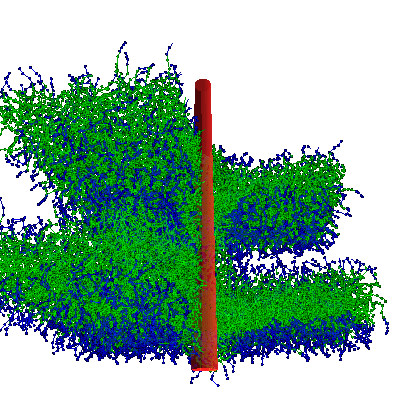
peptide in lipid membrane
molecular dynamics [2008-2013]

coated nanoparticle
visualization with Qt [2006-2013]
The program Avvis was written over 6 years in C++ and Qt (migrated from 4 to 5 to 6)

overview of some key features of the program Avvis
The program was initially used in 2005 to compute basic properties of signals in the search of pink noise and extended until 2012 to basically compute signal processing and plotting.
Features:
- display signals and select specific ranges
- display log, points, lines
- compute spectrum, autocorrelation, running average, integral, derivative
- interpolate on selected ranges, log included
- plot and load style configurations
void ElementiGrafici::DisegnaPunti(QPainter *p){
  if(PrimaVolta){
    return;
  }
  if(NVisMin < 0 || NVisMax > PuntiMax || NVisMin > NVisMax){
    sprintf(stringa,"Non `e corretto l'ordine 0<=%d<%d<=%d",NVisMin,NVisMax,PuntiMax);
    printf("Non `e corretto l'ordine 0<=%d<%d<=%d\n",NVisMin,NVisMax,PuntiMax);
    ErrPrima->message(stringa);
    return;
  }
  if( IfRiscala != 0 ) GrRiscala();
  GrStampante(p);
  GrConf(nomeConf);
  GrScript(nomeConf,p);
  if( DIS_IF_TYPE(IfDisegna,DIS_TUTTI) ){
    for(int s=0,sColor=0;s<NVar;s++){
      if(v1->IsAbscissa(s)) continue;
      sColor = s;
      p->setBrush( GrLinee[sColor] );
      p->setPen( QPen( GrLinee[sColor],2 ) );
      Quadrati = DIS_IF_TYPE(LineaCome[sColor],LINEA_PUNTO);
      Linee = DIS_IF_TYPE(LineaCome[sColor],LINEA_TRATTO);
      GrSet(p,s);
      sColor++;
    }
  }
visualization with openGL [2006-2013]
The main software is called ElPly and is written to display simuation results:
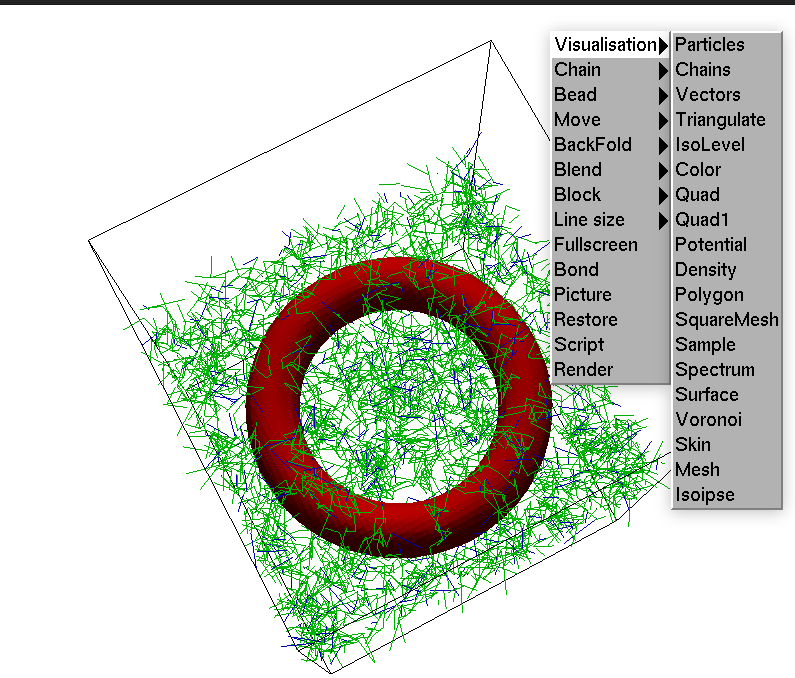
openGL software
Main features
- display chains and molecules
- display surfaces (marching cubes)
- navigate
- menu display
- conf file input
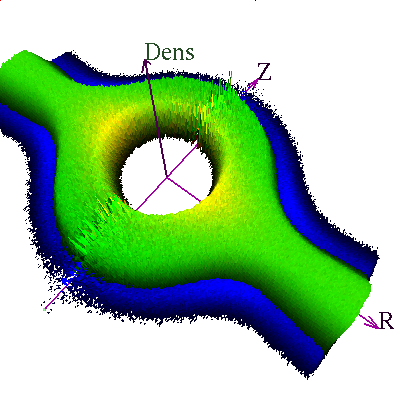
density of lipids around a nanoparticle

planar membranes
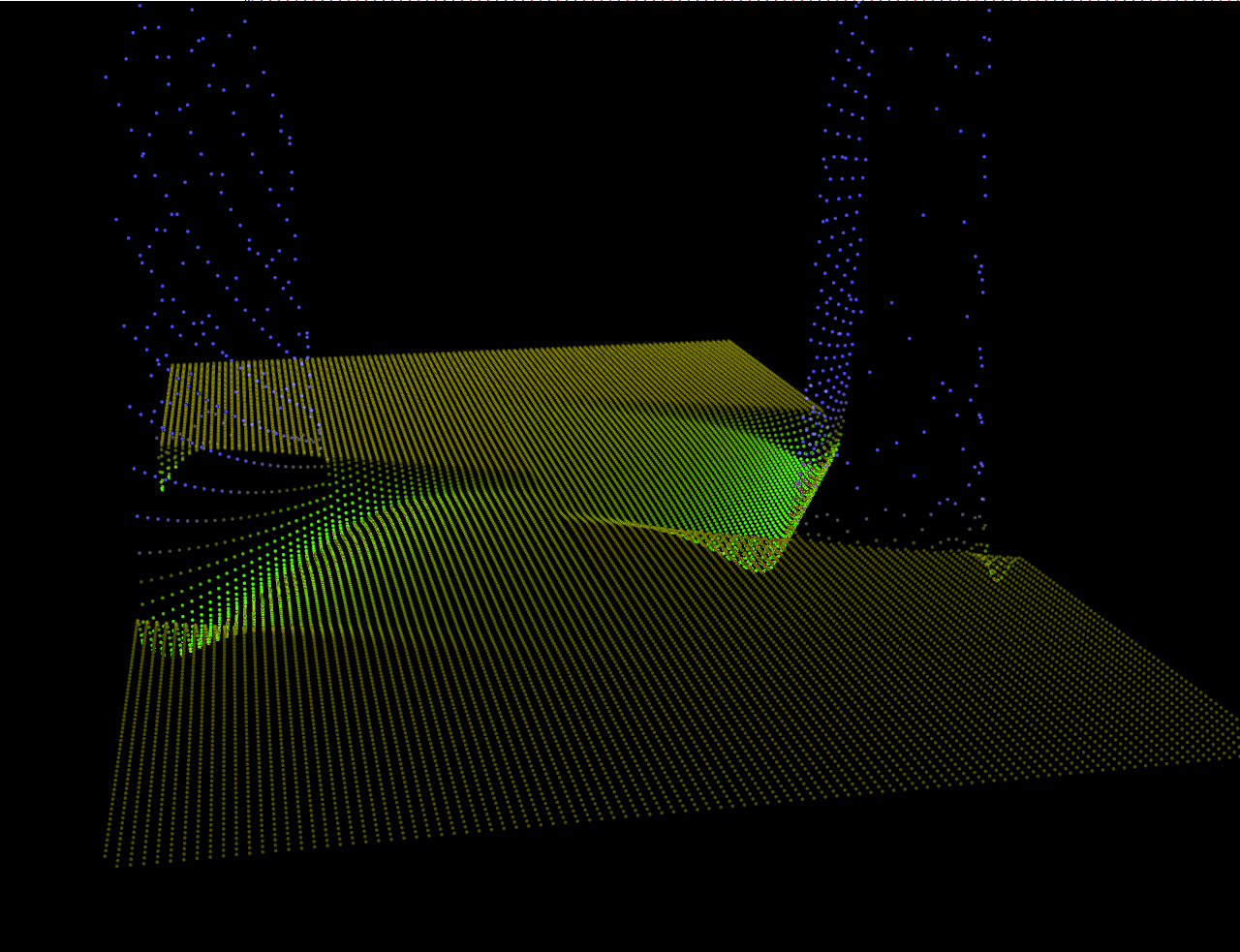
peptide in membrane
Gtk
The python 2 code caciotta leaks was written to create an interface between the erp database and the user.
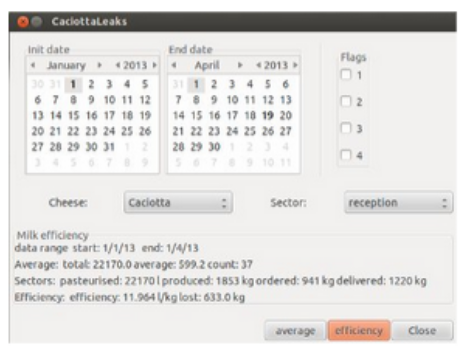
Caciotta leaks, database interface to compute milk efficiency in a cheese factory
import pygtk
import gtk, pango
window = None
flag_checkboxes = 5*[None]
settings = 5*[0]
self.marked_date = 31*[0]

window = gtk.Window(gtk.WINDOW_TOPLEVEL)
window.set_title("CaciottaLeaks")
window.set_border_width(5)
window.connect("destroy", lambda x: gtk.main_quit())

window.set_resizable(False)

vbox = gtk.VBox(False, self.DEF_PAD)
window.add(vbox)
...
finite differences [2010-2013]
A cpp code to compute finite differences up to 4th order

finite element software
Bot review of the source code
The described area involves multiple files working together to support scientific programming and calculus using optimized code. This encompasses various data sources and industry applications, collectively offering robust solutions for complex mathematical computations and simulations.
1. Mathematical Libraries
- Usage : These libraries are essential for performing basic to advanced mathematical operations such as linear algebra, numerical analysis, and probability theory.
- Importance : They provide foundational tools that are utilized by other files and applications in the area, ensuring accuracy and efficiency in calculations.
2. Calculus Solvers
- Usage : These modules focus on solving differential equations, integration, optimization problems, and more, using analytical or numerical methods.
- Importance : Calculus is a fundamental tool in science, engineering, and economics. Accurate and efficient calculus solvers are crucial for simulations, modeling physical phenomena, and optimizing systems.
3. Data Sources Integration
- Usage : This involves fetching, processing, and integrating data from various sources such as databases, APIs, and external files.
- Importance : Real-world applications often require handling large volumes of data that come from multiple sources. Properly integrated data ensures that calculations are based on the most current and relevant information.
4. Optimized Code
- Usage : This includes algorithms and techniques designed to enhance performance, reduce memory usage, and speed up computation.
- Importance : In scientific programming, efficiency is key. Optimized code allows for faster processing times, which is essential when dealing with large datasets or complex simulations.
5. Visualization Tools
- Usage : These tools help in visualizing data, results of calculations, and simulations to facilitate understanding.
- Importance : Visualization is crucial for both educational purposes and debugging. It helps researchers, developers, and analysts interpret complex data and identify trends or issues more easily.
6. Parallel Computing Support
- Usage : This feature enables the execution of multiple tasks simultaneously on multi-core processors or distributed systems.
- Importance : Parallel computing significantly speeds up the processing of large datasets and computationally intensive simulations by utilizing available resources efficiently.
7. Machine Learning Integration
- Usage : Integrating machine learning algorithms allows for data-driven optimization and predictive modeling, enhancing the capabilities of existing tools.
- Importance : Machine learning can improve the accuracy and adaptability of scientific models. It enables the system to learn from new data, refine its calculations, and improve predictions over time.
8. User Interface
- Usage : A user-friendly interface allows users to interact with the software, input parameters, view results, and manage settings.
- Importance : Accessibility is crucial for a wide range of users, from students learning calculus to professionals working on complex simulations. A well-designed UI ensures that everyone can effectively use the tools without requiring extensive training.
9. Documentation and Examples
- Usage : Comprehensive documentation and example problems are provided to help users understand how to use the various features.
- Importance : Documentation is essential for both learning and troubleshooting. Examples demonstrate practical applications, making it easier for new users to grasp complex concepts and for experienced users to refine their techniques.
10. Community and Support
- Usage : Access to a community of users, developers, and researchers provides resources, support, and opportunities for collaboration.
- Importance : A strong community ensures that the tools remain up-to-date, bugs are quickly resolved, and new features are developed based on user needs.
Summary
This work spans across multiple data sources and industry applications, providing a comprehensive suite of tools and capabilities for scientific programming and calculus. By integrating mathematical libraries, calculus solvers, optimized code, and advanced visualization techniques, the system offers efficient, accurate, and user-friendly solutions to complex problems. The inclusion of parallel computing support, machine learning integration, and extensive documentation ensures that the tools are versatile, scalable, and accessible to a wide range of users.