Spiega documentation
- Knowledge sharing
- Portfolio
agentic local workflow
agents as support
What is org-mode and why it matters in an agentic development? We all want local agents: are they not capable enough or they are just badly integrated? Is cursor a coding assistant or just a dev auto pilot reshuffling code around? Who is responsible for the product and who can explain its components? We need consistency and productivity, safety and cost control.
Cursor is sharing code across sections: cursor code leak like in this example
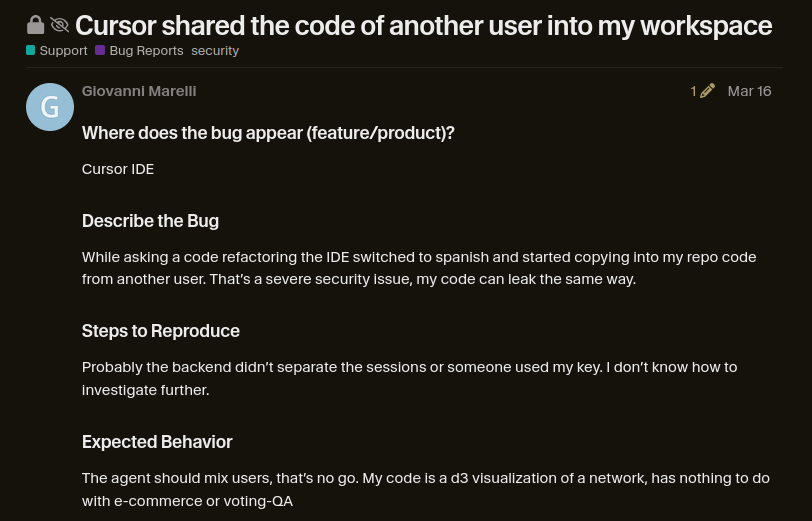
Figure 1: Cursor sharing the code of another user into my session
agents under control
We seek for an ideal agentic assistance:
- productive
- agents speed up the end-to-end development
- local
- no information leaves the system
- secure
- no agent has access to credentials, or sensitive information
- costs
- fixed
- storage
- minimal
- infrastructure
- minimal
- consistent
- we make sure the product correspond to the requirements
And we find a really interesting integration

Figure 2: subscription often don’t cover the costs you expect
principle
As many people recently I wanted to implement a local agentic workforce to control costs, production quality and security. To overcome the problem of consistency and project scope I found a really interesting integration.
We want to find the best setup where agents are actual helpers and not an uncontrolled crowd. I recall this old movie that gives the feeling of the emotion of creating an agent, instruct it and then finally relax while it works for you.
You then realize the agents misinterpreted your command and you start creating new ones to control your system but then you have a crowd you cannot control and you rush reading the source code trying to understand what is going wrong but the source code is too large and difficult to understand.

Figure 3: like in disney fantasia your agents can turn in an uncotrolled crowd and source code is not easy to read
mardown vs org
Nowadays in most of the projects people use markdown to write down their knowledge base but this format lacks any dynamic feature and doesn’t integrate with any tool. The difference is like having a cookbook where you list the ingredients and the procedures and you need then to go to the real life and start chopping and boiling. Org files the look more like spell books where you directly invoke your commands within the file.
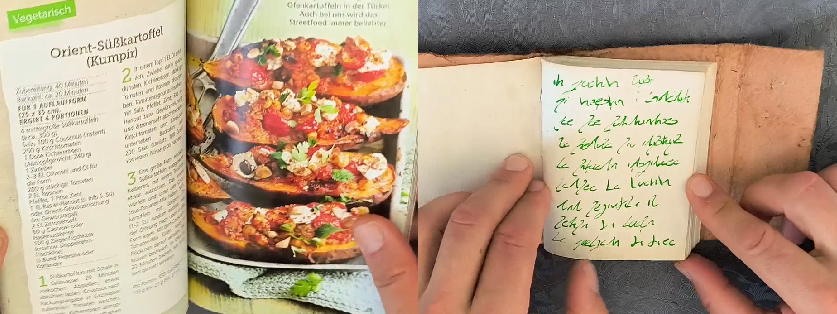
Figure 4: markdown files lack dynamic which org files have
org-mode
Org-mode is the best place where humans meet agents. If markdown is a cookbook where you list the ingredients and the instructions org is a spell book where you directly invoke your commands. org is a dynamic text file which is easy to parse for an agent but reach in features for a human. From simple notes you create:
- graphs
- notes get linked together, they build a database, you query, navigate a graph
- diagrams
- features turn into diagrams, flow charts, mindmaps
- tasks
- break down the work understanding what features need to be built
- log
- when activities should start, how much they last, gantt, kanban
- BI
- commands to tables, to graphs, to diagrams
- docs
- notes to blog posts, slides, blueprint
- code
- to execution, piping, documents
agentic workflow
The ideal setup for developers, project managers, innovators would be to have local assistants to support with multiple tasks. This system should be:
- safe
- you control what the bots can access and prevent leaks or risks
- private
- there is no compliance risk in sharing ideas or code
- capable
- the added value is significant
- focused
- agents act in a specified perimeter and stick to the task
- fast
- you significantly speed up delivery time
- traceable
- you know who did what
- reliable
- you don’t need to oversee the tasks
- cheap
- you own and control costs if any
- reproducible
- the essential information to reproduce the system anytime (prompts too)
- environment
- with public LLMs you don’t consume only computing but networking, caching, storage…

set up
To achieve that I worked with this configuration:
- local
- all models run locally, rare internet access
- containers
- coding assistants run in containers with selected volumes
- tools
- I select the tool list the agent can see
- context
- I provide each assistant a clear reference to the context
- directives
- the agents are aware of expected behavior
- performance
- local models are not the fastest, managing context and access helps a lot
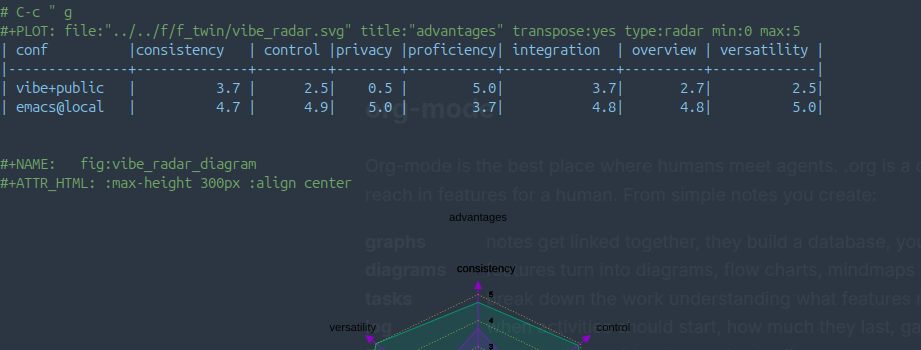
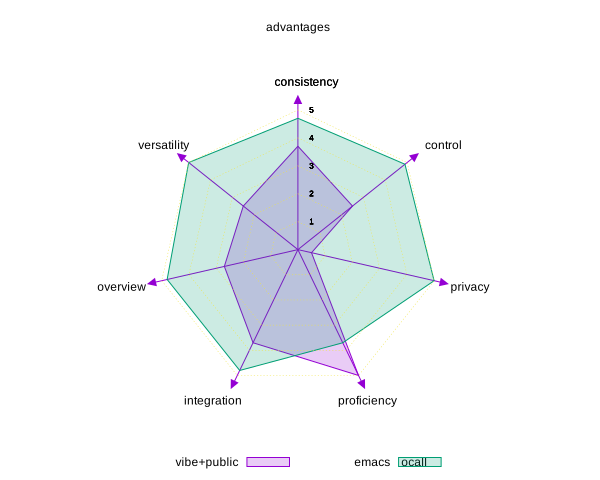
| conf | consistency | control | privacy | proficiency | integration | overview | versatility |
|---|---|---|---|---|---|---|---|
| vibe+public | 3.7 | 2.5 | 0.5 | 5.0 | 3.7 | 2.7 | 2.5 |
| emacs@local | 4.7 | 4.9 | 5.0 | 3.7 | 4.8 | 4.8 | 5.0 |
side benefits
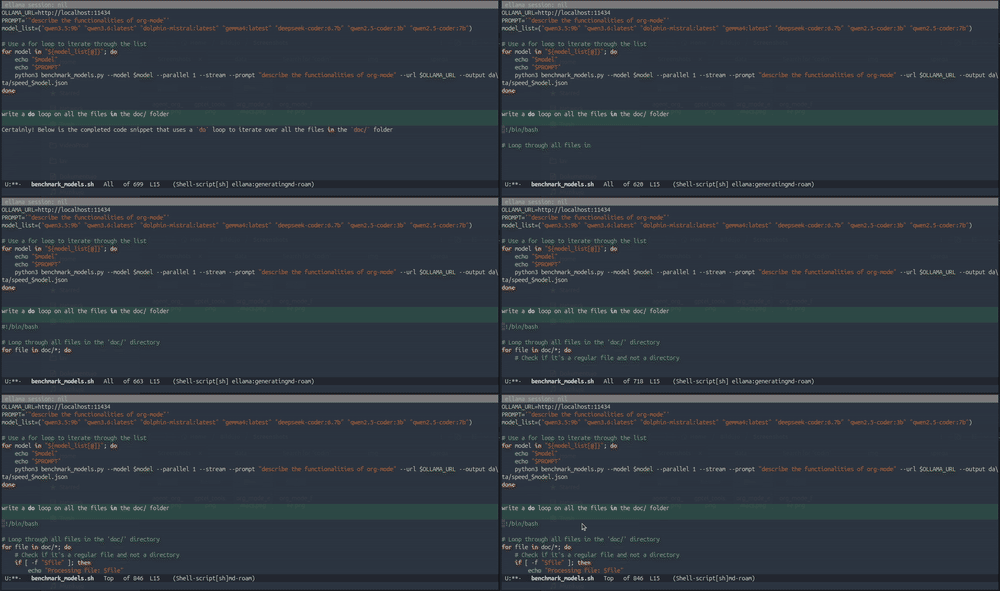
While working at this set up I realized many side benefits:
- less search
- rarely I need the web for API docs unless I need to learn something
- less dependencies
- I cut many software and use only emacs, blender and firefox
- less archive
- I basically only version control few org files, the rest is generated from them
- less confusion
- agents don’t need to parse scattered information
- less processing
- agents don’t need to parse heavy documents nor pictures
- less resources
- simple LLMs with proper context perform as their much bigger cloud counterparts
- less tokens
- well configured coding assistants don’t need extreme performant models
- less code
- capable org files reduce the complexity of software integration
improved workflow
What is even more impressive is that I realized my workflow flipped over:
- document first
- the start is to write down the ideas and the environment
- knowledge base
- let the agent write detailed documentation about the project reference
- consistency
- every node of the knowledge graph increases consistency in the work
- background execution
- let agents execute tasks while you focus on the project
- log and tag
- as you write the components get linked together and are easier to search
- present
- you can present anytime given the multiple exporting options into blog posts and slides
org files
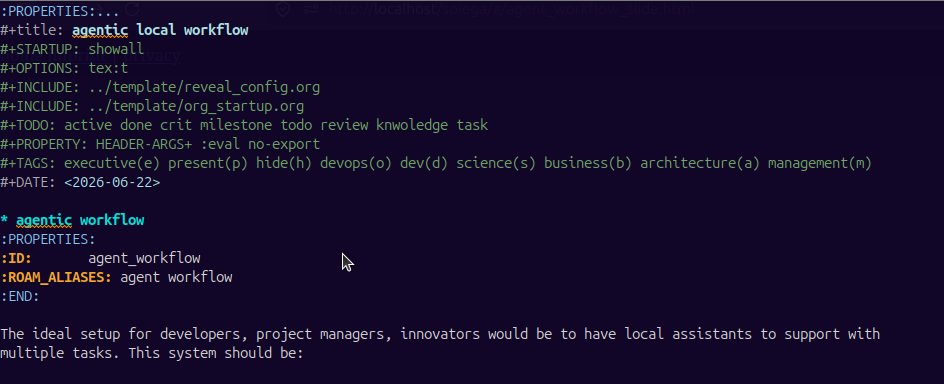
The improvement comes first of all with org files which are super powered text files. Compared to markdown you can build many actionable items and pipe everything together. Some features :
- agenda
- to schedule a task or to set an alert
- tags
- to specify meta information
- logbook
- the time spent on tasks
- status
- whether an action is done or pending
- nodes
- tag every element to create interconnections
- code
- define code to execute
- visualize
- plots, diagrams, gantt, kanban… from text
- local org files
- open new buffers from shell
- roam
- organizes the org node information into graphs
- spreadsheet
- formulas on tables
org and agents
Agents express themselves at best within org files:
- minimal context
- they can access all links, numbers, software within few bytes
- less distraction
- images, presentations and big files are outside of agent reach
- update
- they keep all information updated following all links and nodes in the graph
- buffer integration
- they literally edit the file with you
- parallel
- you can use multiple backends to use additional local resources
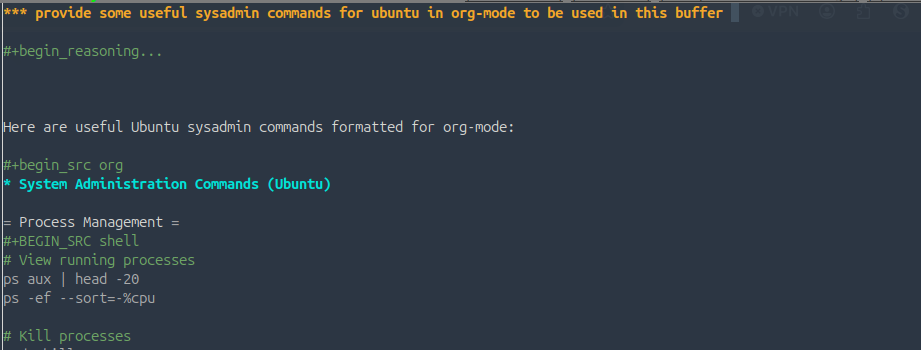
org and emacs
Emacs is the most versatile text editor, it has an overwhelming option of integration and configuration. It takes time to configure it but the productivity speed is unbeatable. I tried IDEs but I find the UI too confusing to concentrate and they force you to work in a single manner. Emacs is the best option for org too:
- export
- many emacs packages export the files into blog posts and slides
- babel
- you can link system programs to the execution of code blocks
- roam
- in the background all the information you work on are linked together
- integration
- org connects with all the tools like agenda, web-search, journal …
- tools
- emacs allows agent to use tools
emacs and LLMs
There are multiple configurations to include LLMs in emacs:
- ellama
- for reasoning and structuring the project and for code examples in any buffer
- gptel
- for the integration with mcp
- gptel base
- base package
- mcp.el
- start the hub
- custom gptel tools
- user defined tools
- gptel-mcp
- integration between the packages
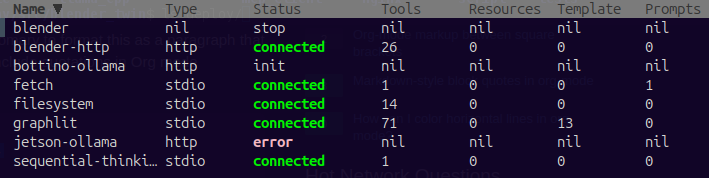
- mcp
- for adding my own tools and external mcp
More on
coding assistant
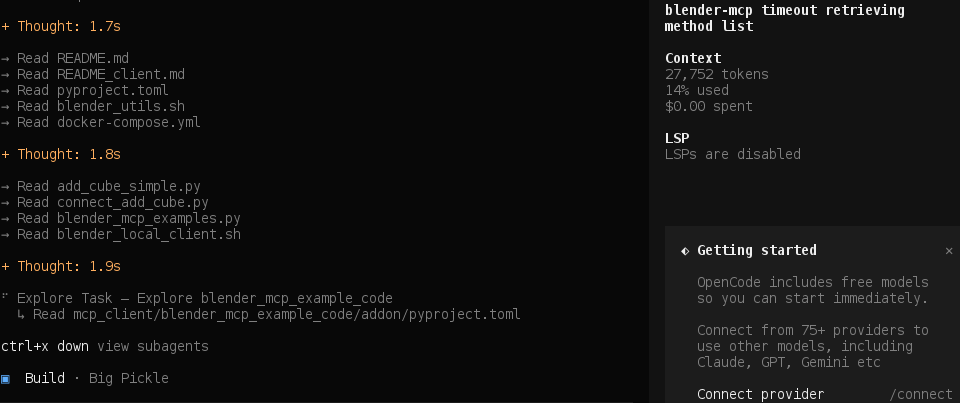
Language models without IDE capabilities have limited added value. We can in principle build a coding assistant within emacs but I prefer by now to use different coding assistant with different capabilities. My workflow:
- simple tasks
- and test every progress. Agents taking too many autonomous decisions are difficult to oversee
- little interpretation
- agents need to understand and wait for agreement
Well configured coding assistants don’t need extreme performant models
- pi agent
- pi-coding-agent the one I currently use the most, quick and simple
- aideremacs
- aider too many interactions, difficult UI
- opencode
- opencode I appreciate it’s more careful about running certain operations but it’s pretty slow
code REPL
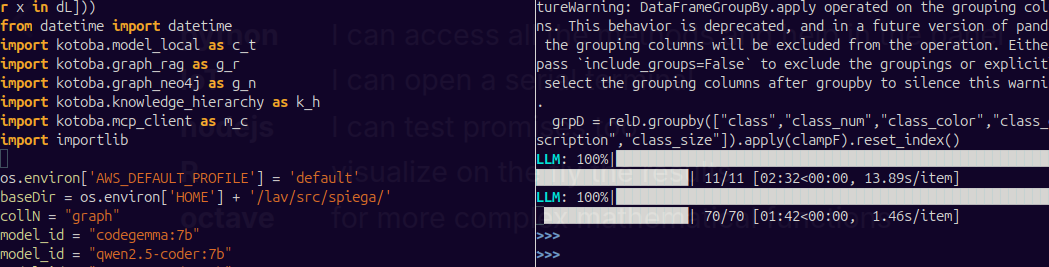
Emacs has many code REPL features were you can send lines of code and test the execution and the data transformation. I mainly use REPL with:
- python
- I can access all the methods and help in the panel
- IoT
- I can open a serial terminal
- nodejs
- I can test promises too
- R
- visualize on the fly the results
- octave
- for more complex mathematical functions
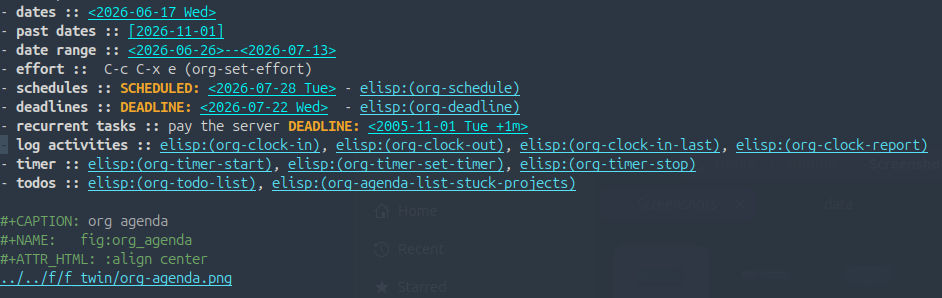
todo project management
Each section can be linked to a data by inserting an agenda entry [C-c .]. We can put:
- dates
- past dates
- date range
- effort
- C-c C-x e (org-set-effort)
- schedules
- SCHEDULED: - elisp:(org-schedule)
- deadlines
- DEADLINE: - elisp:(org-deadline)
- recurrent tasks
- pay the server DEADLINE:
- log activities
- elisp:(org-clock-in), elisp:(org-clock-out), elisp:(org-clock-in-last), elisp:(org-clock-report)
- timer
- elisp:(org-timer-start), elisp:(org-timer-set-timer), elisp:(org-timer-stop)
- todos
- elisp:(org-todo-list), elisp:(org-agenda-list-stuck-projects)
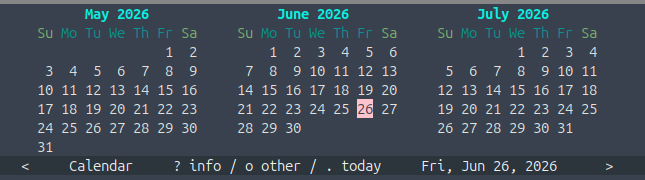
Figure 5: org agenda
gantt
Out of the agenda we can create a gantt
gantt
    dateFormat  <YYYY-MM-DD>
    title  Knowledge base action plan
    excludes  weekends

    review : vert, v1, <2026-06-22>, 1d

    section local models
        deploy LLMs          :done,  deploy, <2026-05-20>, 7d
        coding agent         :done,  deploy, <2026-05-27>, 14d
...
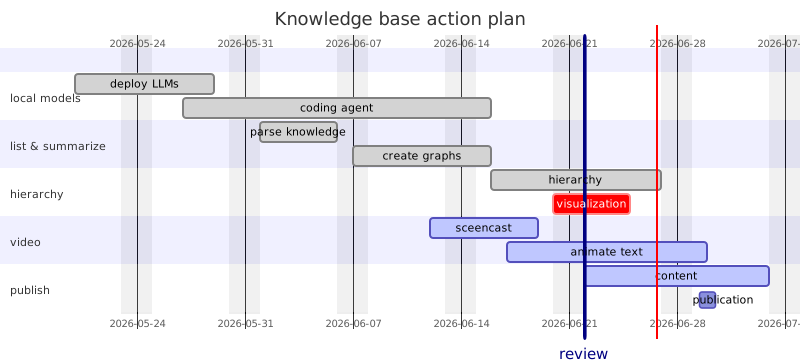
Figure 6: Gantt representation of the project
Kanban
From the running task we can create a kanban
kanban
  Todo
    [compare model serve]
    docs[benchmark vllm, llama.cpp and ollama]
  [In progress]
    id6[blog posts about the local implementation ]
  id11[Done]
    id5[agent confs, org files]

development workflow
Let’s now come with an example workflow:
- deploy
- start your containers and provide access only to project resources
- describe
- open a org file and start describing your project
- questions
- who is the user, what is the tech stack, what is the environment
- specify
- say where the project should run
- knowledge_base
- agents to collect all the sources regarding your tech stack and final goal
- virtual team
- describe the competences required, rules, tools and expertise
- MCP
- the MCP server will add the necessary integration for the project
- orchestrate
- define and distribute the tasks across agents
- present
- if everything is done the org way a button will produce slides and blog posts
Each of this action will use LLMs to expand on the topic after a simple instruction.
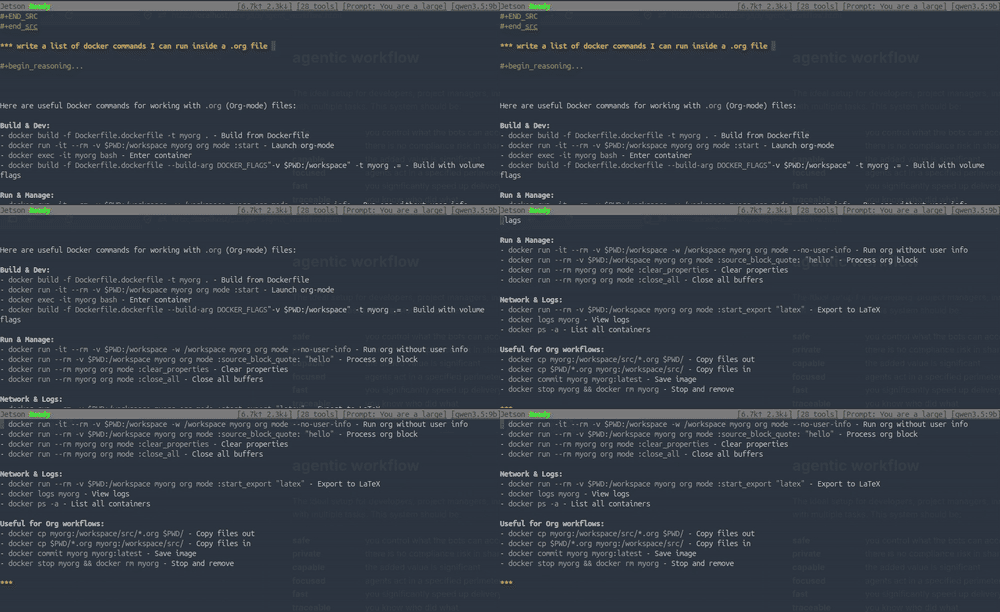
deploy
Everything is in docker, the main services are:
- nginx
- web server defining the network `webserver-net` too
- ollama
- to serve LLMs
- vllm
- to serve LLMs
- llama.cpp
- to serve LLMs
- mcp_server
- custom MCP server for the IoT devices
- mcp_client
- tests on the running sever
- aider
- coding assistant
- ansible
- to manage remote deployments
I can stop a container anytime in case of issues with resources.
describe
Take a bit of time to describe the project, the agents will do the rest:
- audience
- who should use the product
- UI
- what kind of interaction is foreseen
- deployment
- what is the product stage: MVP, prototype, test, deploy, enrollment?
- tech stack
- what libraries you want to use
- hardware
- on what hardware should the product run
Define those points and ask an assistant to create a local documentation of all technology listed which will be used for the project.
Given the project details prepare one markdown document in the folder `knowledge_base` where you explain what that technology, library or tool is useful for our purposes.
virtual team
We need now to instruct our coding assistant to create a virtual team and we specify all the files needed for the agent to gain the proper context.
- environment
- write SYSTEM.html and SYSTEM_APPEND.html
- tools
- define SKILLS.html
- expertise
- define AGENTS.html
- overall scope
- README.html
- behavior
- .rules
- models
- to use models.json
Given the project details write an AGENTS.html file where you describe what each agent should be capable of and what is the expected expertise
safety
Agents are really powerful and we want to hold control on what they do by limiting permissions.
- container
- the agent can access the project directory only
${HOME}/lav/src/:${HOME}/lav/src/- environment
- no passwords, no keys, no certificates accessible
- permissions
the permissions are set in Dockerfile no sudo
RUN usermod -l newuser ubuntu && groupadd newuserUSER newuser- local
- I can even restrict internet access for the LLMs
- middleware
- build custom middleware to access external resources
MCP
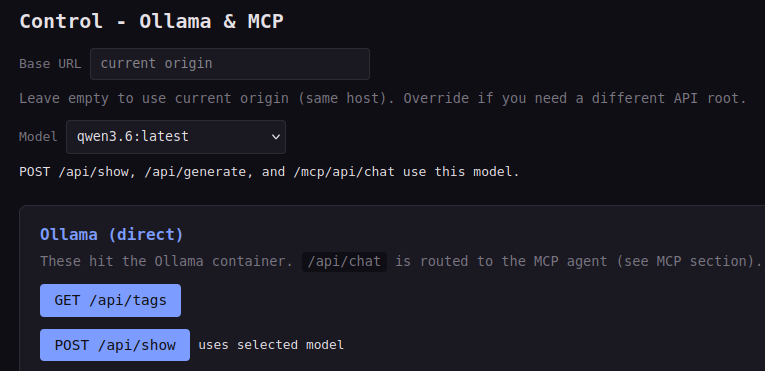
In some projects is important to add external capabilities to the agents. In a recent project I added for example a MCP with proper UI and tools:
- blender
- connect to a running blender instance
- cameras
- describe what a remote camera sees
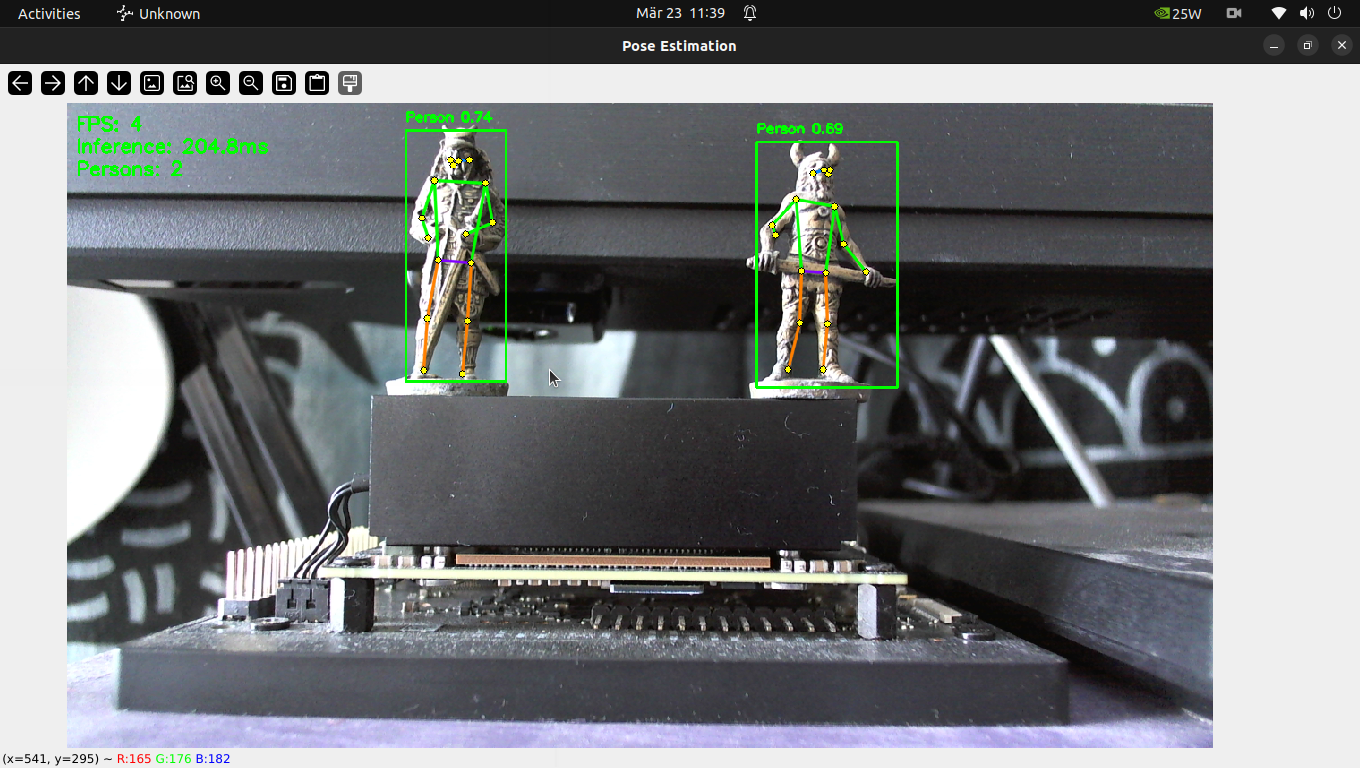
- posture
- apply a ML model for posture recognition
cd ~/lav/src/blender_twin/deploy/mcp_client/
python3 test_cube.py
OK — cubes in scene: []
tools
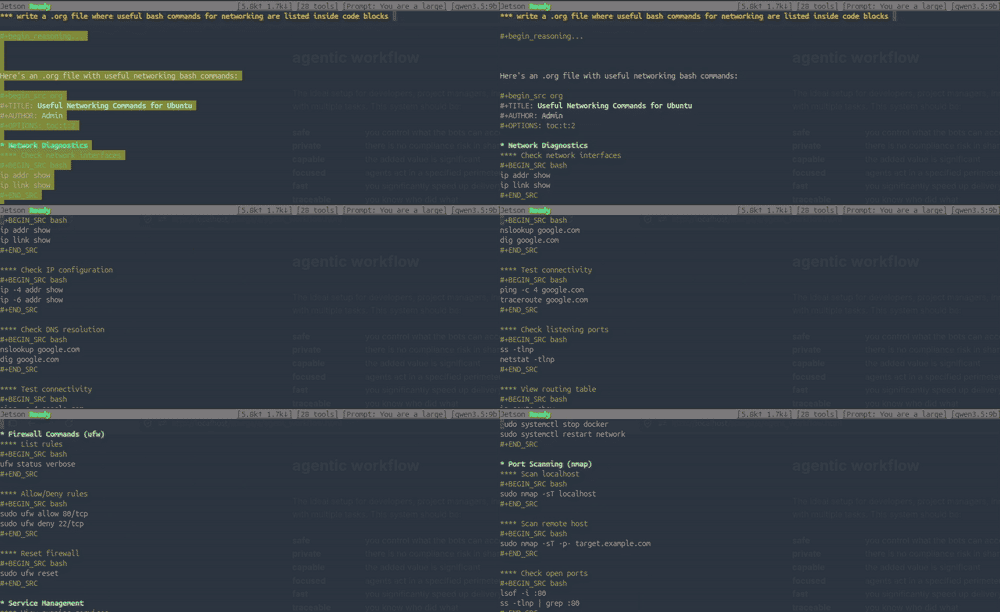
LLMs can create almost anything from prompts but they work much more efficiently connecting with tools:
- animations
- blender, manim
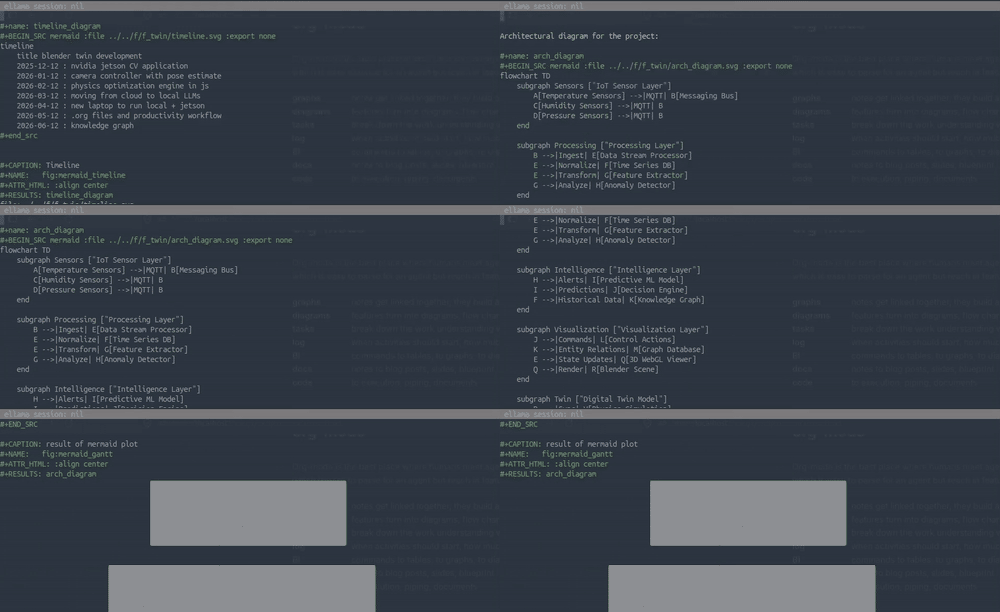
- diagrams
- mermaid, graphviz, tikz, wavedrom, plantuml
- music
- lilypond
- vision
- opencv, colmap, brush
- electronics
- circuit2tikz
Connecting LLMs with tools allow additional training for fine personalization of the content
orchestrate
Ask an LLM to define the task in a plan file which we can review. LLMs can use internal org features:
- section
- what is the task about
- agenda
- when it should start
- effort
- expected duration [C-c C-x e] (org-set-effort)
- logbook
- start the time for that section (org-clock-in) (org-clock-out)
- summarize
- findings for that task
- gannt
- update the gannt (text) for the current stream
- kanban
- update the kanban (text) for the current stream
- code
- write the tests inside the org file and re-write the tasks based on the output
- test and approve
- mark the task for human approval
- review
- the task list
present
If you write as you go and the agents keep updating the knowledge base org-roam does the rest. You can with simple scripts produce:
- blog post
- description of the project for a tech audience
- slides
- for a business audience
- blueprint
- for technical use and implementation
graph rag
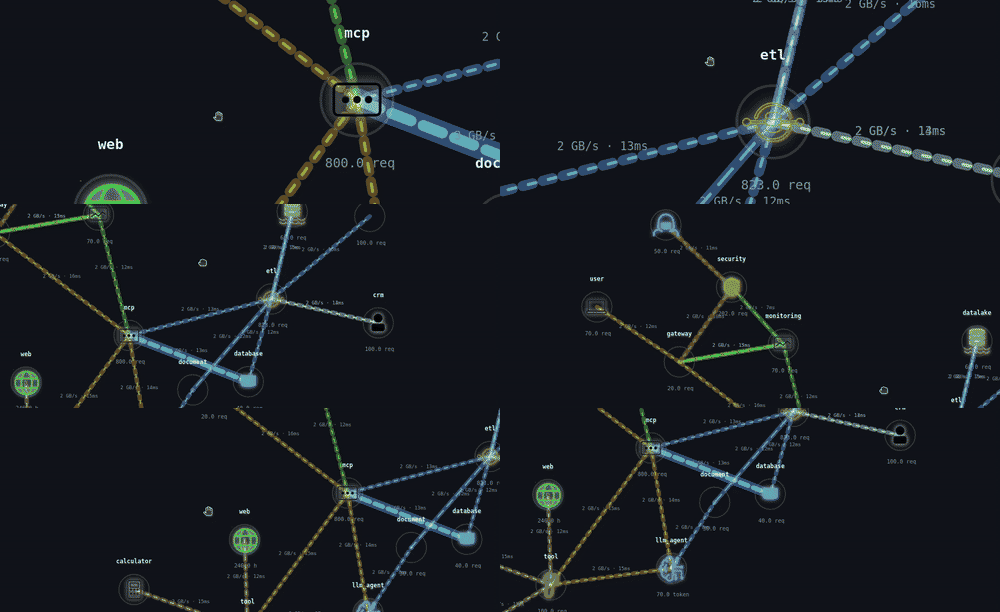
Graphs are really useful to visualize the status of the project but sometimes the details are too heavy to be processed and therefore is important to perform some hierarchical clustering as explained here: knowledge graph.
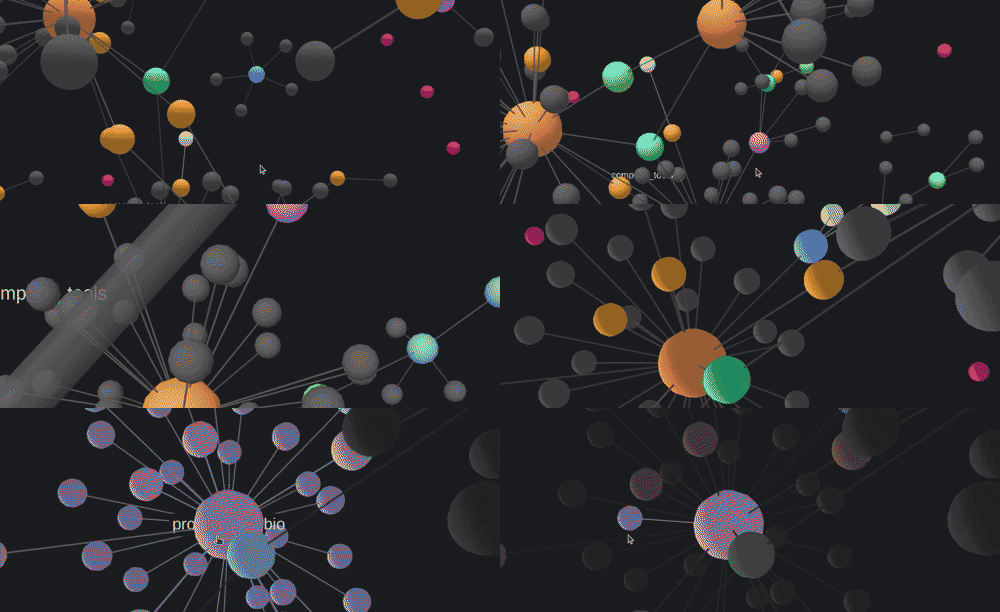
animate
Slides and images are important but sometimes is easier to explain in a video. For that I created a d3.js network explorer which takes the network links and nodes and can export to blender.
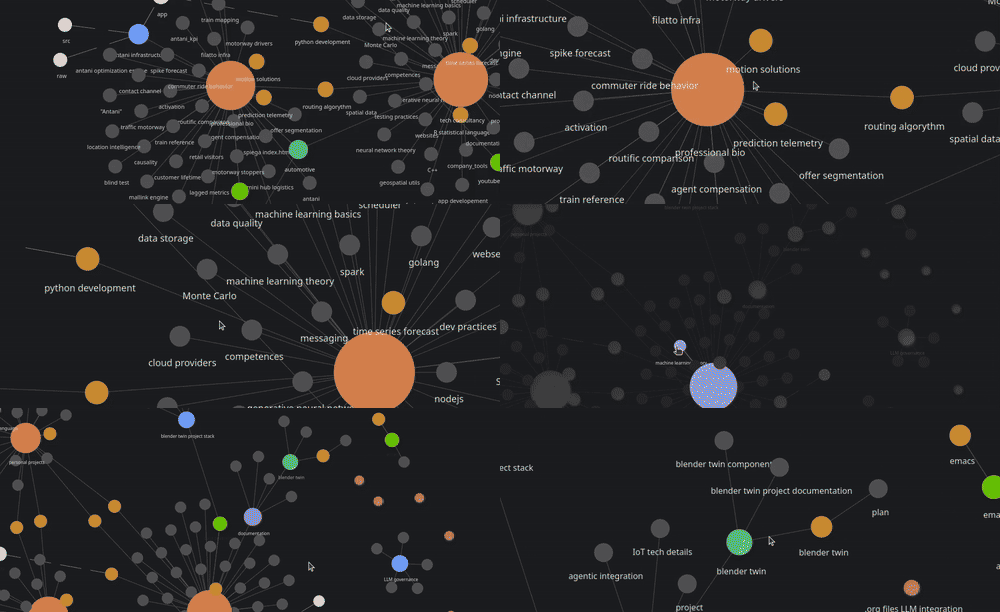
animate graphs
The images from the dashboard can be exported to blender to create 3D animations.

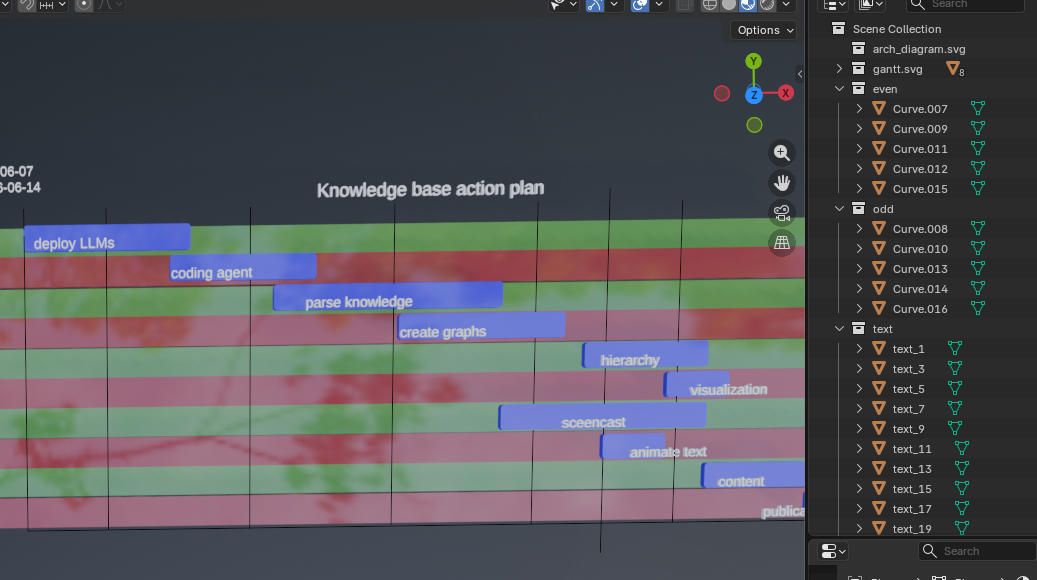
animate diagrams
We can as well animate the mermaid diagrams we have created for the documentation
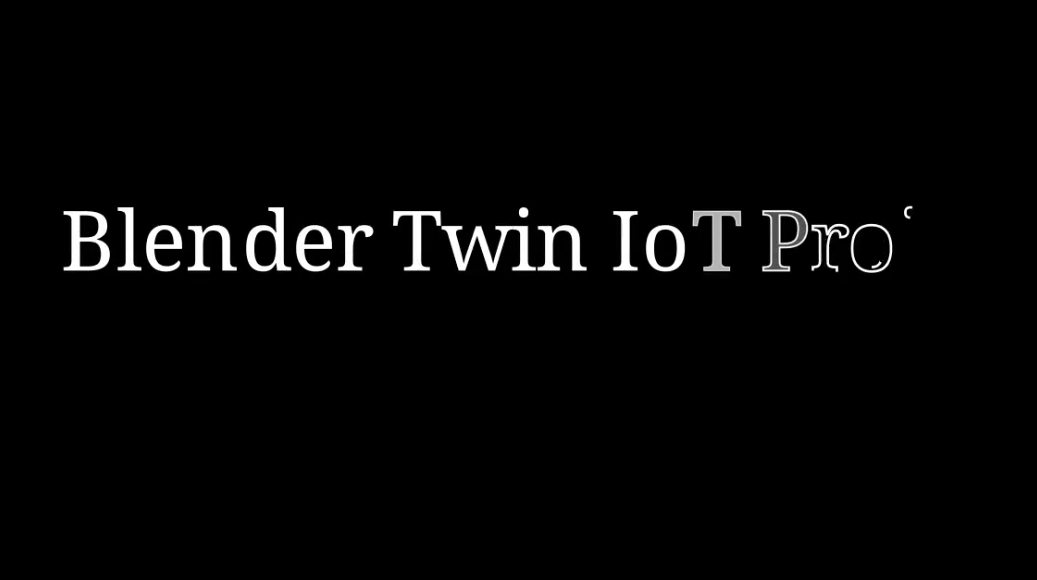
animate manim
We can as well animate using the manim python library with the help of LLMs to write their functions
publish
(org-reveal-export-to-html)
agent_workflow.html
mv $outF ~/lav/siti/spiega/slide/$outF
#+ATTR_HTML: :width 40% :height auto
./image1.png
#+ATTR_HTML: :width 40% :height auto
./image2.png


#+html_block:
<div style="display: flex;">
<img src="./image1.png" style="margin: 10px;">
<img src="./image2.png" style="margin: 10px;">
</div>
#+end

Image 1

Image 2
sync
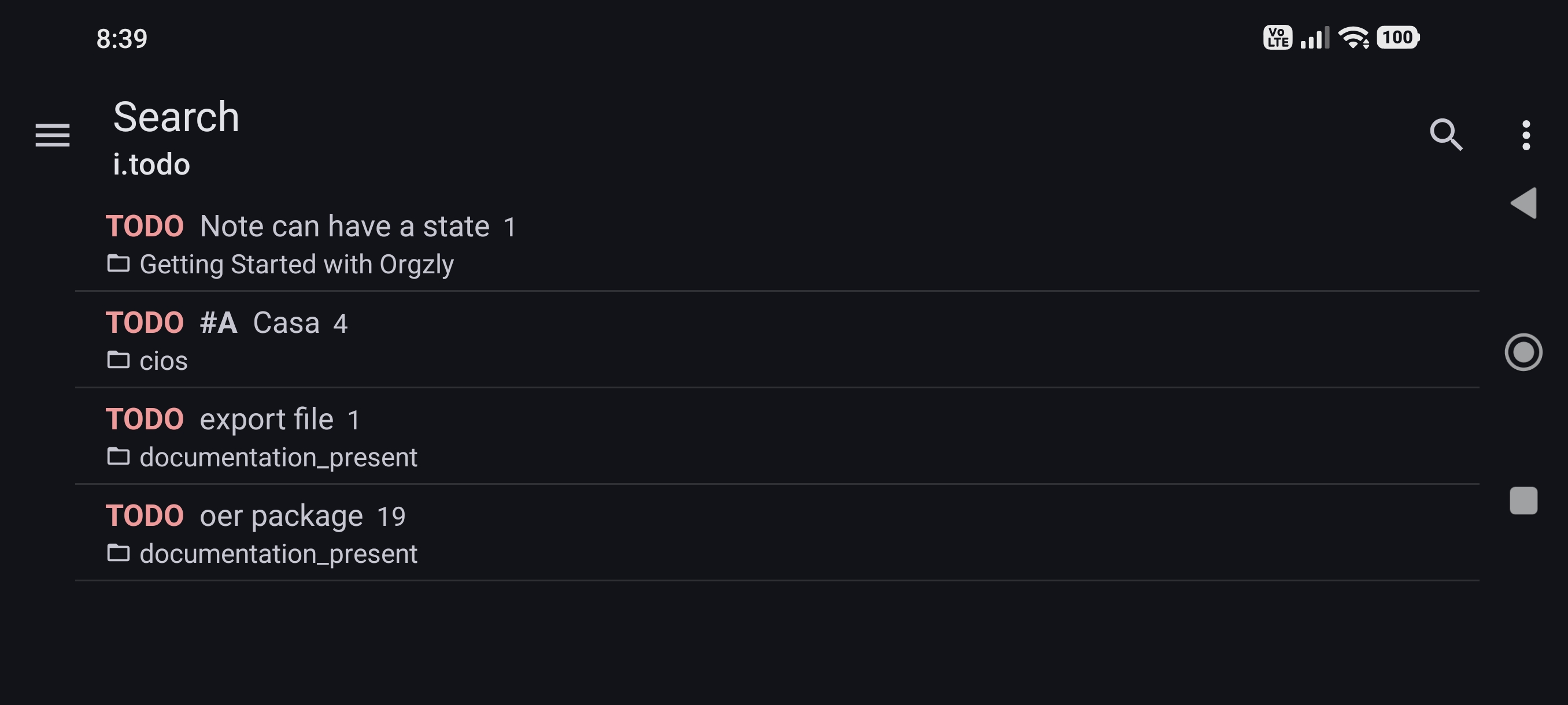
All files are synchronized to an online server and can be consumed from a simple adroid app so we can monitor the status of the work anywhere. Apps like orgzly can easily sync with your own server:
- webdav
- I put webdav instructions into my nginx container
- auth
- I created a user and password as in web_admin
- rsync
- between my local laptop and my server
- orgzly
- the android app connecting to my sever and syncing the notes